System Design Toolkit
Use these canvases to structure the work on your project: what to do, in what order, and with whom. Start with the wider world around the project. Then name the organisations that own and run the work. Then list each service. Then describe what happens for one person in one moment, in a place or on a screen. Choose a canvas that matches the stage you are working on.
- 139Canvases in this toolkit
- 64Ecosystem
- 31Organisations
- 26Services
- 18Interaction
1. Ecosystem
Start with these
- Place Standard
- Stakeholder / actor map
- Public Value canvas
- Ecosystem / value-network map (who exchanges value with whom)
- PESTLE / STEEPLED (scan of outside forces)
- Wardley Map (landscape)
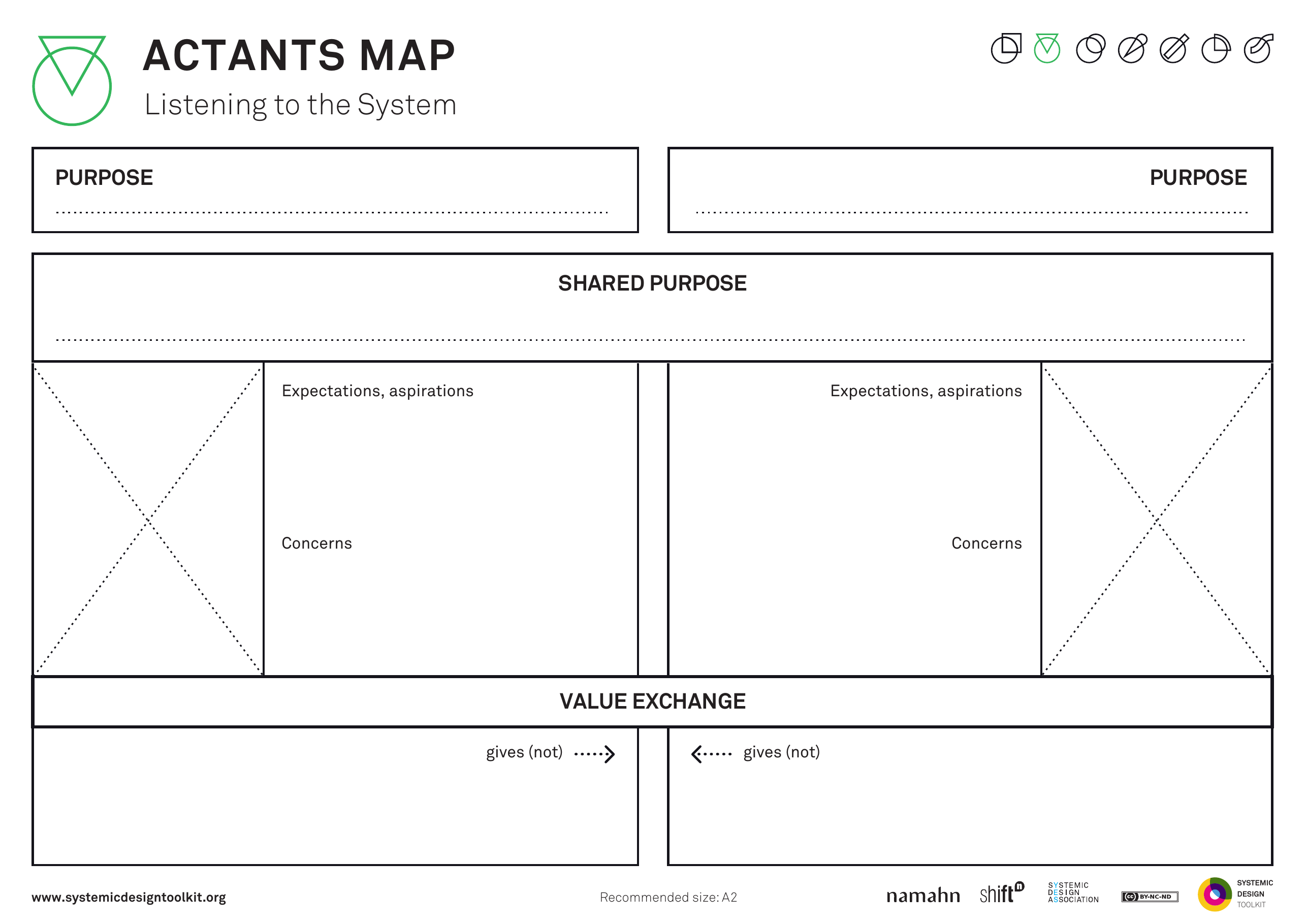
This picture is the published Systemic Design Toolkit poster for Actants Map. It is the official Design Journeys page, not a redrawing. - What it covers
- Paired actants (people, buildings, data, law, equipment): each purpose, a shared purpose, value exchange, and experience over time, so non-human things can act as strongly as people.
- When to use it
- Infrastructure, data or law acts as strongly as people. A people-only map will treat those as scenery.
- How to use it
- Pick two actants, including at least one that is not a person if that is true of the system.
- Write each purpose, then the shared purpose if they have one.
- Draw value exchange: what each gives and gets over time.
- Write the experience over time, including when the non-human actant blocks or enables.
- Add further pairs if needed.
- Add the building, data or law that is actually acting if only humans appear.
- Who to involve
- Invite someone who knows the politics, someone who works with the non-human actant (estates, data or legal), and someone who is not usually invited.
- Why it helps
- You can then see tools, buildings and law as actors in the system, not as background scenery.
- Watch out for
- People-only maps hide the buildings, data and law that actually block or enable.
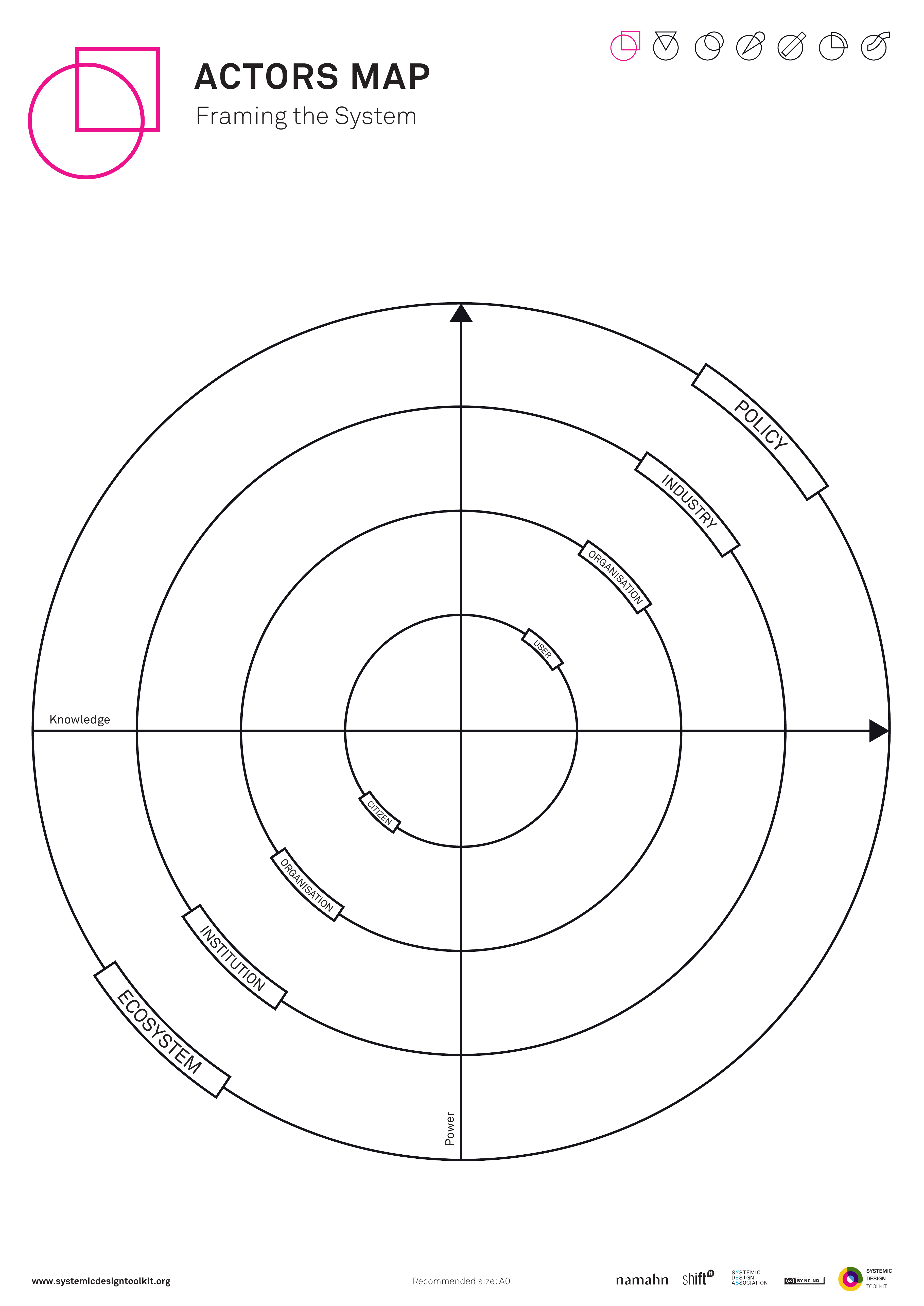
This picture is the published Systemic Design Toolkit poster for Actors Map. It is the official Design Journeys page, not a redrawing. - What it covers
- Named actors placed on POWER against KNOWLEDGE, with POLICY as a third reading, so you can see who to listen to first.
- When to use it
- You must decide who to listen to first in a complex system. Titles with no power or knowledge axes will send research to the usual invite list.
- How to use it
- Draw the POWER and KNOWLEDGE axes and agree what each means in this system.
- Place named actors, not titles alone.
- Read POLICY across the map: who sets, interprets or is shut out of the rules.
- Circle research priorities: high knowledge you have not heard, high power you have not tested.
- Mark who is missing from the axes.
- Re-place any title cloud until named people sit on real axes.
- Who to involve
- Invite someone who knows the politics, someone who is not usually invited, and the programme lead.
- Why it helps
- This helps you decide research priority from power and knowledge, rather than from the usual guest list.
- Watch out for
- Titles in a cloud with no power or knowledge axes will not set listening priority.
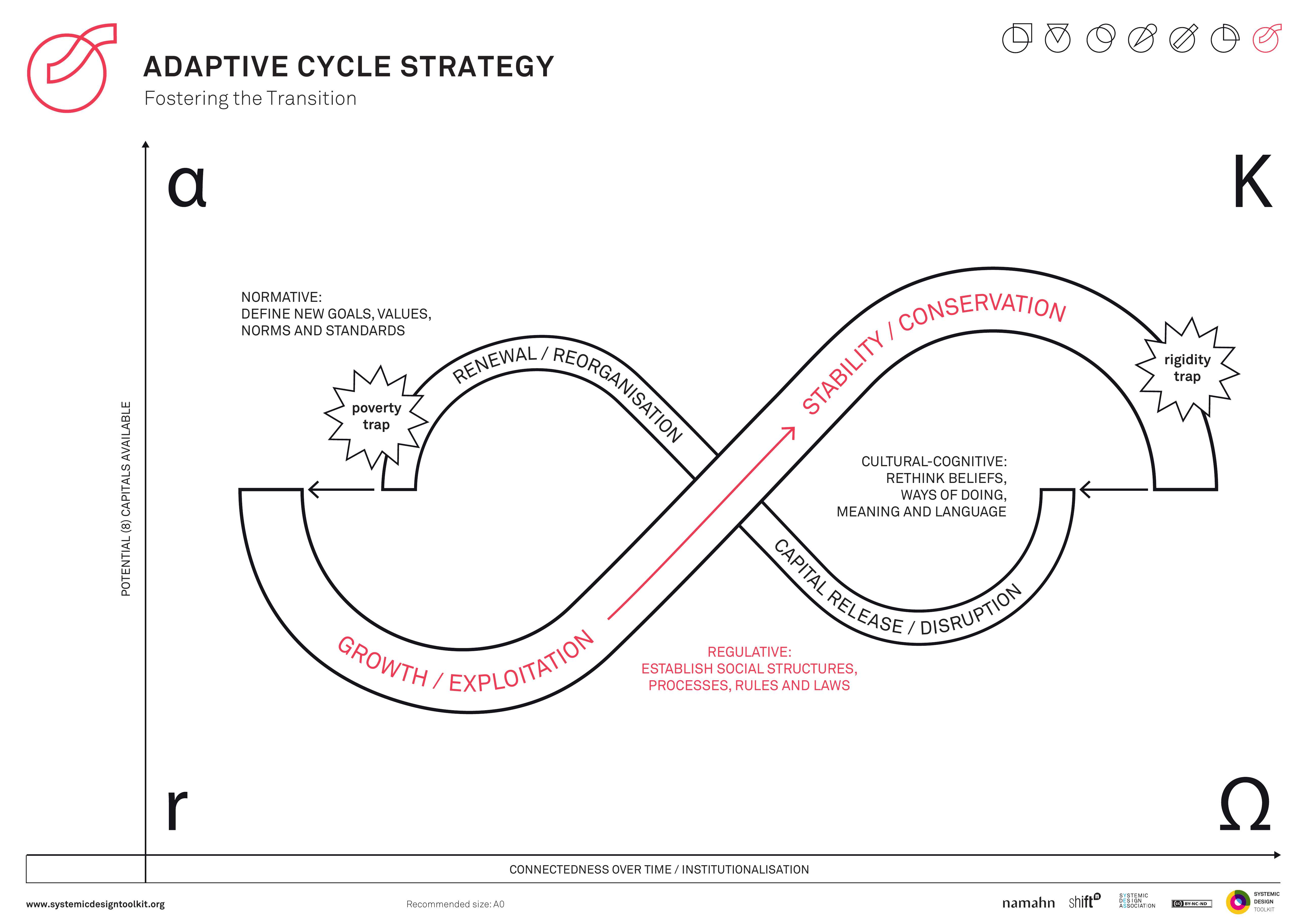
This picture is the published Systemic Design Toolkit poster for Adaptive Cycle Strategy. It is the official Design Journeys page, not a redrawing. - What it covers
- C. S. Holling's adaptive cycle: r growth, K conservation, omega release, alpha reorganisation, with CONNECTEDNESS and AVAILABLE CAPITAL, so strategy can include release and renewal as well as growth.
- When to use it
- The system needs renewal, not only scale-up. Always-on growth with no release will not change form when conservation is stuck.
- How to use it
- Place the current system on the cycle: growth, conservation, release or reorganisation.
- Write connectedness (how rigid the system is) and available capital (what could fuel the next phase).
- If you are stuck in conservation, design release: what you will let die.
- If you are in release, design reorganisation: what you will protect while it is loose.
- Add release and renewal wherever the strategy is only growth.
- Put release and renewal into the portfolio with owners, or admit you are only scaling.
- Who to involve
- Invite people from policy, people who run the conserved system, and people who would do the work of release and reorganisation.
- Why it helps
- This helps you decide strategy that can change form through release and renewal, not only scale.
- Watch out for
- Growth-only strategy leaves stuck conservation without release or renewal.
There is no published template for Alliance / treaty / mandate map yet. - What it covers
- Legal and treaty duties that already bind what you have been asked to do: what each instrument forbids, requires or funds, written as constraints rather than a reading list.
- When to use it
- The North Atlantic Treaty Organisation (NATO), statute, inspectorates or funding settlements already bind what you have been asked to do, whether the design team likes it or not.
- How to use it
- Agree the jurisdiction and time window: which country, which mandate, which years of funding.
- List treaties, statutes, inspectorate regimes and funding settlements that apply, using the official name.
- For each one, write three lines: what it forbids, what it requires, and what money or access it controls.
- Mark which duties you cannot trade away, and which are aspirations the team hoped to treat as optional.
- Draw who holds each duty and who can waive or interpret it.
- Test what you have been asked to do against those duties and write any breach on the page before anyone tidies it away.
- Who to involve
- Invite a policy or legal lead who can cite the actual instrument, someone who has been inspected against it, and the programme lead.
- Why it helps
- You can then keep preferred options inside the legal and treaty constraints that already bind you.
- Watch out for
- Make sure each policy or treaty says what it forbids, requires or funds. Write the constraints beside each item.
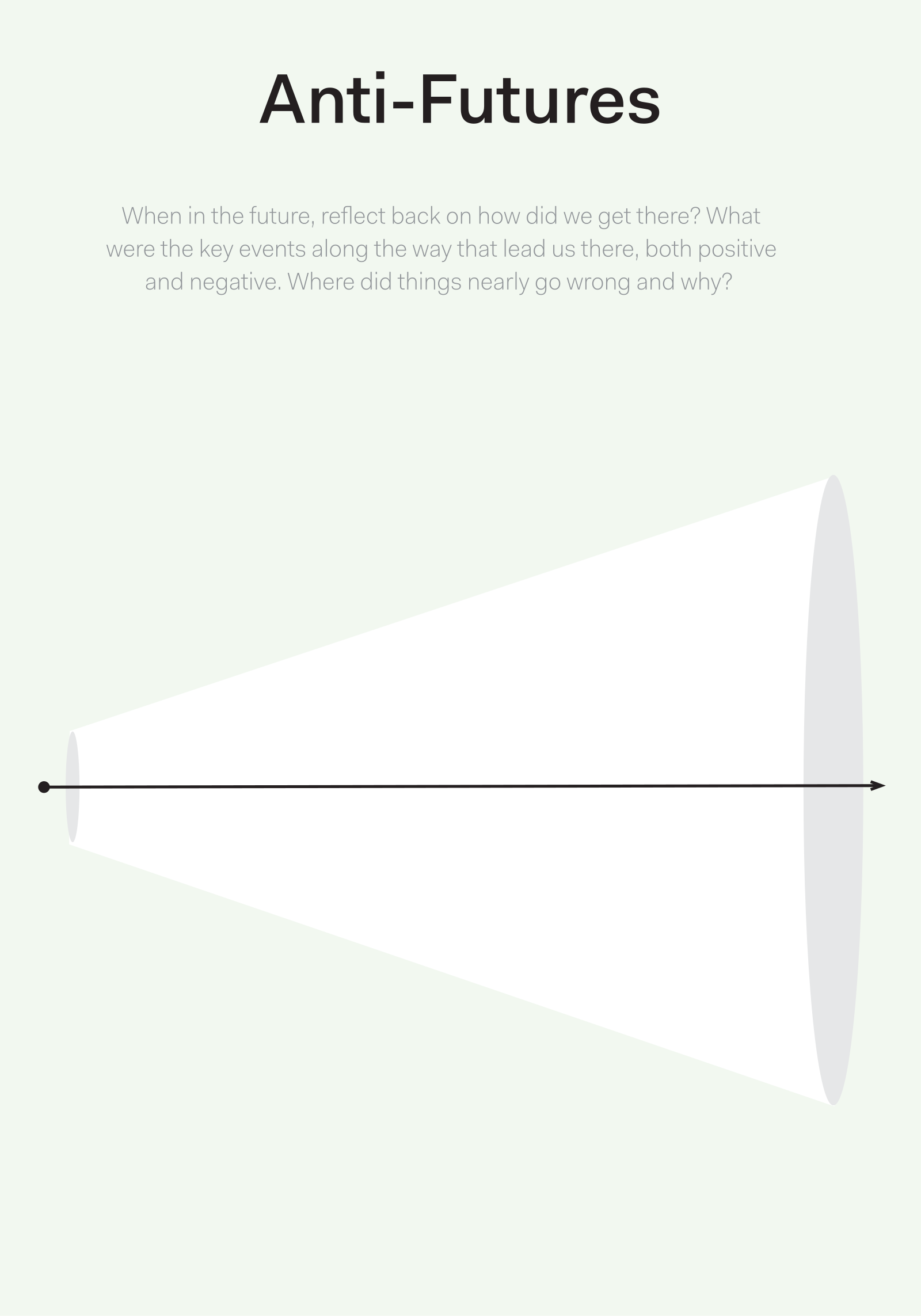
This picture is the published Actionable Futures Toolkit page for Anti-futures. - What it covers
- Futures you must not arrive in, and near-miss failure worlds, written as sharp refusals and guardrails with clear policy implications.
- When to use it
- You need guardrails as sharp as the vision you want. Storytelling about dystopia without a policy implication will not protect the programme.
- How to use it
- Assume a forbidden future has already happened and write the world in lived detail.
- Include near-misses: worlds you almost slide into.
- Reverse each into causes and guardrails you can design in policy, contract, design or stop rules.
- Write the guardrails as sharply as the vision: what you will refuse.
- Cut any story that has no policy implication.
- Put the refusals into what you have been asked to do and the governance.
- Who to involve
- Invite strategy and policy leads, analysts, at least one operator who would live a forbidden world, and people who would be harmed who can name that world.
- Why it helps
- This helps you decide what the programme will refuse, with guardrails as sharp as the vision.
- Watch out for
- Forbidden worlds told as stories without a policy, contract or stop rule protect nobody.
This picture is the published GOV.UK Futures Toolkit page for Backcasting. - What it covers
- A detailed future state, a reverse path back to today, and present actions plus assumptions to test. Steps that are not yet funded stay on the path as gaps.
- When to use it
- Forward forecasts keep locking you into today's limits. You need present actions derived from the future you want, including work that is not already in the budget.
- How to use it
- Describe the future in enough detail that you can walk backwards from it.
- Step backwards: what would have to be true just before that, then before that, until today.
- Convert each step into present actions and assumptions to test.
- Include steps that are not already funded and mark them as gaps.
- Keep uncomfortable or unfunded steps on the path rather than dropping them.
- Hand present actions to owners, including the ones that sit outside today's budget.
- Who to involve
- Invite strategy and policy leads, analysts, at least one operator who would take a present action outside the current budget, and finance to hear the gaps.
- Why it helps
- This helps you decide present work from the future you want, including unfunded steps, rather than only reversing today's budget lines.
- Watch out for
- Make sure the reverse path includes steps that are not already funded. Easy, budgeted steps alone will not get you there.
There is no published template for C4 Context diagram yet. - What it covers
- One box for the system in focus, with users and external systems around it. In the C4 model (Context, Containers, Components, Code), this is the context view only.
- When to use it
- Engineers and policy need a one-page boundary they can share, and the team is jumping to internals before the context is agreed.
- How to use it
- Name the system in focus in one box; if you cannot name it, you are not ready for this view.
- Place people and organisations who use it around the box, with what they do.
- Place external systems it depends on or feeds, with the relationship labelled.
- Agree what is inside the box and what is out of scope, and write the exclusions.
- Stop at context; do not draw containers or components on this page.
- Confirm that policy and engineering point at the same box; if they do not, you have two systems.
- Who to involve
- Invite an engineer who will own the internals later, a policy or service owner, and someone who represents an external system.
- Why it helps
- This helps engineers and policy point at the same system before anyone draws containers.
- Watch out for
- Make sure the context boundary is agreed before anyone draws containers and components. Otherwise engineers and policy will draw different systems.
There is no published template for Causal loop / systems map yet. - What it covers
- Variables linked in reinforcing (R) and balancing (B) loops, with delays marked, so you can see how a fix might worsen the problem later.
- When to use it
- A new building or programme could make the problem worse, and opinion-drawn loops would hide the delays that matter.
- How to use it
- Name the problem variable in the centre (for example waiting time, trust, occupancy, harm).
- Add other variables that move it, and connect them with arrows that say up or down.
- Find reinforcing loops (things that feed themselves) and balancing loops (things that push back), and label them R or B.
- Mark delays: where the effect shows up later than the action.
- For each loop, write the evidence, and mark opinion-only loops as hypotheses.
- Test the proposed building or programme on the map: which loops it strengthens, which it ignores, and whether it could worsen the problem it claims to solve.
- Who to involve
- Invite someone with data or history of the problem, someone who lives the delay, and someone who owns the proposed intervention.
- Why it helps
- You can then test a building as a system intervention, using evidenced loops and delays rather than assuming it is a solution.
- Watch out for
- Make sure loops have evidence and time delays. Opinion-only loops cannot show whether a new building would worsen the problem.
There is no published template for Civic publics canvas yet. - What it covers
- The groups that form around an issue: who gathers, who argues, and who stays away, rather than a single user of a building.
- When to use it
- People disagree about who the building is for, or the team is talking about the community as if it were one person.
- How to use it
- Name the issue that people are forming around, in words they would use, not the project's title.
- List the groups of people that gather around that issue, including opponents and people who will never use the building.
- For each public, write what they want, what they fear, and how they currently make themselves heard.
- Mark where those groups overlap and where they cannot share a room without a rule for disagreement.
- Replace any box labelled the community with the specific public you mean.
- Write what the work must do for more than one group, and what it must stop treating as a single audience.
- Who to involve
- Invite people from at least two groups who do not already agree, a place lead, and the sponsor.
- Why it helps
- You can then write what you have been asked to do for competing groups in the open, instead of pretending there is one community to design for.
- Watch out for
- Make sure contested groups, opponents and people who will never use the building stay visible. One persona labelled The Community hides them.
There is no published template for Community asset / ABCD map yet. - What it covers
- A place map of what already exists: people and their skills, associations, and physical assets, plus who can use them and who trusts them. Asset-based community development (ABCD) is the method behind the map.
- When to use it
- A new public building is being discussed, and you need to know what already works so the scheme does not duplicate or displace it.
- How to use it
- Agree the place boundary on a map people recognise, not a local-authority outline nobody uses on the ground.
- List people and skills, associations and groups, and physical assets, using names rather than categories.
- For each asset, note who can use it, who owns it, when it is open, and whether it is trusted.
- Mark what residents already rely on, including unofficial routes that never appear in a directory.
- Compare the proposed scheme with the map and strike anything that would copy, starve or replace an asset that already works.
- Agree what to build on, what to fund as is, and what the new building must not pretend to replace.
- Who to involve
- Invite residents or other people with lived experience of the place, people who run existing groups, and the sponsor who asked for the work.
- Why it helps
- This helps you decide what the place already has and what a new building would duplicate, so the project can build on the place.
- Watch out for
- Make sure the map records who can use each asset, who owns it, and whether it is trusted. Names of buildings and groups alone are not enough.
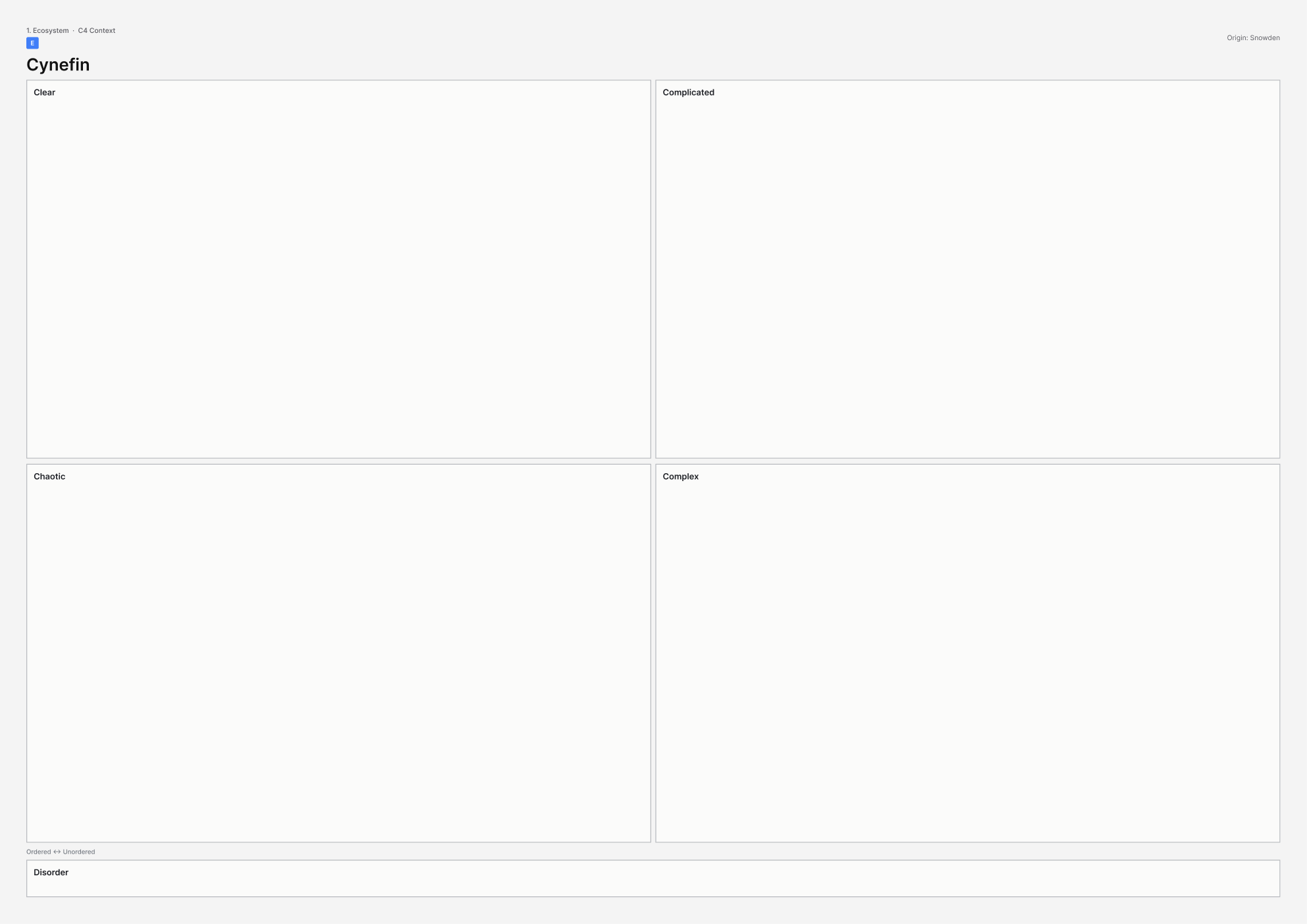
This picture is the printable A3 template for Cynefin. - What it covers
- The Cynefin domains: clear, complicated, complex, chaotic, and disorder in the middle. You place the problem, not the organisation's personality.
- When to use it
- People are writing a specification for a civic problem that is still complex, as if the right answer could be written up front.
- How to use it
- Explain the domains in plain language: clear (best practice), complicated (experts can analyse), complex (patterns only in retrospect), chaotic (act to stop the bleeding).
- Place this problem, not the whole organisation; a building programme can be complicated while the social problem is complex.
- Treat disagreement as data: the problem may sit in disorder until you probe.
- Write the allowed moves for that domain (for complex: probe, sense, respond).
- Strike any A-to-Z plan that treats a complex problem as complicated.
- Agree what you will learn before you freeze the specification.
- Who to involve
- Invite people from policy, people who run the service, people affected by it, and someone who has seen a complicated specification fail on a complex problem.
- Why it helps
- This helps you match the way of working to the domain the problem sits in, so a complex civic issue is not forced into a complicated A-to-Z plan.
- Watch out for
- Make sure a complex civic problem is not forced into a complicated A to Z specification. The plan should not pretend the right answer can be written up front.
This picture is the published GOV.UK Futures Toolkit page for Delphi. - What it covers
- Expert rounds, what moved towards consensus, what stayed in disagreement, and inputs to an Issues Paper, before anyone workshops options together.
- When to use it
- You need structured expert judgement before options harden, and a group workshop would average away the minority view that later proves right.
- How to use it
- Invite experts to answer independently first; do not start in a shared workshop.
- Run at least two rounds and show the group the spread, not only the average.
- Protect minority views in writing so they go into the Issues Paper.
- Write the Issues Paper before any group workshop, with consensus and dissent both visible.
- Bring people together only then, using the paper as the agenda.
- Restore minority lines if rounds have averaged away dissent.
- Who to involve
- Invite senior decision-makers, domain experts who will answer independently, and a facilitator who will protect minority views.
- Why it helps
- This helps you structure expert judgement in an Issues Paper that keeps disagreement visible, before options harden in a workshop.
- Watch out for
- Make sure minority views stay in the Issues Paper. Rounds that average dissent into a false consensus hide the view that later proves right.
There is no published template for Digital public infrastructure map yet. - What it covers
- The civic rails the service sits on: identity, payments, data and registries, not the app on top. Digital public infrastructure (DPI) is the usual name for those rails.
- When to use it
- The building is one channel of a digital and physical service, and the team is reaching for an app before the rails exist.
- How to use it
- Name the service journeys that must work in the building and online.
- Under them, map identity, payments, data stores and registries those journeys sit on, using the real system names.
- Mark who owns each rail, who can access it, and what happens when it is down.
- Draw the building as a channel on those rails, not as a separate product.
- List gaps: no shared identity, no payments, no register, no fallback when digital fails.
- Name the rails and the fallback in the building before you specify an app.
- Who to involve
- Invite a digital architecture or Government Digital Service (GDS) literate lead, an operator of a desk channel, and someone who owns a register or identity service.
- Why it helps
- This helps you treat the building as a channel on identity, payments and registries, rather than as an app sitting on nothing.
- Watch out for
- Make sure identity, payments, registries and a fallback when digital fails are named before the answer becomes an app.
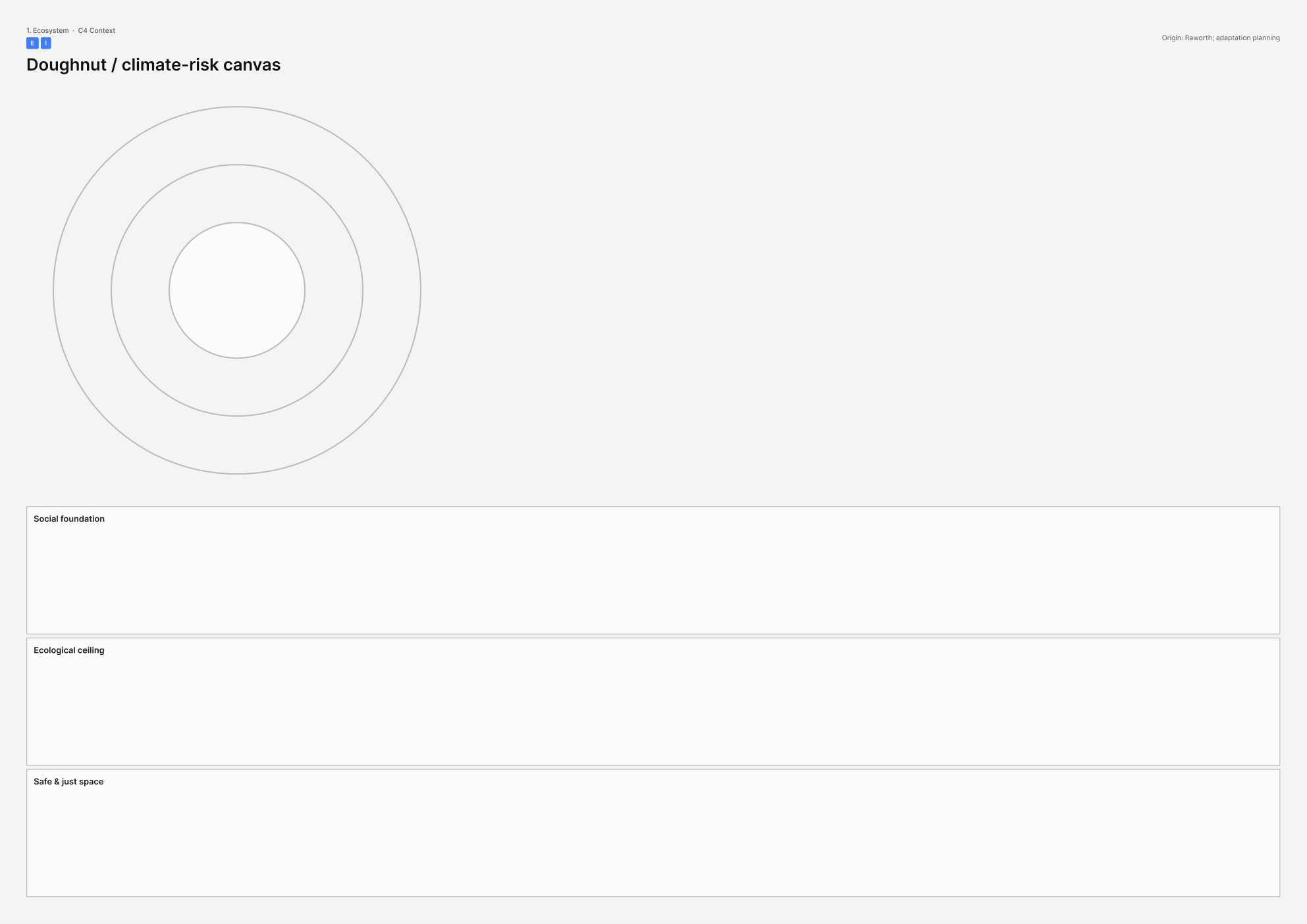
This picture is the printable A3 template for Doughnut / climate-risk canvas. - What it covers
- The doughnut: social foundation inside, ecological ceiling outside, and the safe and just space between, plus physical climate risk to this site over its life.
- When to use it
- A civic asset meant to last about 60 years is being specified, and net zero is at risk of becoming a plaque rather than use, energy and maintenance.
- How to use it
- Draw the doughnut and fill social foundation shortfalls this asset could worsen or repair (housing, health, voice, energy, and the rest that apply).
- Fill ecological ceiling overshoots: carbon, heat, water, materials, biodiversity on and beyond the site.
- Add physical climate risk to this site: flood, heat, wind, over the life of the asset, not only opening year.
- Translate each ring into specification: use, energy, maintenance, adaptation.
- Write what is missing in operations if net zero is only a plaque.
- Give social foundation and climate risk owners in the project before you freeze what you have been asked to do.
- Who to involve
- Invite a climate or energy specialist, someone who will maintain the building, and people whose social foundation is at stake.
- Why it helps
- You can then write social foundation and ecological ceiling into the specification for use, energy and maintenance, not as a plaque on the building.
- Watch out for
- Make sure net zero appears as use, energy and maintenance over sixty years. Climate and social limits that stay off the specification will not constrain what you have been asked to do.
This picture is the published GOV.UK Futures Toolkit page for Driver mapping. - What it covers
- Drivers plotted on importance against certainty, then the critical uncertainties circled so they can become scenario axes.
- When to use it
- You must choose axes for scenarios or stress tests, and everything is at risk of being plotted as high importance and low certainty.
- How to use it
- List drivers from the scan and from the Issues Paper, one driver per card.
- Plot them on two axes: importance, and how certain you are.
- Circle critical uncertainties: important and uncertain.
- Agree which two become scenario axes; they must be independent.
- Put important-and-certain drivers on a watch list with owners, not on the axes.
- Force some drivers down if everything sits in the uncertain-important corner.
- Who to involve
- Invite strategy and policy leads, analysts, at least one operator who will live with the result, and someone who can defend certainty from data rather than volume of voice.
- Why it helps
- You can then choose critical uncertainties as scenario axes, so scenarios are not built from the loudest trend.
- Watch out for
- Make sure some drivers are allowed to be known. If everything sits in high importance and low certainty, scenario axes cannot be chosen.
There is no published template for Ecosystem / value-network map yet. - What it covers
- A network of actors with flows between them: value, data, money, people and waste, plus the points where those flows fail.
- When to use it
- You have a stakeholder list or a cluster of logos, and you need the system: what actually moves, and where it breaks.
- How to use it
- Agree the boundary of the network and the question it answers (who captures value, where data dies, where waste goes).
- Place named actors, then draw flows of value, data, money, people and waste, labelling each arrow with what moves.
- Mark direction and whether the flow is formal, unofficial or broken.
- Circle failure points: delays, leaks, gatekeepers, unpaid work.
- Add a flow or remove any node that has none.
- Write the two or three interventions that would change a flow.
- Who to involve
- Invite someone who sees money, someone who sees data or casework, someone who sees the unofficial routes, and a person affected by a failure point.
- Why it helps
- You can then target how the system behaves, using flows and failure points rather than a prettier cluster of logos.
- Watch out for
- Make sure every important node has labelled flows and failure points. Pretty nodes alone do not show how the system behaves.
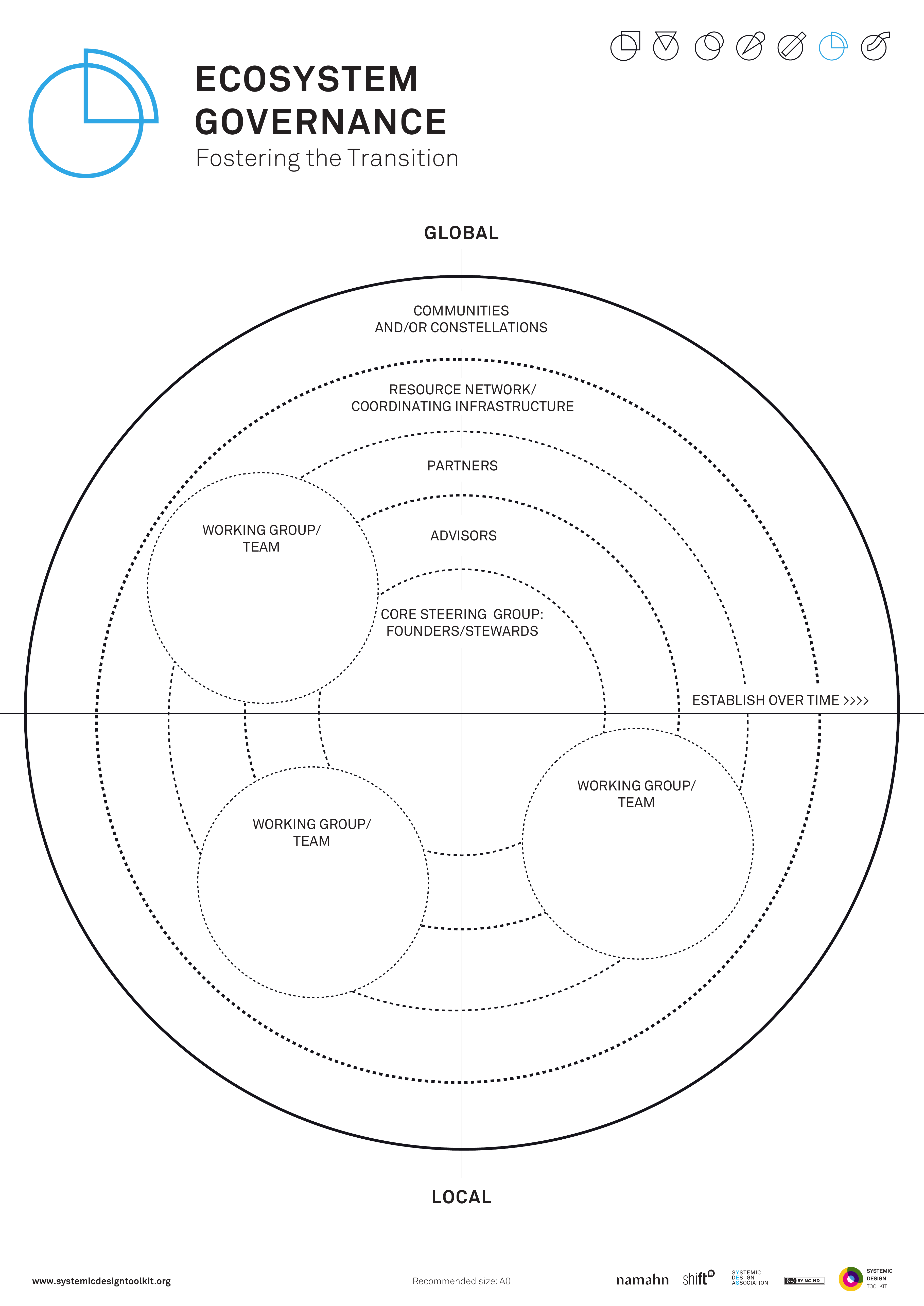
This picture is the published Systemic Design Toolkit poster for Ecosystem Governance. It is the official Design Journeys page, not a redrawing. - What it covers
- Nested rings of GLOBAL, COMMUNITIES or CONSTELLATIONS, RESOURCE NETWORK, COORDINATING INFRASTRUCTURE, MISSION PARTNERS and WORKING GROUP, each with authority and resources across organisations that share a transition.
- When to use it
- No single organisation can own the transition. A steering group with no authority or resources will only be a meeting.
- How to use it
- Place the working group, mission partners, coordinating infrastructure, resource network, communities and the widest ring.
- For each ring, write authority: what they can decide, and resources: what they can spend or withhold.
- Write how rings talk, and what happens when they disagree.
- Give duty to any steering group that has none, or remove it.
- Name who is not in a ring and how they are still bound.
- Confirm the transition is owned across organisations in practice, not by one body on paper alone.
- Who to involve
- Invite people from more than one organisation who would sit in different rings, people from policy, and people from communities in the constellation.
- Why it helps
- This helps you set governance as duty across organisations, with authority and resources on each ring.
- Watch out for
- A steering group that is only a meeting cannot govern a shared transition.
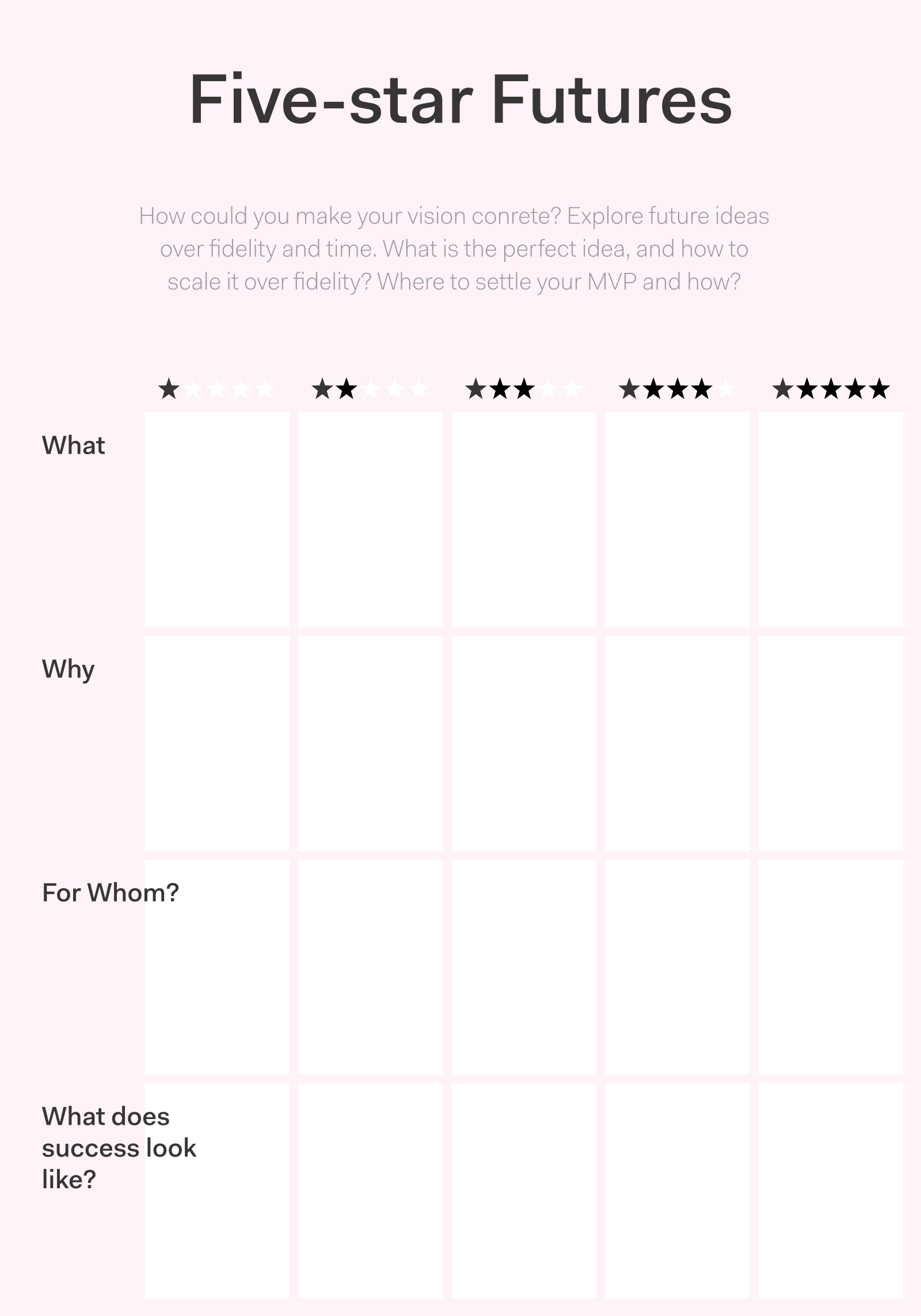
This picture is the published Actionable Futures Toolkit page for Five-star futures. - What it covers
- One future staged from a 1-star minimum you would still accept, through a 3-star plausible middle, to a 5-star stretch, each star a testable state you could check.
- When to use it
- Success must be staged, not binary. Adjectives such as better or thriving will not tell you what to invest in first.
- How to use it
- Pick one seed and write 1 star as the least you would still call success.
- Write 3 stars as a plausible middle you could actually run.
- Write 5 stars as a stretch that is still the same future, not a different fantasy.
- Fill 2 and 4 as steps between, each testable.
- Rewrite any star that is only an adjective into a state you could check.
- Use the stars to stage investment, not to decorate a slide.
- Who to involve
- Invite strategy and policy leads, analysts, at least one operator who would have to run the 1-star floor, and finance to hear what 5 stars would cost.
- Why it helps
- Investment can then be staged against testable states from minimum to stretch.
- Watch out for
- Make sure each star is a state you could check. Adjectives alone cannot stage investment.
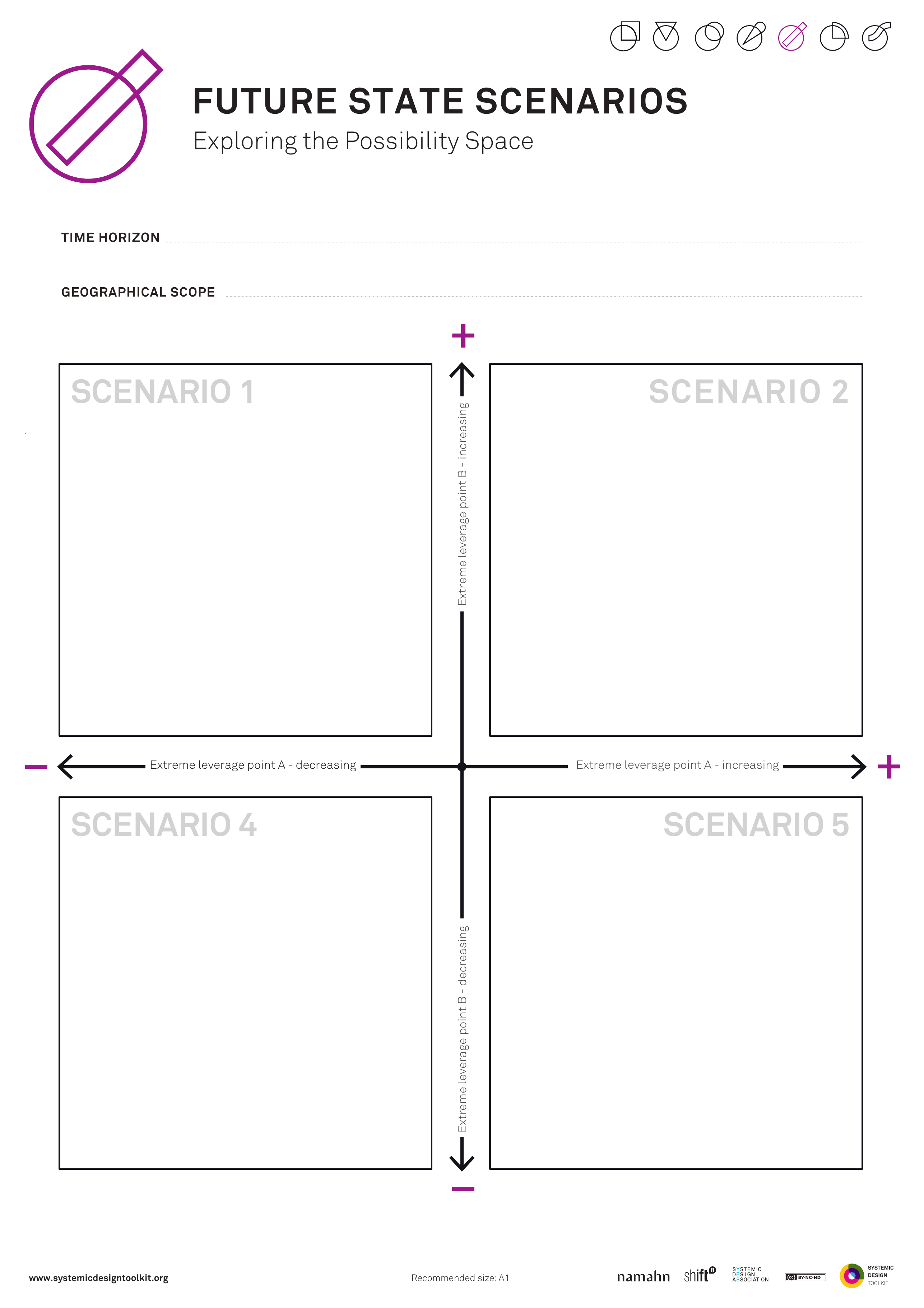
This picture is the published Systemic Design Toolkit poster for Future State Scenarios. It is the official Design Journeys page, not a redrawing. - What it covers
- TIME HORIZON and GEOGRAPHICAL SCOPE, then at least two scenarios with SCENARIO DIMENSIONS, so interventions are tested against more than one system future.
- When to use it
- Interventions must be tested against several system futures. One preferred state sold as scenarios will not stress-test the design.
- How to use it
- Set the time horizon and the geographical scope and write them down.
- Agree scenario dimensions: the uncertainties that actually split the futures.
- Write at least two scenarios as system states, not as one plan in two costumes.
- Test the intervention in each: fits, fails, or needs a different design.
- Rewrite any straw-man scenario until it is a world you might actually get.
- Hold off picking a favourite until the intervention has been through all the states.
- Who to involve
- Invite strategy and policy leads, analysts, and at least one operator who would have to run the intervention in the unloved scenario.
- Why it helps
- This helps you decide whether an intervention survives plural system futures, not only the favoured one.
- Watch out for
- One favoured state dressed as two scenarios will not stress-test the intervention.
This picture is the published GOV.UK Futures Toolkit page for Futures Wheels. - What it covers
- A wheel: a change in the centre, then first-order, second-order and third-order impacts pushed outward until the consequences feel uncomfortable.
- When to use it
- You must chase consequences beyond the obvious first hit, and the room is at risk of stopping at comfortable first-order effects.
- How to use it
- Place the change or event in the centre.
- Push first-order impacts out in a ring, then second-order from those, then third.
- Keep going until someone is uncomfortable; that is usually the useful ring.
- Mark which impacts would change the policy if they were believed.
- Push past first-order effects that feel like a press release.
- Take the uncomfortable consequences into stress-testing or the Issues Paper.
- Who to involve
- Invite strategy and policy leads, analysts, at least one operator who would live a second-order impact, and someone who will say the uncomfortable consequence out loud.
- Why it helps
- You can then commit policy with second- and third-order consequences on the page, not only on the strength of a comfortable first hit.
- Watch out for
- Make sure second- and third-order impacts that would change the policy get chased. Stopping at comfortable first-order effects is not enough.
This picture is the published GOV.UK Futures Toolkit page for Horizon scanning. - What it covers
- Weak signals and scan cards grouped by STEEP domain (social, technological, economic, environmental and political), used as early warning rather than a recap of the news.
- When to use it
- You need early warning, not a settled trend list, and the scan is at risk of covering only what already appears in the news.
- How to use it
- Scan each STEEP domain and capture weak signals as cards, one signal per card, with a source.
- Include things that are not yet in the news.
- Group cards and keep only those that would change a live decision if they grew.
- Write who will watch each keeper, and what would trigger a briefing.
- Refuse to present a recap of last week's headlines as a scan.
- Feed keepers into driver mapping or an Issues Paper.
- Who to involve
- Invite strategy and policy leads, analysts who can source weak signals, and at least one operator who will live with the result.
- Why it helps
- This helps you treat horizon scanning as early warning, with weak-signal cards that can change a live decision.
- Watch out for
- Make sure the scan includes weak signals that are not yet in the news. Covering only headlines is not early warning.
There is no published template for Industrial / supply-base map yet. - What it covers
- Who can actually build, staff, maintain and regulate: docks, yards, skills, workforce and inspectors, not only demand.
- When to use it
- Capacity, not demand, is the binding constraint, and a needs analysis would send you to ask for something the supply base cannot deliver.
- How to use it
- State the demand you think you have, then put it to one side.
- Map who can build, staff, maintain and regulate in the time window you have.
- Include docks, yards, factories, training pipelines, and the inspectorates that sign work off.
- Mark bottlenecks: lead times, scarce skills, single suppliers, security clearances.
- Write what you would have to grow, buy abroad, or stop promising.
- Rewrite what you have been asked to do against capacity, and fill the yards before you treat a detailed demand map as finished.
- Who to involve
- Invite people who run yards, workforce or regulation, plus a commercial lead.
- Why it helps
- You can then set what you have been asked to do against docks, yards and workforce, so you do not specify a programme the supply base cannot staff or build.
- Watch out for
- Make sure docks, yards, skills and workforce are mapped in as much detail as demand. Capacity is usually the binding constraint.
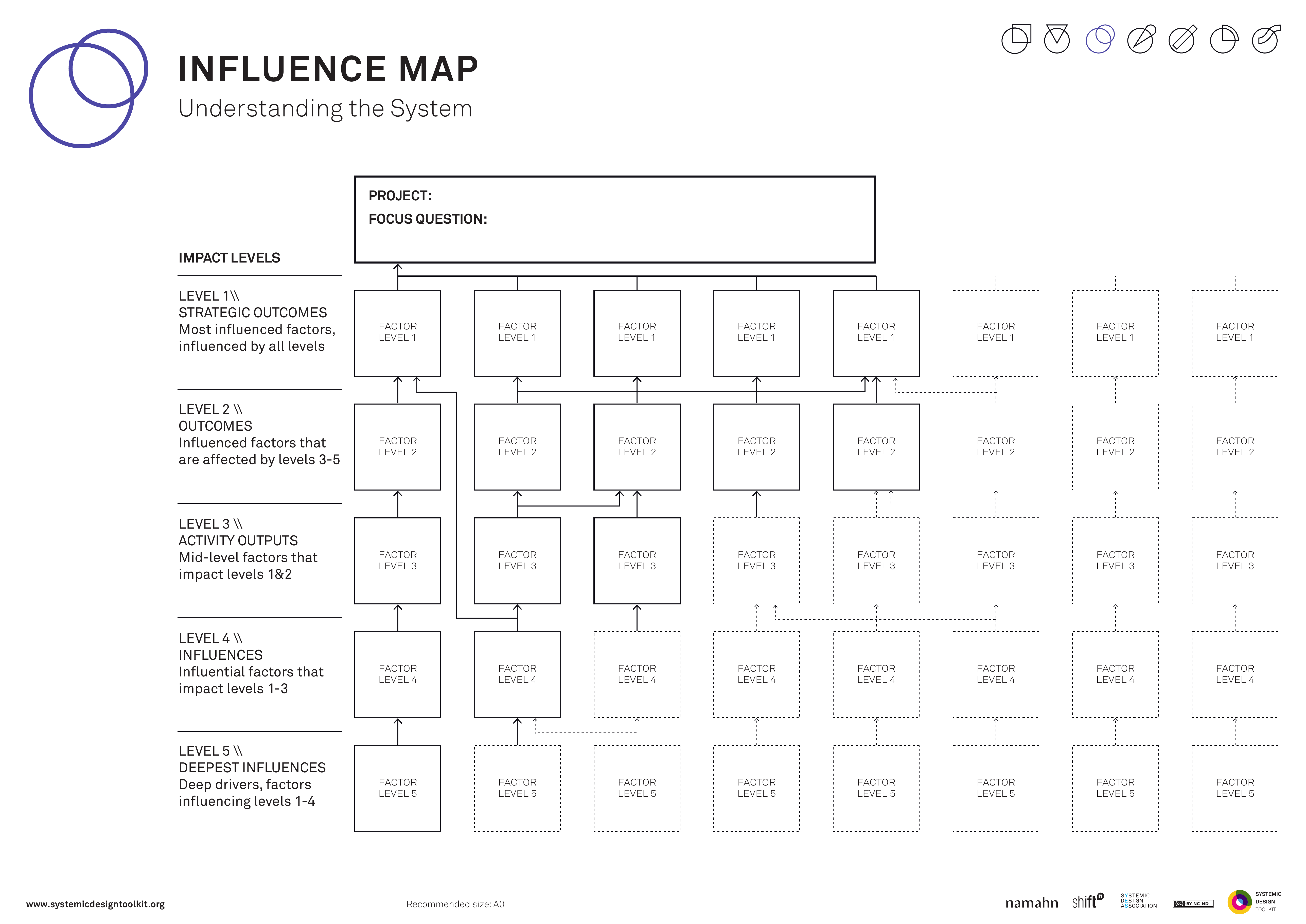
This picture is the published Systemic Design Toolkit poster for Influence Map. It is the official Design Journeys page, not a redrawing. - What it covers
- Five levels from strategic outcomes through highly influenced, inter-influencing and influences to deepest influences, with arrows whose strength and direction you can defend.
- When to use it
- Power and interest grids are too thin for systemic influence. Arrows everywhere with no honest strength will not show leverage.
- How to use it
- Write level 1 strategic outcomes you care about.
- Place factors and actors on levels 2 to 5 by how they influence those outcomes.
- Draw arrows with direction and strength you can defend: weak, medium or strong.
- Remove arrows you cannot defend.
- Circle the deepest influences you can actually work with.
- Add strength to every remaining arrow before you act.
- Who to involve
- Invite someone who knows the politics, someone who is not usually invited, the programme lead, and people who live the deepest influences.
- Why it helps
- This helps you work at a depth a power-interest grid cannot show, using influence with honest strength.
- Watch out for
- Arrows drawn everywhere without defensible strength hide where leverage really sits.
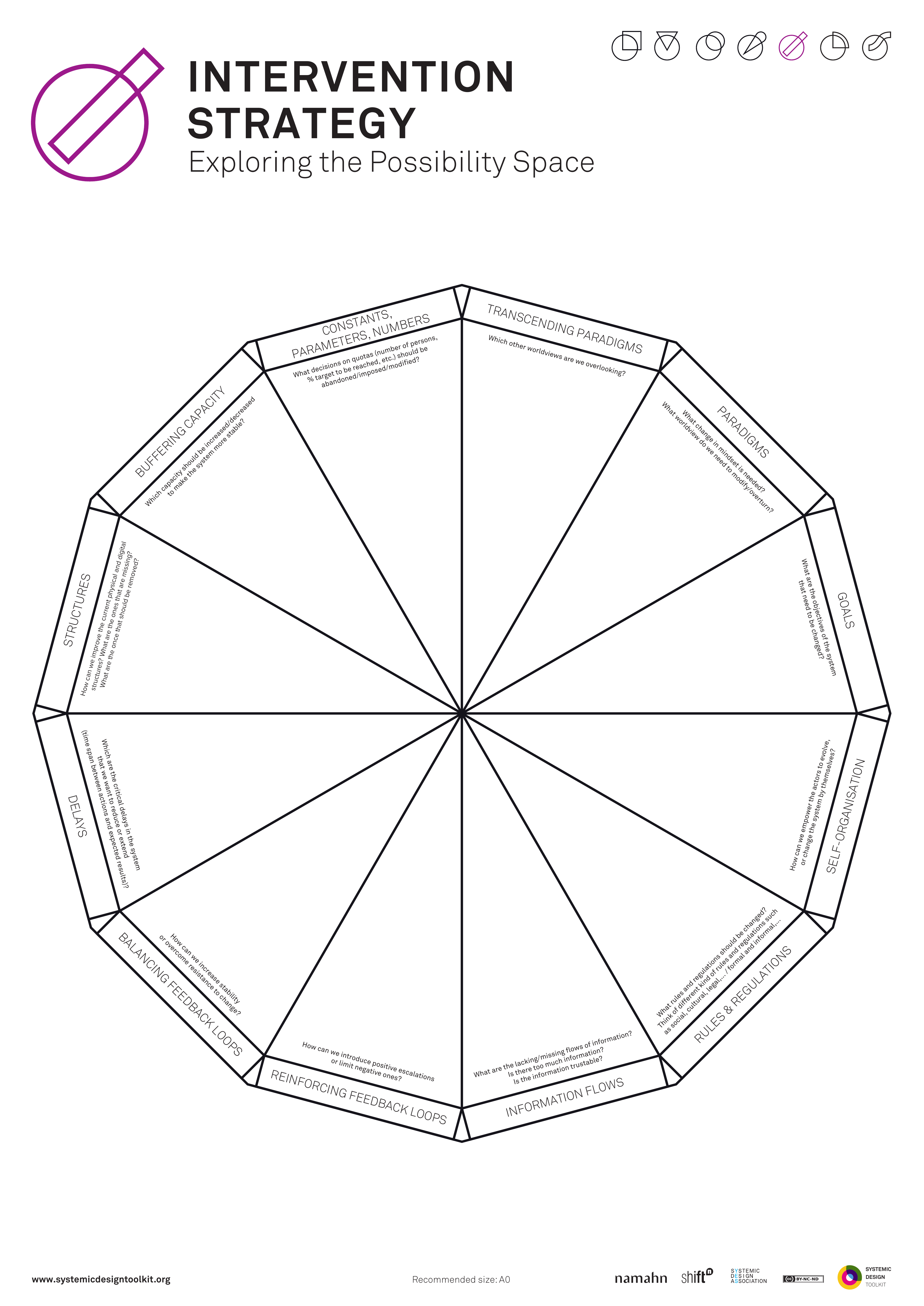
This picture is the published Systemic Design Toolkit poster for Intervention Strategy. It is the official Design Journeys page, not a redrawing. - What it covers
- A strip of places to intervene in the spirit of Donella Meadows: parameters, buffers and flows, physical delays, balancing and reinforcing feedback, information flows, rules, self-organisation, goals, paradigms, and transcending paradigms.
- When to use it
- You know the system but not where or how to intervene. A pile of extra projects at every depth is not yet a coherent strategy.
- How to use it
- Restate the system behaviour you are trying to shift.
- Walk the strip from parameters up to paradigms and ask whether you are actually intervening there.
- Mark shallow interventions (numbers, buffers) and deep ones (goals, paradigms).
- Choose a coherent set rather than one more project at every depth.
- Write why this set is the place to intervene in this system.
- Cut until the set coheres if the strategy is still a pile of extra projects.
- Who to involve
- Invite people from policy, people who run the service, people affected by it, and someone who can stop a shallow parameter tweak being sold as paradigm change.
- Why it helps
- You can then intervene at coherent places with real leverage, instead of adding projects at every depth.
- Watch out for
- Make sure the set of interventions coheres and names its leverage. A pile of extra projects is not strategy.
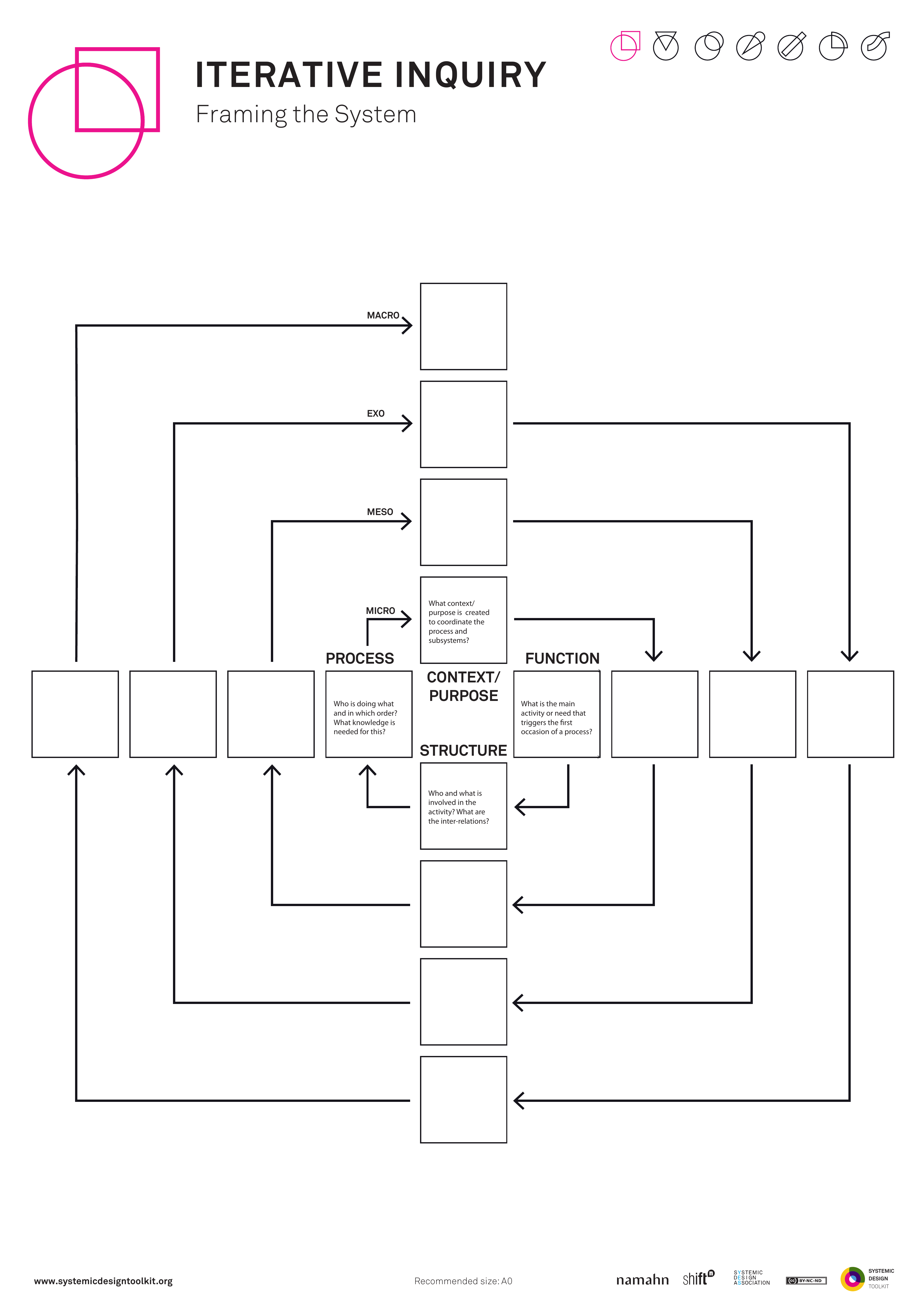
This picture is the published Systemic Design Toolkit poster for Iterative Inquiry. It is the official Design Journeys page, not a redrawing. - What it covers
- A nested cross across MACRO, EXO, MESO and MICRO levels, asking PROCESS, CONTEXT or PURPOSE, STRUCTURE and FUNCTION at each pass so the system boundary improves as a guess.
- When to use it
- The system boundary keeps shifting as you learn. Treating the first framing as final truth will freeze the wrong people and things in or out.
- How to use it
- Write the issue in one sentence, then guess where the system starts and ends.
- Walk MACRO, EXO, MESO and MICRO and note what is true at each nested level.
- At each level, ask PROCESS, CONTEXT or PURPOSE, STRUCTURE and FUNCTION.
- Reframe the issue, update the boundary, and do another pass.
- Keep earlier passes visible so you can see what moved.
- Stop only when another pass would not change who or what is in the system.
- Who to involve
- Invite people who see different levels: policy at MACRO, teams at MESO, and lived experience at MICRO.
- Why it helps
- You can then work from a boundary that has been reframed more than once, not from a first-pass freeze.
- Watch out for
- Make sure you run more than one framing pass. A single pass treated as final locks the wrong boundary.
There is no published template for Jobs-to-be-done landscape yet. - What it covers
- A landscape of the progress people are already trying to make in this part of life, not a list of rooms or service brands.
- When to use it
- Uses are still open, for example library, hub, clinic, or none, and the team is inventing jobs for a building instead of finding jobs people already have.
- How to use it
- Name the life domain in words people use (getting a child looked after, proving identity, staying warm), not the building type.
- From evidence, write the jobs people are already hiring places, services or workarounds to do.
- Group neighbouring jobs so you can see what sits next to what, including jobs a civic building should not take on.
- Mark which jobs are underserved, which are already well served locally, and which are invented by the design team.
- Strike invented jobs and keep only those you can source from interviews, observation or administrative data.
- Agree a shortlist of jobs the project may serve, and a list of uses you will not pretend to cover.
- Who to involve
- Invite people who live the life domain, a researcher with field notes, and someone who can change what the project has been asked to do.
- Why it helps
- This helps you start from progress people already seek, rather than from a preferred building type.
- Watch out for
- Make sure jobs come from interviews, observation or data. Jobs invented around a workshop table will not hold.
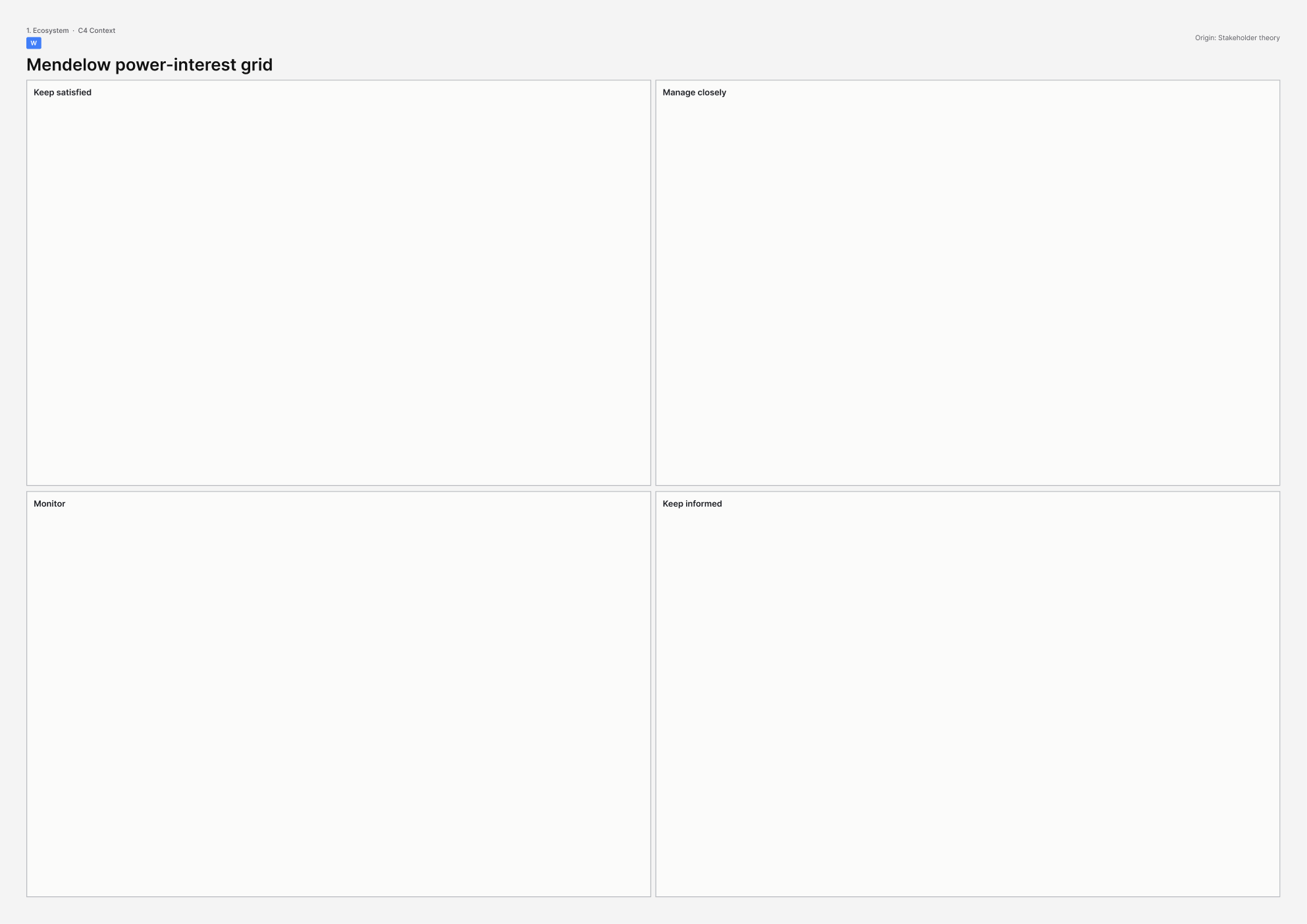
This picture is the printable A3 template for Mendelow power–interest grid. - What it covers
- A two-by-two grid of power against interest. The four boxes are manage closely, keep satisfied, keep informed, and monitor.
- When to use it
- You have more stakeholders than hours, and you must decide who gets a meeting, a letter, or ongoing contact.
- How to use it
- Draw two axes: power (how much they can direct or block the work) and interest (how much the work affects them).
- Label the four boxes: manage closely, keep satisfied, keep informed, and monitor.
- List stakeholder groups by asking who is affected, who is accountable, who can decide, and who can obstruct.
- Place each named actor on the grid together as a group.
- For each box, write a specific action: who is told what, who is consulted about what, and who owns that contact.
- Review the keep-informed and monitor boxes for people who can still stop the work through politics, protest or the press, and move them if the placement is polite rather than true.
- Who to involve
- Invite people from policy, people who run the service, people affected by it, and someone who knows the press and local politics.
- Why it helps
- You can then staff an engagement plan: who to involve, who to inform, who to keep close, and who to watch.
- Watch out for
- Make sure citizens are not parked in the low-power, inform-only box only because they are not present. People who can stop a scheme through politics, protest or the press still belong on the grid.
There is no published template for Mission canvas yet. - What it covers
- A societal mission, the sectors it must mobilise, and the portfolio of interventions, of which a site is only one instrument.
- When to use it
- The site is being asked to carry a societal job it cannot do alone, and you need to see the rest of the portfolio.
- How to use it
- Write the mission as a time-bound societal outcome, not a slogan for the building.
- List the sectors that must move for the mission to be real: public, private, civic, research or others.
- Under each sector, write what it would have to start, stop or fund.
- Sketch the portfolio of interventions and place this site as one card in that portfolio.
- Name the money, mandates and measures that sit above the site.
- Write it down if the mission has no portfolio behind it, and stop treating the site as a substitute.
- Who to involve
- Invite a policy lead who owns the mission, people from at least two sectors that would have to move, and the site sponsor.
- Why it helps
- You can then place the site in a portfolio instead of dumping a societal mission onto one building as a slogan.
- Watch out for
- Make sure the mission has a portfolio of interventions, sectors and money behind it. A slogan alone leaves the site carrying a job it cannot do.
There is no published template for Mitchell salience model yet. - What it covers
- Three overlapping sets: power, legitimacy and urgency. The overlaps show who is quiet, who is noisy, and who is risky to ignore.
- When to use it
- A quiet actor can still stop the building or the service, and a power–interest grid would hide them because they are not making a fuss today.
- How to use it
- Draw three overlapping circles labelled power, legitimacy and urgency, and agree what each word means on this project.
- List actors who have power (they can compel), legitimacy (their claim is seen as proper), or urgency (they will not wait).
- Place each actor in the right overlap, including dormant actors who have power and legitimacy but are quiet today.
- Name the risky combinations: power plus urgency with weak legitimacy, and legitimacy plus urgency with little formal power.
- Write who you will watch, who you will bring in, and who you will not surprise later.
- Add quiet actors before you treat the map as finished if it only contains people who showed up today.
- Who to involve
- Invite people from policy, people who run the service, and someone who remembers when a quiet inspector, landowner or community group halted similar work.
- Why it helps
- This helps you see quiet actors who can still stop the work, and name noisy actors whose claim is weaker than they think.
- Watch out for
- Make sure quiet actors with power, legitimacy or urgency appear on the map, even if they did not attend the workshop.
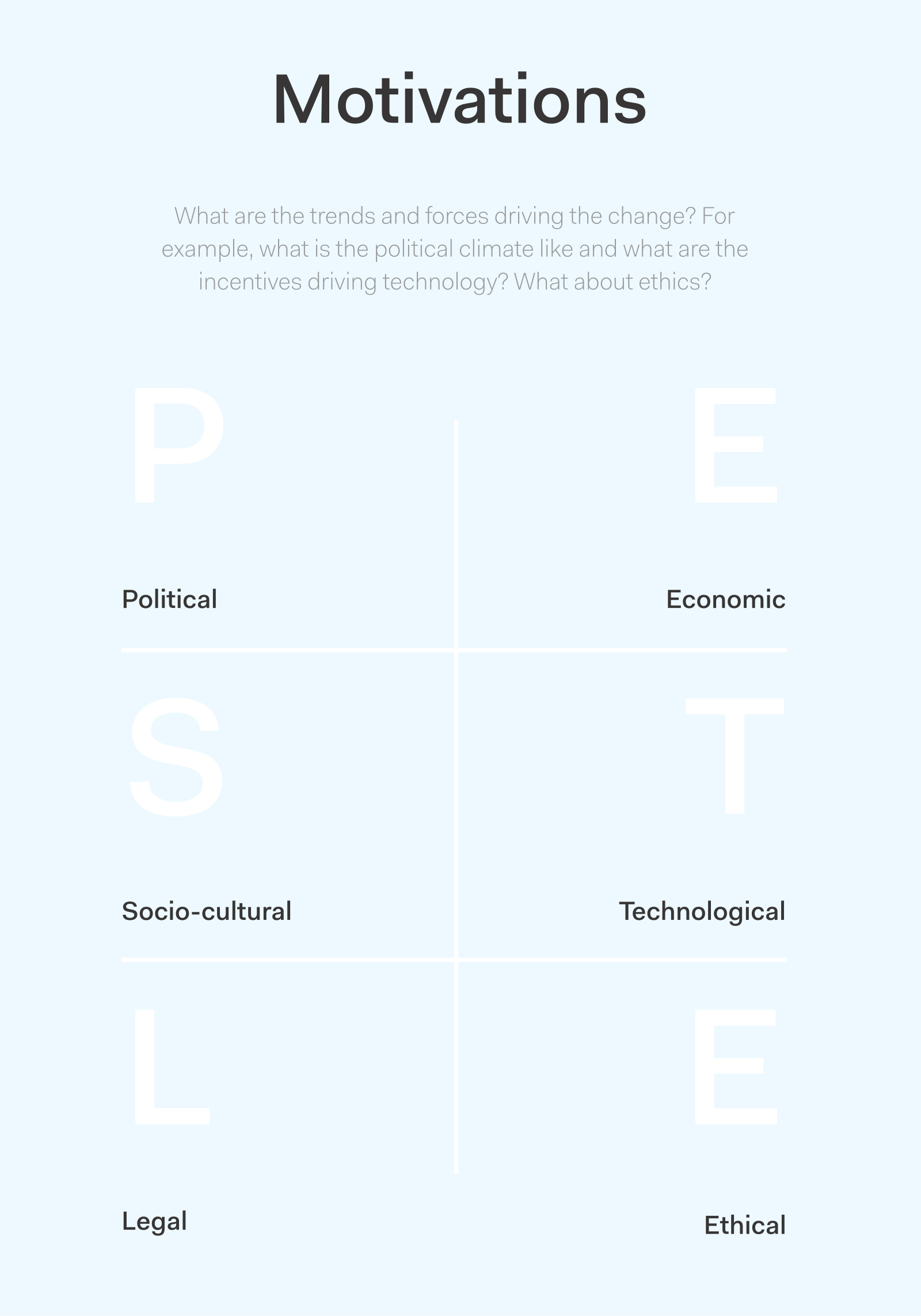
This picture is the published Actionable Futures Toolkit page for Motivations. - What it covers
- Trends and forces driving change in this arena: the why behind actors' moves, each tied to a decision you have to make.
- When to use it
- You know who the actors are but not what drives them. Trends that do not change a decision are wallpaper.
- How to use it
- For each important actor, write what is driving them in this arena.
- Add trends and forces that would change those drives.
- Link each force to a decision you have to make.
- Strike trends that do not change a decision.
- Cut until every surviving force changes something you will do next.
- Carry the surviving motivations into scenarios or offers.
- Who to involve
- Invite strategy and policy leads, analysts, at least one operator who will live with the result, and someone who can speak for an actor's real incentive.
- Why it helps
- You can then act on forces that change a decision, instead of collecting trends that never alter the next step.
- Watch out for
- Trends with no link to a decision stay as wallpaper and never change the next step.
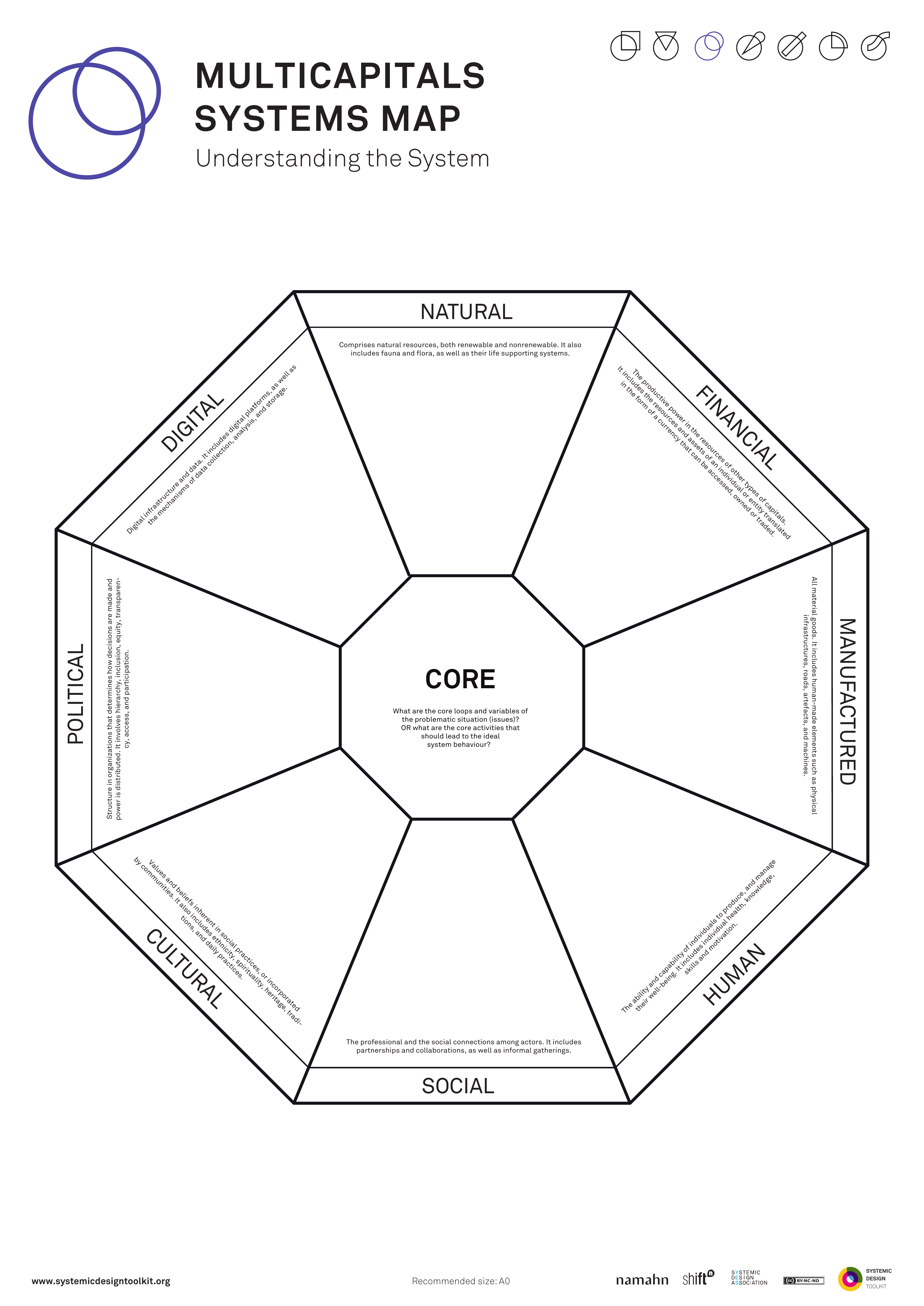
This picture is the published Systemic Design Toolkit poster for Multicapitals Model. It is the official Design Journeys page, not a redrawing. - What it covers
- An eight-sector octagon around CORE: natural, financial, manufactured, human, social, cultural, political and digital capitals, each with stocks, flows and stewards.
- When to use it
- Value is being reduced to money alone. Labelling capitals without stocks, flows or stewards will not change which interventions you choose.
- How to use it
- Write the CORE: what this system exists to keep going, in one sentence.
- Fill all eight sectors around it, including digital and political.
- For each capital, write stock (what there is), flow (what moves), and steward (who looks after it).
- Mark where an intervention would grow one capital by spending another.
- Choose interventions using the octagon, not after the choice is already made.
- Revisit any capital that was labelled and then ignored in the choice.
- Who to involve
- Invite people who steward different capitals (finance, community, ecology, data, culture) and people from policy.
- Why it helps
- Interventions can be chosen with value beyond money in the decision, not only on a poster afterwards.
- Watch out for
- Make sure each capital has stock, flow and steward before you choose. Labels alone leave money-only logic in place.
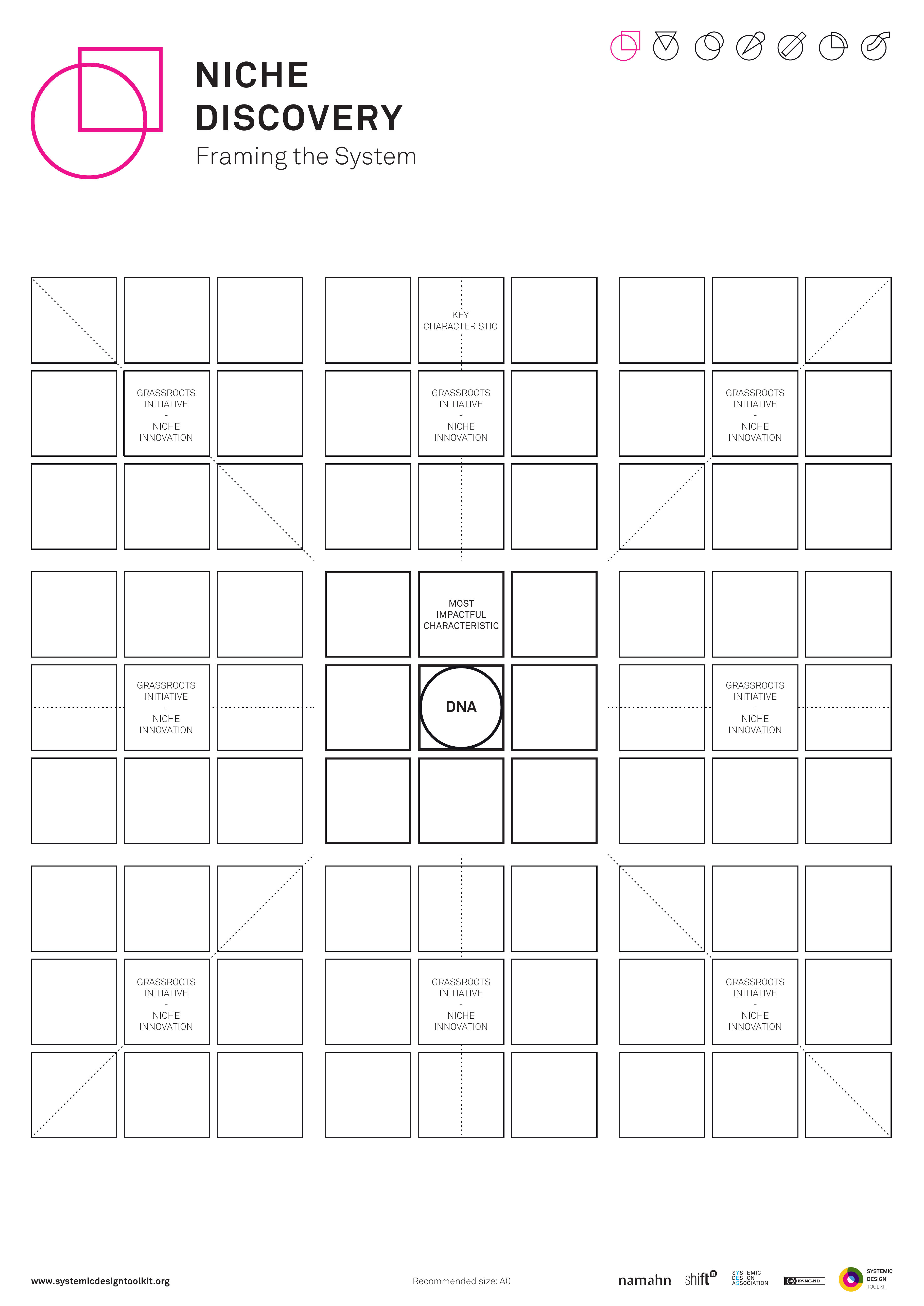
This picture is the published Systemic Design Toolkit poster for Niche Discovery. It is the official Design Journeys page, not a redrawing. - What it covers
- A KEY CHARACTERISTIC, then three grassroots initiatives compared against it, and the protection a chosen niche needs so it is a starting place for transition, not every pilot renamed.
- When to use it
- System-wide change needs a protected starting place. Calling every pilot a niche removes selection logic.
- How to use it
- Write the key characteristic a niche would need in this system: protection, difference, room to learn.
- Find grassroots initiatives that already show that characteristic.
- Put three on the page and compare them against the characteristic, not against who shouted.
- Choose one or none, and write why the others are ordinary projects.
- Write what protection the chosen niche needs: rules, money, time, permission to fail.
- Remove any pilot that does not meet the characteristic.
- Who to involve
- Invite people who run grassroots initiatives, someone who can grant protection, and people from policy who might crush a niche by scaling it too soon.
- Why it helps
- This helps you choose one protected starting place for transition, with clear reasons the others are not niches.
- Watch out for
- Renaming every pilot a niche leaves no protected starting place for transition.
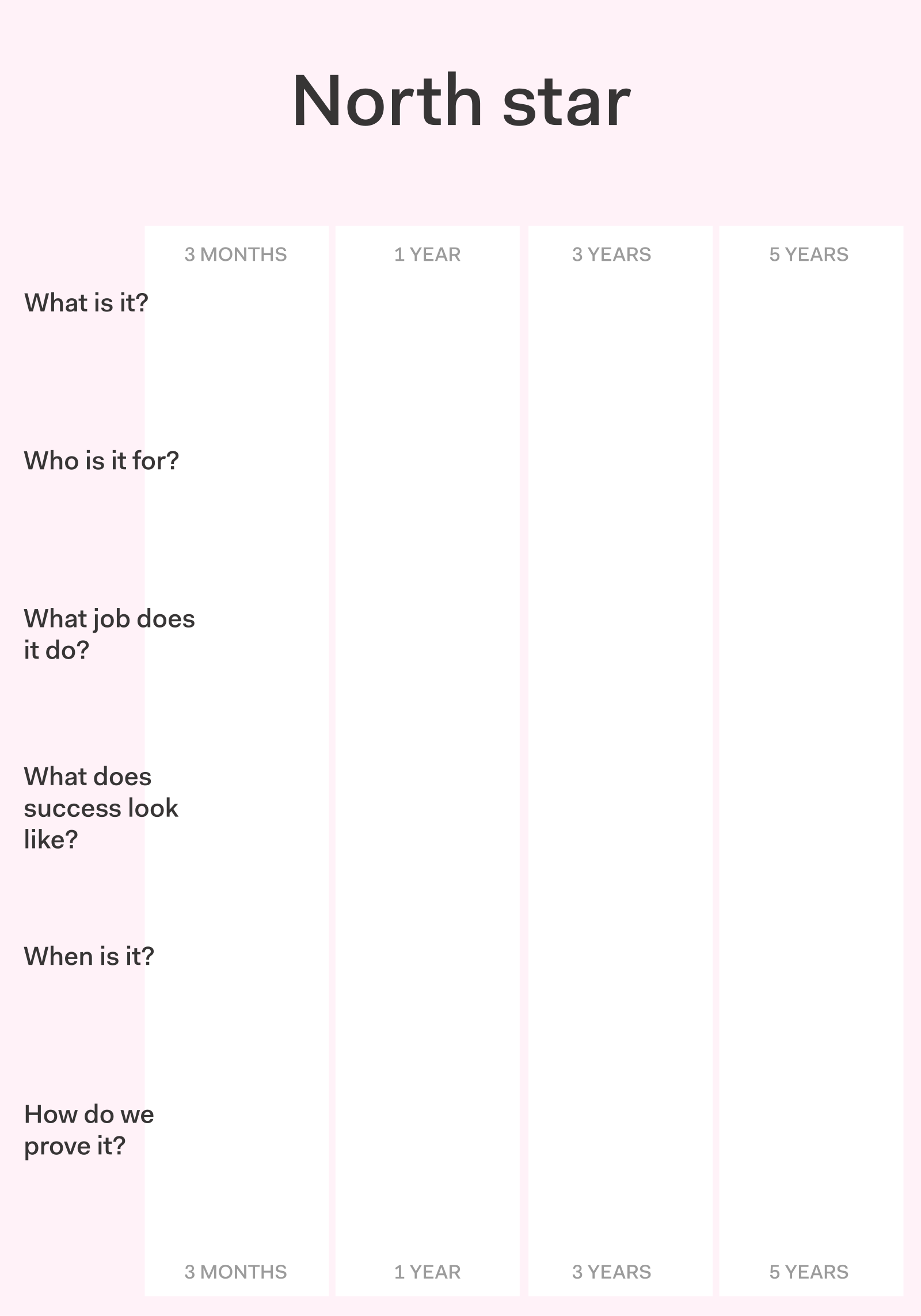
This picture is the published Actionable Futures Toolkit page for North stars. - What it covers
- One directional beacon amalgamated from the futures you will pursue, sharp enough to constrain trade-offs and say what you refuse.
- When to use it
- Many futures need collapsing into one guiding picture. A slogan that never says no will not help live trade-offs.
- How to use it
- Bring the futures you are willing to amalgamate, and keep the refused ones visible.
- Write one directional picture: what you steer towards.
- Write what the beacon forces you to refuse.
- Test a live trade-off against it and rewrite if it cannot constrain the choice.
- Keep it short enough to use in decisions and specific enough to bite.
- Start again if the beacon still never says no.
- Who to involve
- Invite strategy and policy leads, analysts, at least one operator who will live with a refused option, and decision-makers who will own the refusals.
- Why it helps
- Live trade-offs can be decided against a beacon that refuses options, not only inspires.
- Watch out for
- Make sure the north star can constrain a live trade-off. A slogan that never refuses is not enough.
This picture is the nearest official Systemic Design Toolkit poster for Paradoxing. The Design Journeys pack has no dedicated page for this canvas, so the closest published sheet is shown. - What it covers
- POLE A, TENSION, POLE B and a HOLDING PRACTICE: opposing truths the transition must navigate, with a practice for staying with both and a design consequence.
- When to use it
- Either/or framing is blocking transition design. Listing paradoxes with no design consequence will not change buildings, services or policy.
- How to use it
- Name pole A and pole B as truths that both hold, not as a problem and a solution.
- Write the tension: what goes wrong if you pick only one pole.
- Design a holding practice: how the organisation will stay with both through cadence, roles or rules.
- Write the design consequence: what the building, service or policy must do because both poles are true.
- Add a holding practice wherever you only have a clever observation.
- Put the holding practice into governance, not into a workshop insight slide.
- Who to involve
- Invite people from policy, people who run the service, people who live each pole, and a facilitator who can stop either/or collapse.
- Why it helps
- This helps you constrain the transition with a holding practice and a design consequence, not clever labels alone.
- Watch out for
- Paradox labels without a holding practice and design consequence stay as observations.
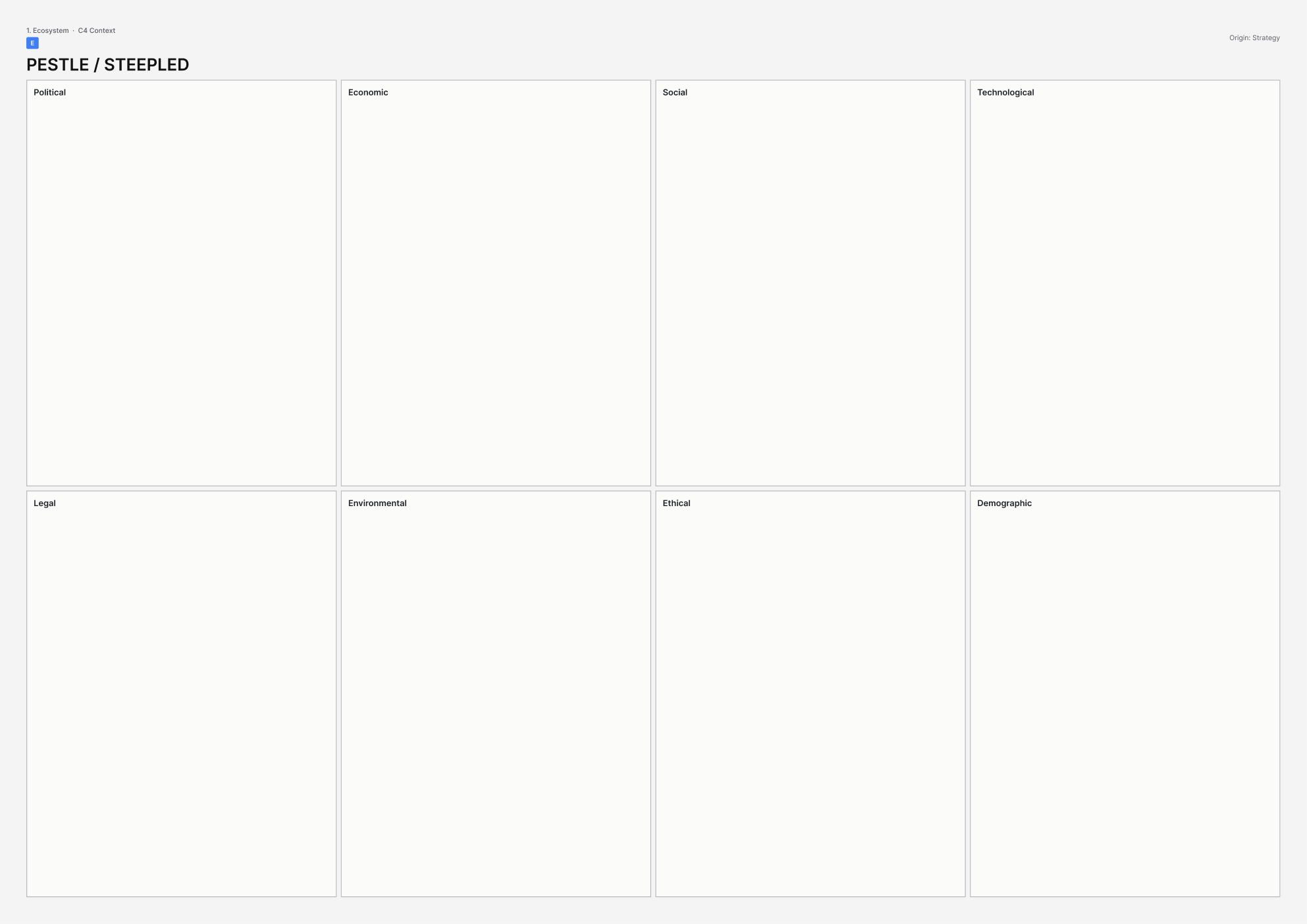
This picture is the printable A3 template for PESTLE / STEEPLED. - What it covers
- A scan of forces: political, economic, social, technological, legal and environmental, plus ethics and demography when you use STEEPLED. Each force is a card that might change a live decision.
- When to use it
- You are scanning the field before locking what you have been asked to do, and you need early forces, not a wallpaper of headings.
- How to use it
- Write the live decision at the top, so the scan has somewhere to land.
- Give each domain a column: political, economic, social, technological, legal, environmental, plus ethics and demography if you are using STEEPLED.
- Capture weak signals as cards, one force per card, with a source.
- Group cards and keep only those that would change the live decision if they grew.
- For each keeper, write what you will watch, who owns the watch, and what would trigger a change to what you have been asked to do.
- Change the decision or what you have been asked to do if the wall is full but nothing has moved; otherwise the scan has not done its job.
- Who to involve
- Invite strategy and policy leads, analysts who can source signals, and at least one operator who will live with the result.
- Why it helps
- You can then act on a short list of forces that change a live decision, each with a watch owner.
- Watch out for
- Make sure every kept force hits a live decision with a watch owner. A full wall of headings is not enough on its own.
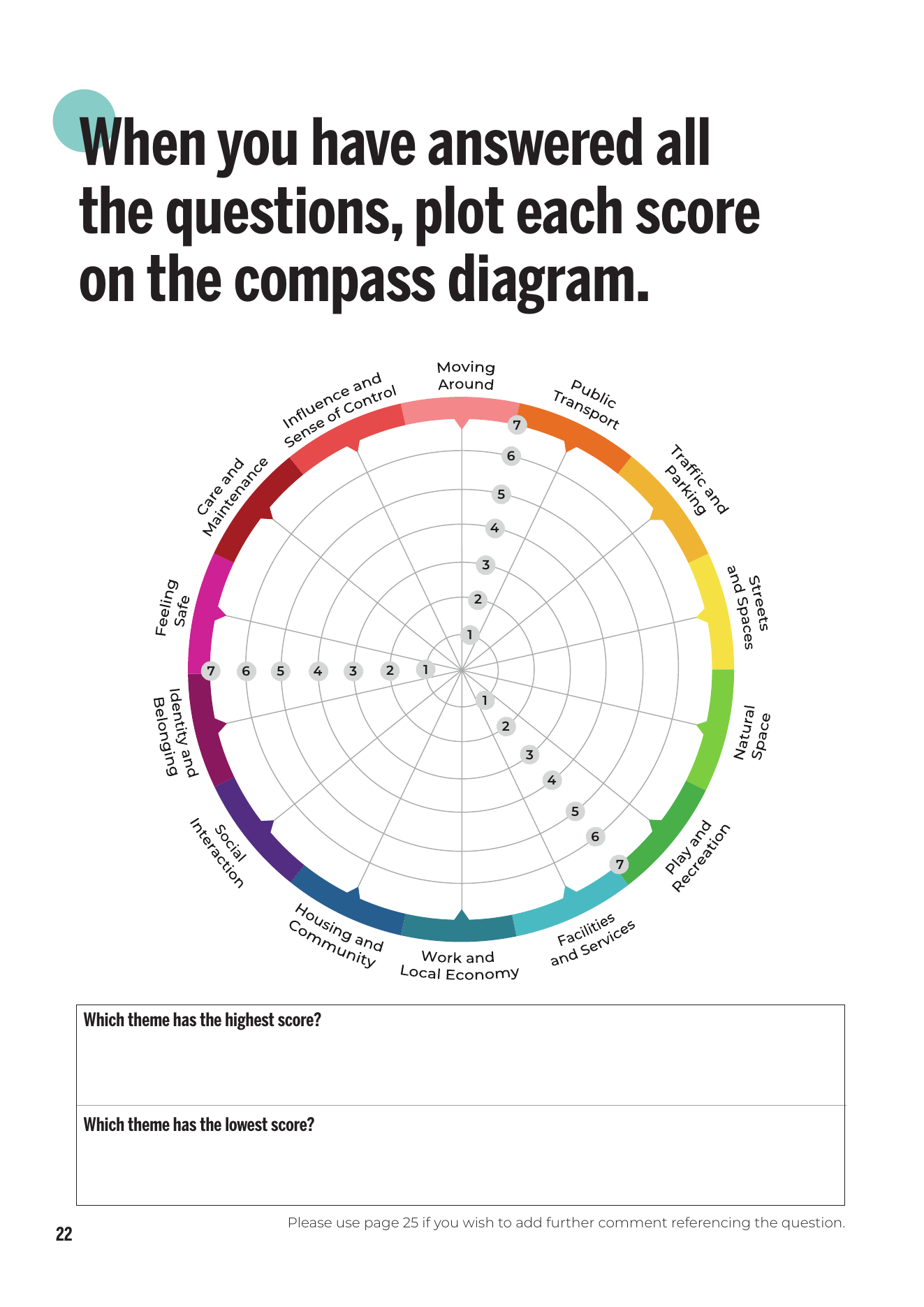
This picture is the official Place Standard compass from Public Health Scotland, the Scottish Government and Architecture and Design Scotland. You score 14 themes from 1 to 7 and plot them on the wheel. - What it covers
- The 14 Place Standard themes for a named place, including moving around, facilities, identity, influence and feeling safe, scored with comments rather than a spider diagram for a drawer.
- When to use it
- A public building must answer a real place, and an abstract user persona would skip streets, influence and safety.
- How to use it
- Agree which place you are scoring, on a map residents use.
- Walk the 14 themes, and for each one score and write why, in people's own words.
- Keep disagreement visible: do not average a street that feels safe to one group and unsafe to another.
- Record the spider only after the comments exist; the comments are the design ask, not the shape.
- Translate each low or contested theme into a requirement the building or service must answer.
- Read the drafted ask against the scores and rewrite anything that ignores them.
- Who to involve
- Invite residents who live the themes, including people who feel unsafe or unheard, plus place leads and the sponsor.
- Why it helps
- This helps you specify the building against scored themes and comments from the place, rather than against an abstract user.
- Watch out for
- Make sure what you have been asked to do answers the scored themes and comments. A spider diagram that is ignored later leaves the building answering the wrong thing.
There is no published template for Platform / multi-sided canvas yet. - What it covers
- Each side of the platform, how the first users arrive on each side (the chicken-and-egg problem), and who governs the rules.
- When to use it
- The civic building is being called a hub, and you need to know who delivers through it, how each side shows up, and who sets the rules.
- How to use it
- Name the sides of the platform (for example residents, providers, commissioners, data users); one nickname such as hub is not a side.
- For each side, write what they give, what they get, and why they would stay.
- Write the chicken-and-egg problem: who must arrive first, and what you will do when one side is empty.
- Name who governs membership, data, fees, hours and disputes.
- Mark what the building does as infrastructure, and what others must do as tenants or partners.
- Name sides, first users and a governor before you call it a platform.
- Who to involve
- Invite someone from at least two sides, a person who would govern the rules, and someone who has run a similar chicken-and-egg problem.
- Why it helps
- This helps you turn a hub into a platform others can actually deliver through, with named sides, a first-user problem, and a governor.
- Watch out for
- Make sure the sides, the chicken-and-egg problem, and who governs are named before the building is called a hub.
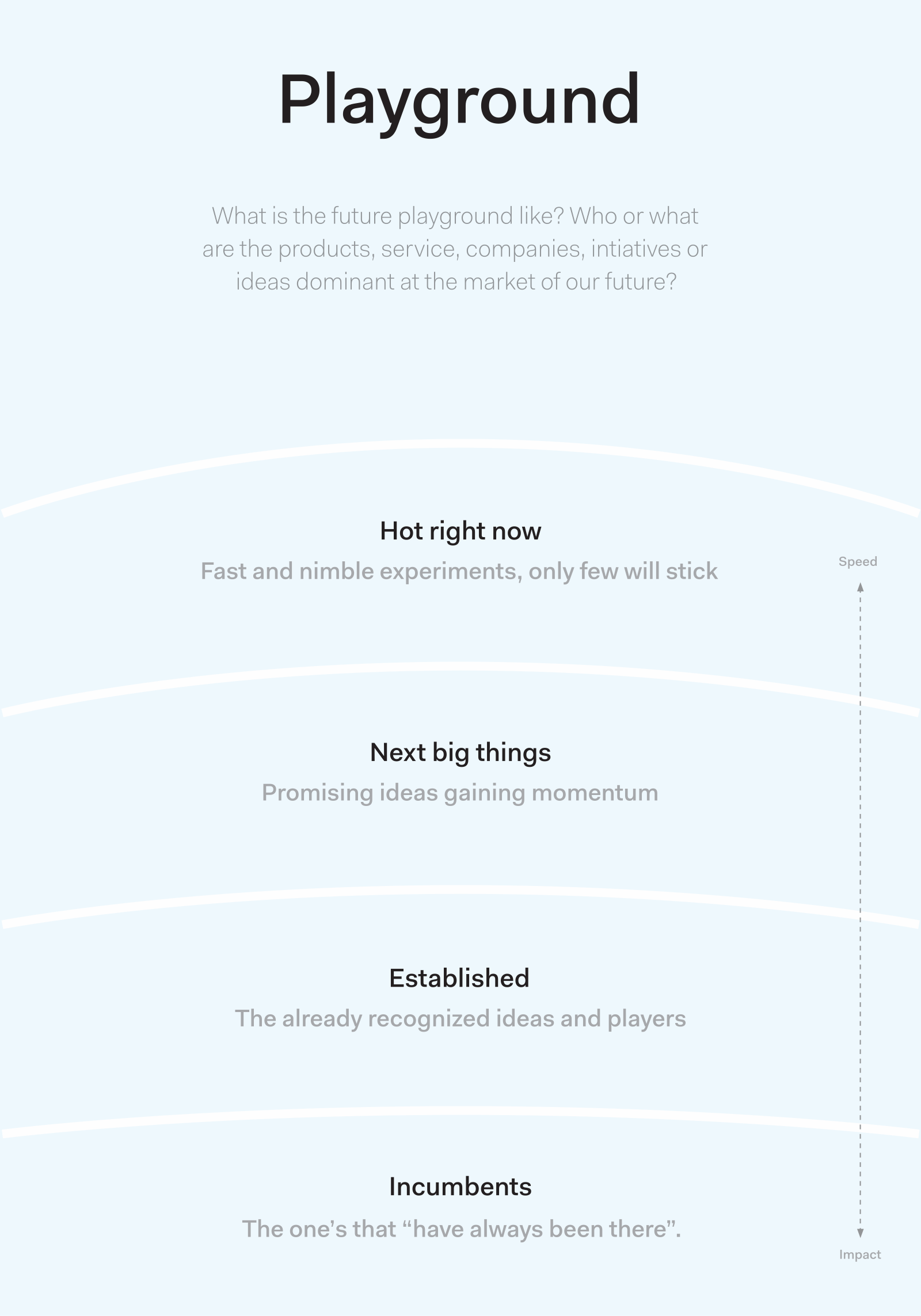
This picture is the published Actionable Futures Toolkit page for Playground. - What it covers
- Pace layers in an arena: experiments and fashion, commerce, infrastructure, governance, and nature or deep structure. Actors and offers sit on the layer they actually move at.
- When to use it
- You must see who moves fast and what stays sticky in this arena. Treating every competitor as one speed will hide stickiness.
- How to use it
- Name the playground as the arena, not the organisation.
- Fill layers that change at different speeds: experiments, commerce, infrastructure, governance, deep structure.
- Place actors and offers on the layer they actually move at.
- Mark what is sticky in the slow layers and what can flip in the fast ones.
- Separate competitors that move at different speeds instead of averaging them.
- Write which layer your intervention sits on, and which slower layers will resist it.
- Who to involve
- Invite strategy and policy leads, analysts who know the arena, someone from a fast experiment, and someone from a slow institution.
- Why it helps
- You can then place your intervention on the right pace layer and see which sticky layers will resist it.
- Watch out for
- Competitors given one shared speed hide stickiness in the slow layers.
There is no published template for Power of 10+ yet. - What it covers
- Reasons people would come to a place, and reasons they would stay. Destinations sit inside larger places, and uses overlap.
- When to use it
- Use this when you are planning what happens in a public place with more than one use.
- How to use it
- Name the place at more than one scale: seat, room, building, street, district.
- At each scale, list destinations people would come for.
- Nest each destination at the right scale.
- Find three reasons close enough that a visit is worth it.
- Drop activities that do not nest or overlap with other destinations.
- Write the reasons to be there in a sentence a stranger would believe, then test it on site.
- Who to involve
- Invite people who already use the place at different times of day, someone who programmes the uses, and someone who owns nearby destinations.
- Why it helps
- You can then programme the place around reasons to come and stay, not a list of activities.
- Watch out for
- Make sure destinations nest and overlap. A list of activities is not enough on its own.
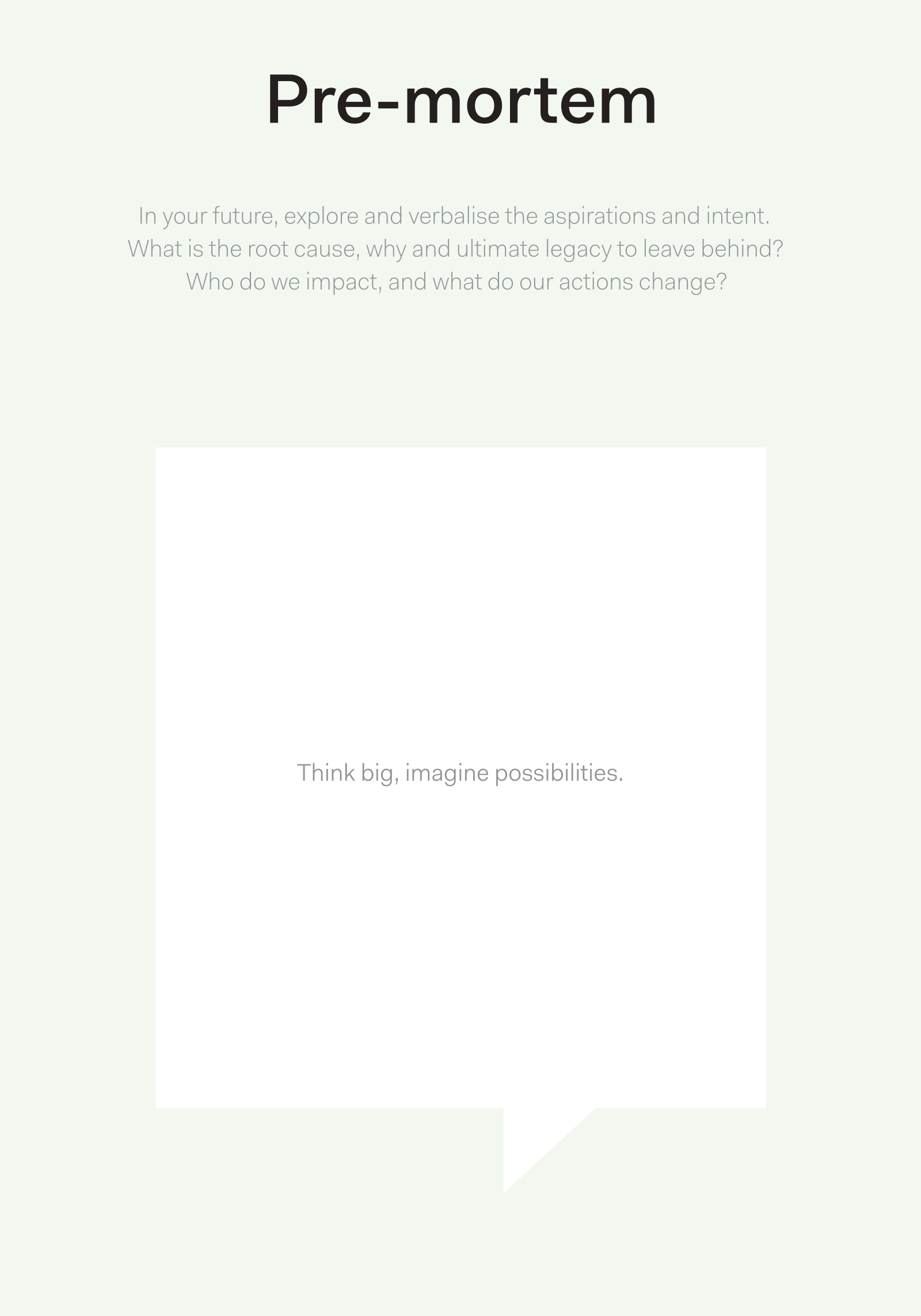
This picture is the published Actionable Futures Toolkit page for Pre-mortem. - What it covers
- A future failure already announced as fact: what went wrong, why, causes you can still design against, and guardrails, tests and stops you can put in now.
- When to use it
- Optimism is silencing plausible failure modes. You need causes turned into design work before the project hardens.
- How to use it
- Set a date in the future and announce that the project has already failed.
- Ask everyone to write the eulogy privately: what went wrong and why.
- Share and group causes, staying on causes you can still design, not on villains.
- Reverse the causes into guardrails, tests and stops you can put in now.
- Keep the conversation on designable causes rather than blame.
- Assign owners to the guardrails before optimism returns.
- Who to involve
- Invite strategy and policy leads, analysts, at least one operator who would live the failure, and a sceptic who will not perform optimism.
- Why it helps
- Guardrails can go in while there is still time to change course.
- Watch out for
- Make sure causes become guardrails with owners. A blame list alone does not redesign the work.
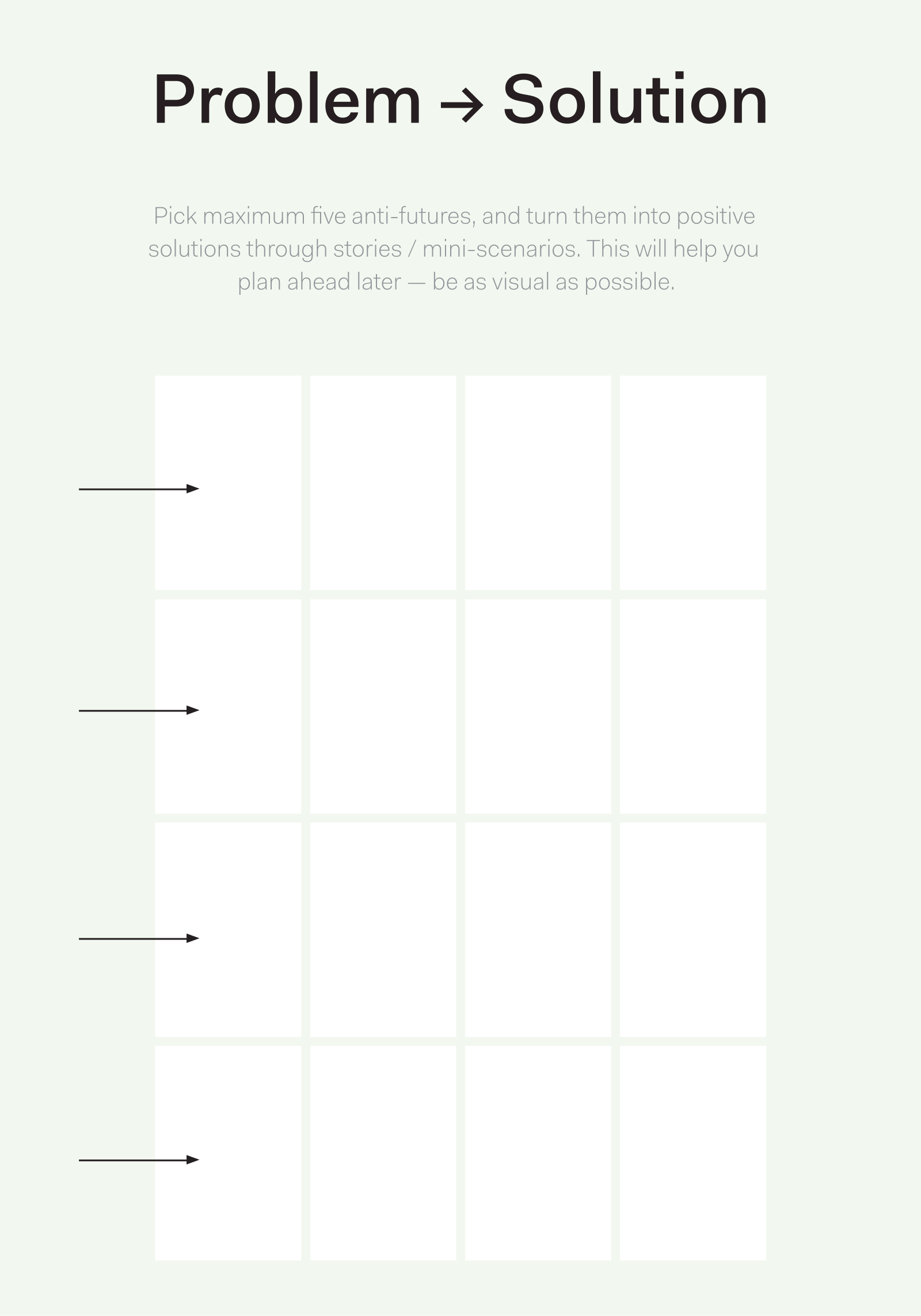
This picture is the published Actionable Futures Toolkit page for Problem → Solution. - What it covers
- A narrative from system threat to system success, with critical turning points in structure, money, rules or infrastructure rather than a hero winning alone.
- When to use it
- You must show how the system gets from threat to success. A hero story will not give you design requirements institutions can follow.
- How to use it
- Write the threat as a system condition, not a villain.
- Write the victory as a new condition, not a person winning.
- Mark the critical turning points: what had to change in structure, money, rules or infrastructure.
- Add a structural turning point wherever the story still reads as a hero alone.
- Use the turning points as design requirements.
- Confirm the path could be taken by institutions, not only by a named champion.
- Who to involve
- Invite people from policy, people who run the service, and people affected by it.
- Why it helps
- You can then design from structural turning points institutions can take, not from a champion story.
- Watch out for
- A hero story alone is not a path institutions can follow.
There is no published template for Public Value canvas yet. - What it covers
- Three tests that must all hold: public value (what good is created, for whom), legitimacy and support, and operational capacity to deliver it.
- When to use it
- You are still deciding whether this should exist at all, for whom, and whether the organisation can actually run it.
- How to use it
- Write the public value claim in one sentence: what good, for whom, compared with doing nothing.
- Fill legitimacy and support: who would authorise this, who would defend it, and who would withdraw consent.
- Fill operational capacity: money, skills, partners and time to run it, not only to open it.
- Test whether value, legitimacy and capacity belong to the same people, and write it down if the commissioning body takes the value and residents take the risk.
- Mark what would have to be true for this to exist, and what you would stop if one of the three tests fails.
- Give all three boxes owners before you move to a building programme.
- Who to involve
- Invite someone who can speak for the public value claim, someone who holds legitimacy (elected or mandated), and someone who would have to operate it on Monday morning.
- Why it helps
- This helps you decide go, no-go or redesign based on value, legitimacy and capacity, before the asset is treated as inevitable.
- Watch out for
- Make sure legitimacy and operational capacity are tested for the people who live with the outcome, not only value claimed for the commissioning body.
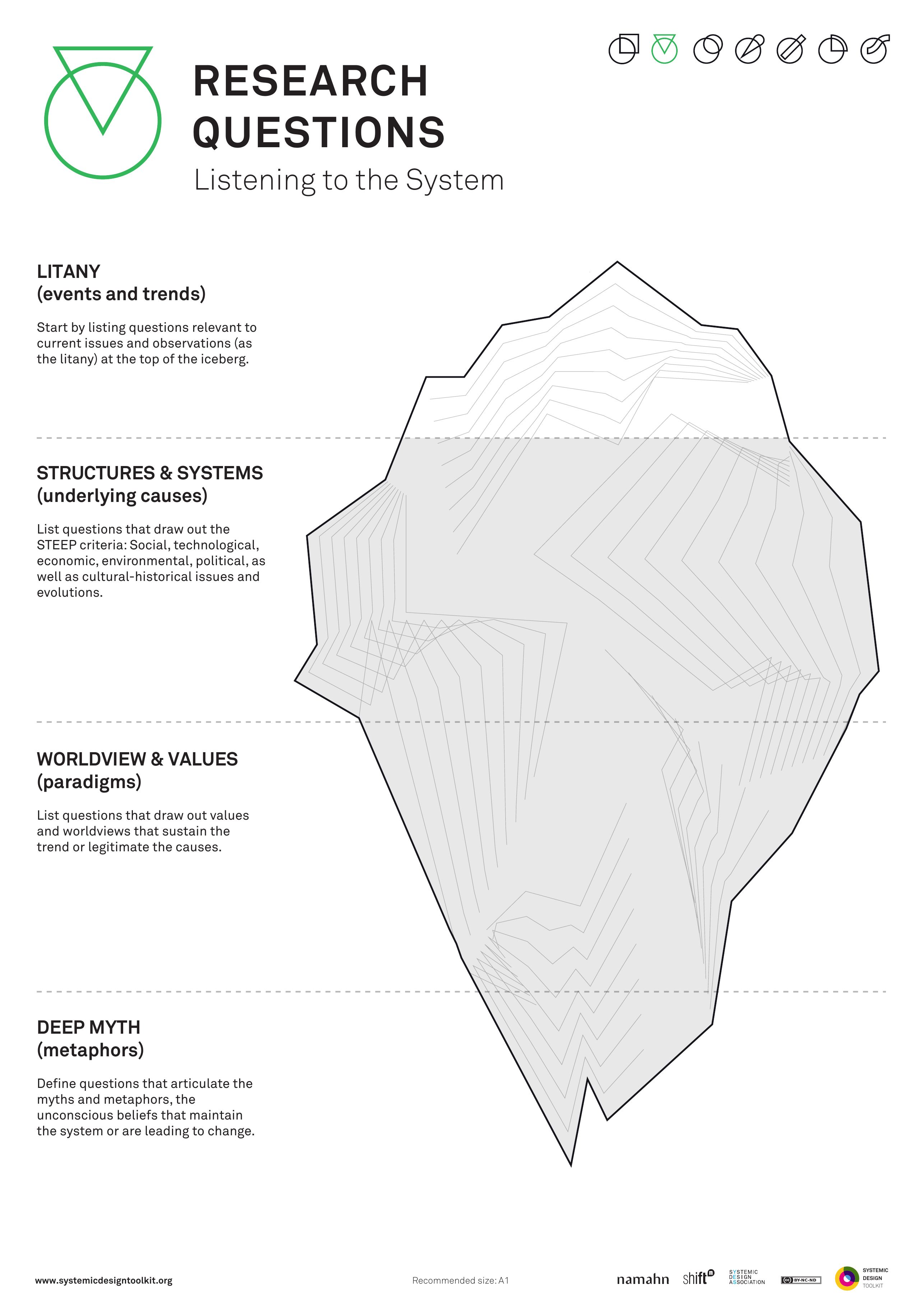
This picture is the published Systemic Design Toolkit poster for Research Questions. It is the official Design Journeys page, not a redrawing. - What it covers
- Research questions stacked in four layers in the spirit of causal layered analysis: LITANY (what is said), SYSTEMS (how it is organised), WORLDVIEW, and MYTH or METAPHOR.
- When to use it
- Fieldwork risks becoming undirected listening, or questions that only validate a preferred intervention.
- How to use it
- Write questions at litany: what people say is happening.
- Write questions at systems: how roles, money and processes hold it.
- Write questions at worldview: what people believe must be true.
- Write questions at myth or metaphor: the deep story underneath.
- Test each question: could it challenge the preferred intervention, or only validate it?
- Give fieldworkers this stack, not a list of confirmation prompts.
- Who to involve
- Invite people from policy, people who will do the fieldwork, and people affected by the intervention.
- Why it helps
- This helps you plan fieldwork that can challenge a preferred intervention, not only confirm it.
- Watch out for
- Confirmation prompts alone turn fieldwork into listening for a solution already chosen.
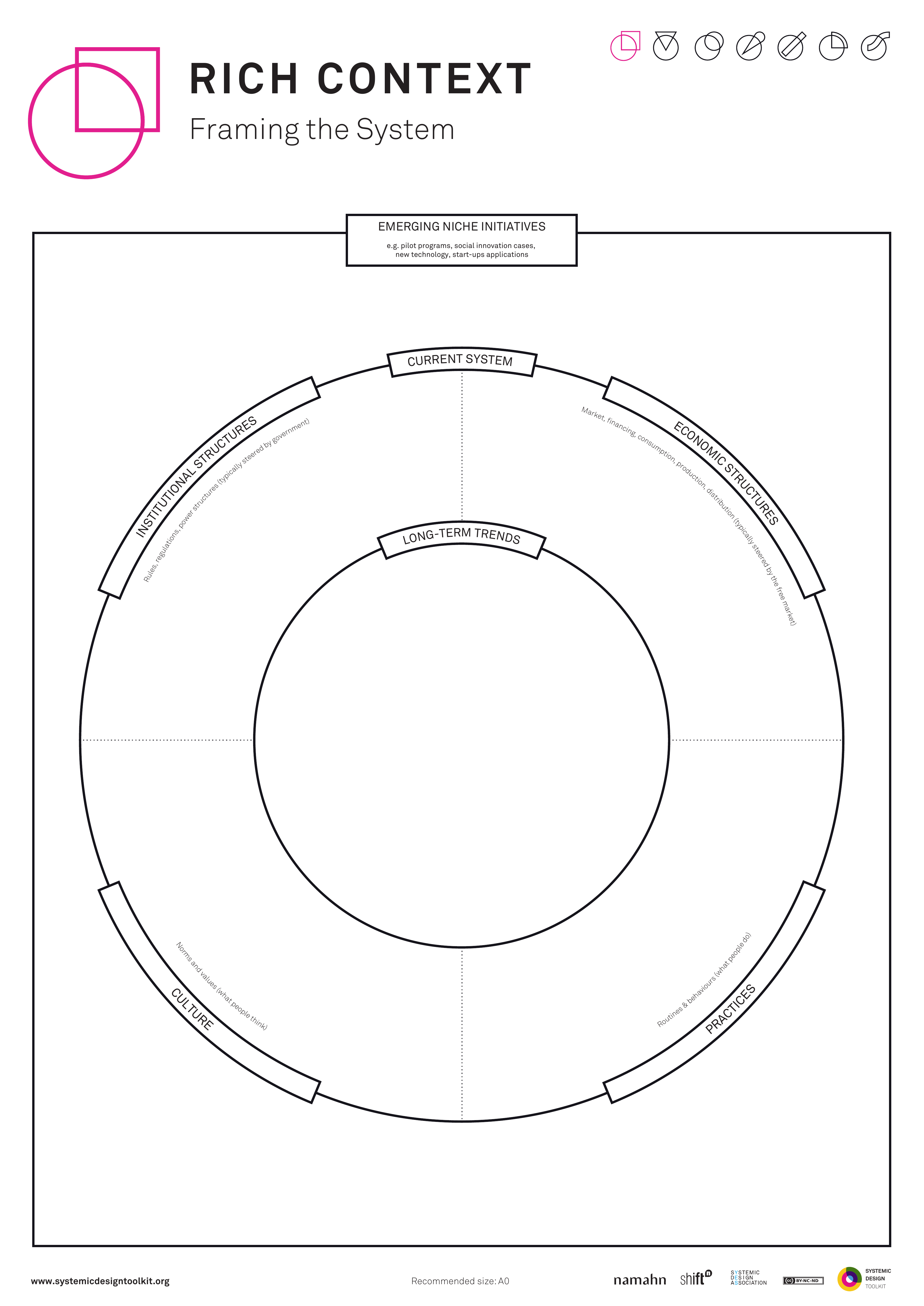
This picture is the published Systemic Design Toolkit poster for Rich Context. It is the official Design Journeys page, not a redrawing. - What it covers
- Nested context around the current problem: emerging niche initiatives, long-term trends, the current system, institutional and economic structures, culture and practices.
- When to use it
- The challenge is framed too narrowly for systemic work. Context layers that decorate an unchanged problem statement will not help.
- How to use it
- Write the current problem statement in the middle, as it is today.
- Fill the rings and quadrants: long-term trends, current system, institutional structures, economic structures, culture, practices.
- Place emerging niche initiatives where they sit against that context.
- Ask what in the context would force you to rewrite the problem.
- Rewrite the problem statement until the context has changed it.
- Carry the new statement into the next activity, not back into the old ask unchanged.
- Who to involve
- Invite people from policy, people who run the current system, and people in a niche initiative.
- Why it helps
- The next activity can be briefed from a problem statement that context has actually changed.
- Watch out for
- Make sure the problem statement changes after you fill the context. Pretty rings around an unchanged ask are decoration.
There is no published template for Rich picture yet. - What it covers
- A messy picture of the situation: conflict, folklore, unofficial routes, and the climate of the problem, not a tidied process map.
- When to use it
- The situation is wicked and contested, and a clean process map would hide the mess you actually have to design for.
- How to use it
- Put a large sheet on the wall and draw people, places, things, rumours and feelings as they are, not as they should be.
- Include unofficial routes, folklore, conflicts and who is not speaking.
- Let more than one person draw, without appointing a single artist who tidies as they go.
- Keep going when the picture feels embarrassing or argumentative; that usually means you are closer to the situation that exists.
- Stand back and name three tensions the picture shows, written as questions rather than as a process.
- Photograph the mess and give those tensions owners before anyone redraws it as a swimlane.
- Who to involve
- Invite people who disagree about the situation, including someone who works the unofficial route, and a facilitator who will stop the group sanitising the drawing.
- Why it helps
- This helps the group design for the situation that exists, including conflict and folklore, rather than for a tidied process nobody lives.
- Watch out for
- Make sure conflict, folklore and unofficial routes are on the page before anyone tidies the mess into a process map.
This picture is the published GOV.UK Futures Toolkit page for Roadmapping. - What it covers
- Stages from today to a future you are aiming for, each with a decision gate that can stop or change course. Dates sit with learning, funding and estates as well as build work.
- When to use it
- Use this when you have a direction after visioning or scenarios and you need a timed path with clear points to stop or change course.
- How to use it
- Write today at one end and the future you are aiming for at the other.
- Fill the stages between as decisions and capabilities, not only rooms or fittings.
- Put a gate on each stage: what you must know, and what would stop or change course.
- Align dates with learning, funding and estates, not only with construction.
- Add a gate to any stage that still has none before you publish.
- Agree who sits on each gate and record their names.
- Who to involve
- Invite strategy and policy leads, analysts, at least one operator who will live the path, and capital and service owners who will sit on the gates.
- Why it helps
- You can then move stage by stage with a clear stop or change-course rule, instead of locking into a schedule that cannot reverse.
- Watch out for
- Make sure every stage has a decision gate someone can use to stop or change course.
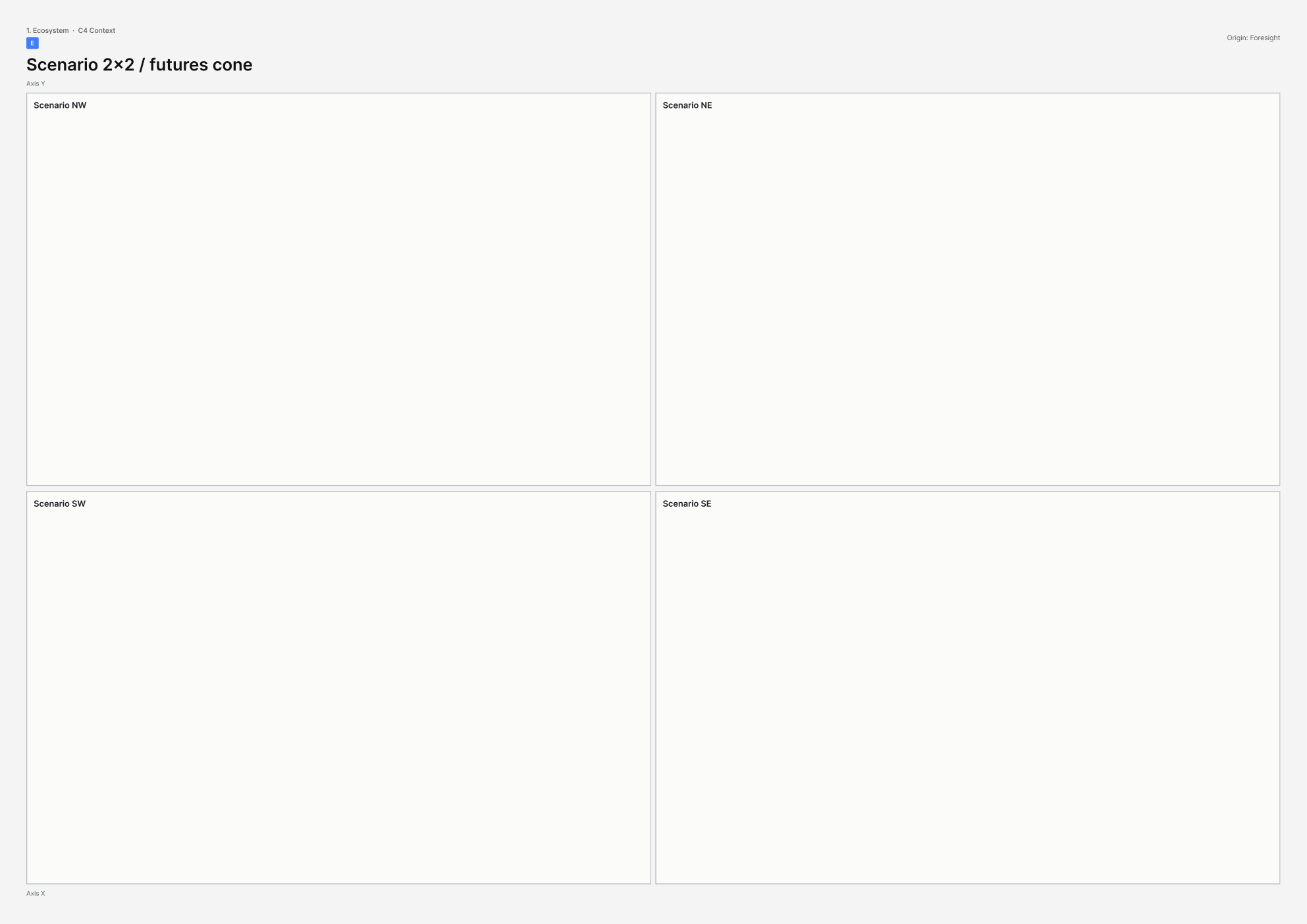
This picture is the printable A3 template for Scenario 2×2 / futures cone. - What it covers
- Four plausible worlds on two axes of uncertainty, or a cone of futures, used to test a decision rather than to display one favoured future in four costumes.
- When to use it
- Use, climate, funding or threat can flip, and a single favoured future would leave the asset untested.
- How to use it
- Choose two critical uncertainties as axes; they must be independent, and both must actually be uncertain.
- Name the four worlds and write a short, concrete description of each, including who loses.
- Take one live decision (site, contract, operating model) and test it in all four worlds.
- Mark survive, adapt or fail in each world, with a reason.
- Rebuild the axes if three worlds are straw men for one favoured future.
- Agree design or policy changes that hold in more than one world.
- Who to involve
- Invite strategy and policy leads, analysts who can defend the axes, and at least one operator who would have to run the asset in an unloved world.
- Why it helps
- You can then test a decision against several plausible worlds, so the asset is not specified for one favoured future in disguise.
- Watch out for
- Make sure each world gets a serious test. Four quadrants that hide one favoured future will not show what would break the asset.
This picture is the published GOV.UK Futures Toolkit page for Seven Questions. - What it covers
- Interview answers using the Shell Seven Questions method, then the themes that go into an Issues Paper, from a real conversation rather than a tick-box survey.
- When to use it
- Decision-makers must surface assumptions before a futures workshop, and a survey would let those assumptions stay hidden.
- How to use it
- Interview decision-makers one at a time, using the seven questions in full sentences.
- Cover critical issues, favourable and unfavourable futures, culture, lessons, and what they would do next.
- Keep it a conversation rather than turning the questions into a form.
- Extract themes and tensions into an Issues Paper before the group meets.
- Put disagreements on the page, attributed or anonymised as you agreed.
- Go back and talk again if the interview felt like a survey and assumptions stayed hidden.
- Who to involve
- Invite the decision-makers you will interview, a skilled interviewer, and a facilitator who will protect minority views when the Issues Paper is used.
- Why it helps
- You can then take assumptions from real conversations into an Issues Paper, so a futures workshop does not start from a tick-box survey.
- Watch out for
- Make sure the interview stays a genuine conversation. Treating it as a tick-box survey leaves assumptions hidden.
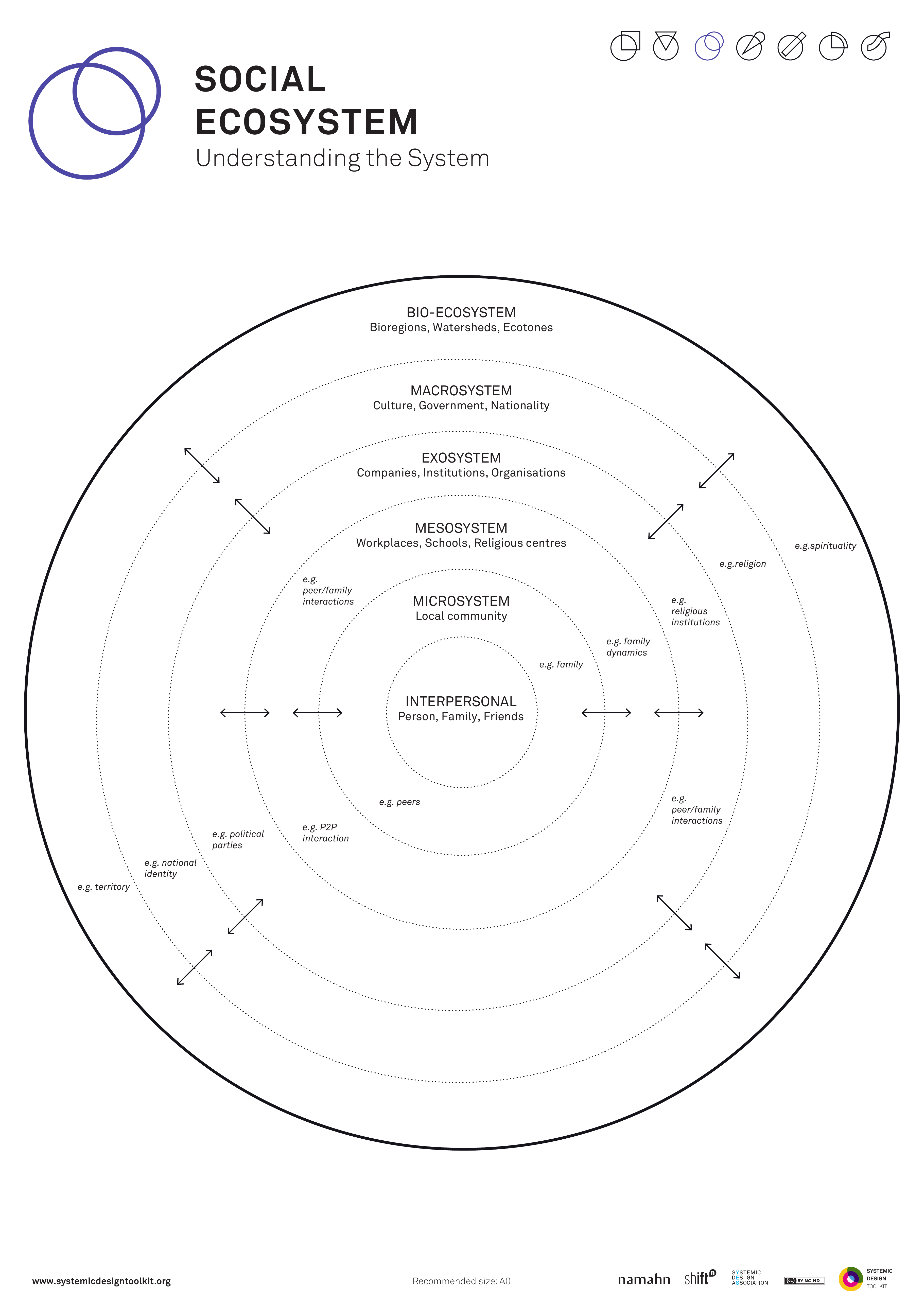
This picture is the published Systemic Design Toolkit poster for Social Ecosystem Map. It is the official Design Journeys page, not a redrawing. - What it covers
- Nested rings from BIO-ECOSYSTEM through MACROSYSTEM, EXOSYSTEM and MESOSYSTEM to MICROSYSTEM, with roles, flows and obligations written on the links.
- When to use it
- Talking about a value network sounds too commercial for the setting. Nested circles with no who-owes-what will not show interdependency.
- How to use it
- Place the person or group in the microsystem: who they deal with daily.
- Fill mesosystem links, then exosystem, macrosystem, and the bio-ecosystem if living systems are in scope.
- On the links, write flows and obligations: who owes what to whom.
- Add arrows and duties wherever the circles are empty.
- Keep social language where commercial value-network wording would mislead.
- Name unpaid obligations that the pretty structure had hidden.
- Who to involve
- Invite people from policy, people who run the service, people who live in the microsystem, and someone who can name unpaid obligations.
- Why it helps
- This helps you see who owes what to whom across nested social settings, not only nested circles.
- Watch out for
- Make sure every important link carries a flow or obligation. Empty circles look social without showing duty.
There is no published template for Social Value / TOMs canvas yet. - What it covers
- Social value turned into contractual outcomes: jobs, local spend, environment and inclusion, each with a measure someone will actually run. Themes, Outcomes and Measures (TOMs) is the common UK procurement frame.
- When to use it
- Public money will buy more than square metres, and social value is about to become a percentage on a procurement score.
- How to use it
- List the themes that apply: jobs, local spend, environment, inclusion, or others this contract can actually affect.
- For each theme, write an outcome in lived terms: who gets what, where, by when.
- Add a measure and an owner who will report it after contract award, not only at bid stage.
- Write the mechanism: how the contractor or operator will produce that outcome in this place.
- Strike any line that exists only to score points and has no lived mechanism.
- Put the surviving lines into the draft contract language before anyone treats the workshop as the delivery plan.
- Who to involve
- Invite commercial or commissioning leads, the delivery owner who will manage the contract, and someone who would receive the jobs, spend or access.
- Why it helps
- This helps you put social value into the contract as outcomes someone will run, rather than leaving it as a score on a bid.
- Watch out for
- Make sure each line has a lived mechanism for jobs, local spend or inclusion that someone will run after award.
There is no published template for Stakeholder / actor map yet. - What it covers
- Named people, teams and organisations around the work, with lines for how they relate, and a clear note of who sits at the centre and who sits at the edge.
- When to use it
- You still cannot say who is in the system, who sits at the edge, or who can stop the work.
- How to use it
- Agree what the map is about in one sentence and put that in the centre.
- Add each actor as a named person, team or organisation, not a logo.
- Draw the relations that matter: who funds, who regulates, who delivers, who can stop the work.
- Mark who sits at the centre of the work and who is treated as periphery.
- Ask who is missing, including people who will never attend a workshop, and add them.
- Name who can say no, who pays, and where conflict sits before you treat the map as finished.
- Who to involve
- Invite someone who knows the politics, someone who is not usually invited, and the person who asked for the work.
- Why it helps
- This helps you decide who to work with, who to watch, and who can stop the work before you lock the direction.
- Watch out for
- Make sure the map names who can stop the work, who pays, and where conflict sits. Add those names as well as logos and job titles.
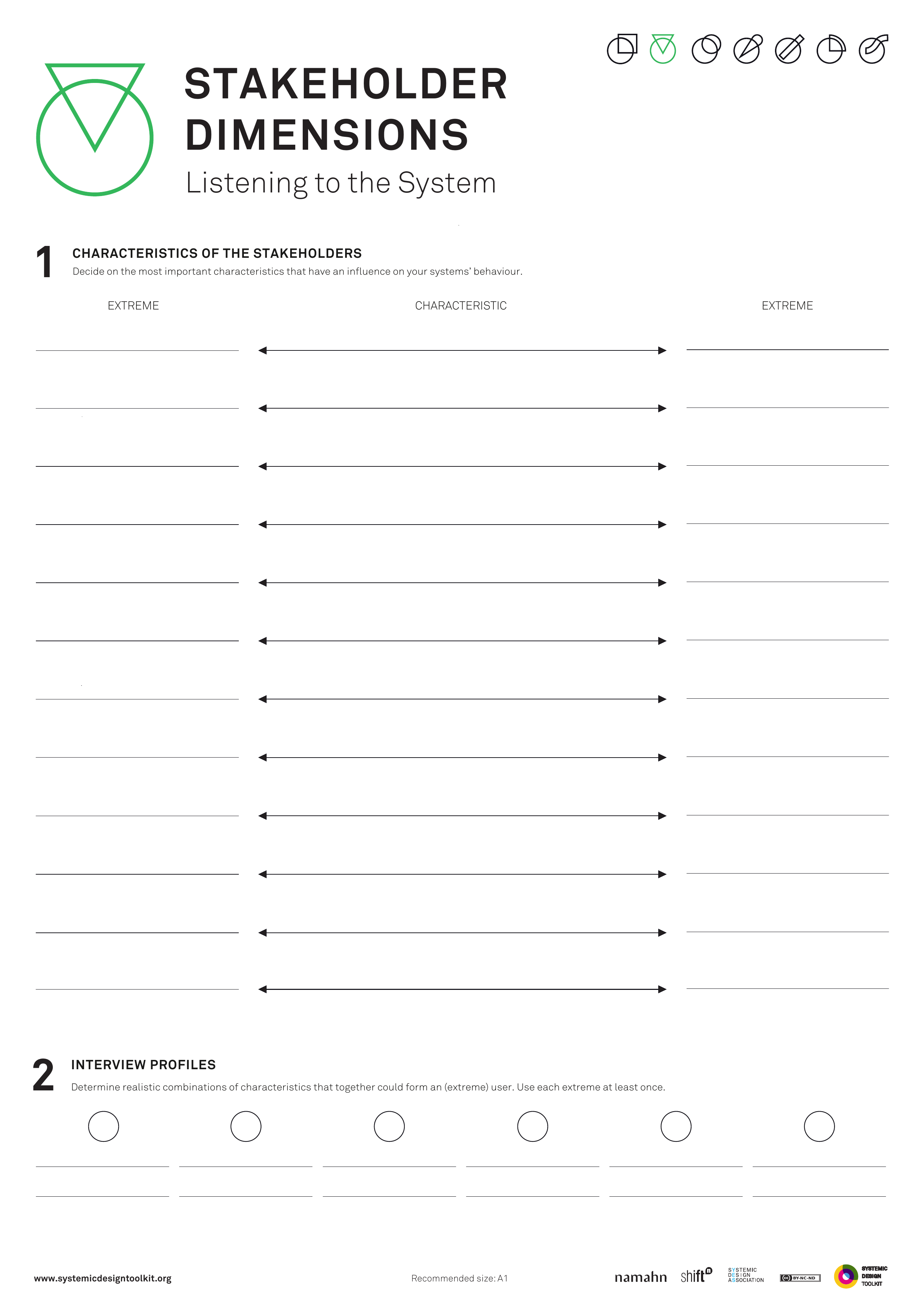
This picture is the published Systemic Design Toolkit poster for Stakeholder Discovery. It is the official Design Journeys page, not a redrawing. - What it covers
- Stakeholder dimensions: characteristics that matter, extreme poles A and B, and interview profiles that reach people who were not already invited.
- When to use it
- The actor list is incomplete or politically skewed. Discovery that only confirms the guest list will miss people who matter.
- How to use it
- List characteristics that would make someone matter in this system: use, harm, knowledge, exclusion.
- Set two extreme poles for a characteristic, for example always heard and never heard.
- Build interview profiles at the extremes and in between, not only the middle.
- Write how you will reach people who are politically inconvenient.
- Run the protocol and add names the first list missed.
- Change the extremes and go again if discovery only confirmed the invite list.
- Who to involve
- Invite someone who knows the politics, someone who is not usually invited, and the person who will do the interviews.
- Why it helps
- Interviews can reach people the first list missed, instead of confirming who was already invited.
- Watch out for
- Make sure profiles reach the extremes, including people who are inconvenient. A middle-only sample only confirms the guest list.
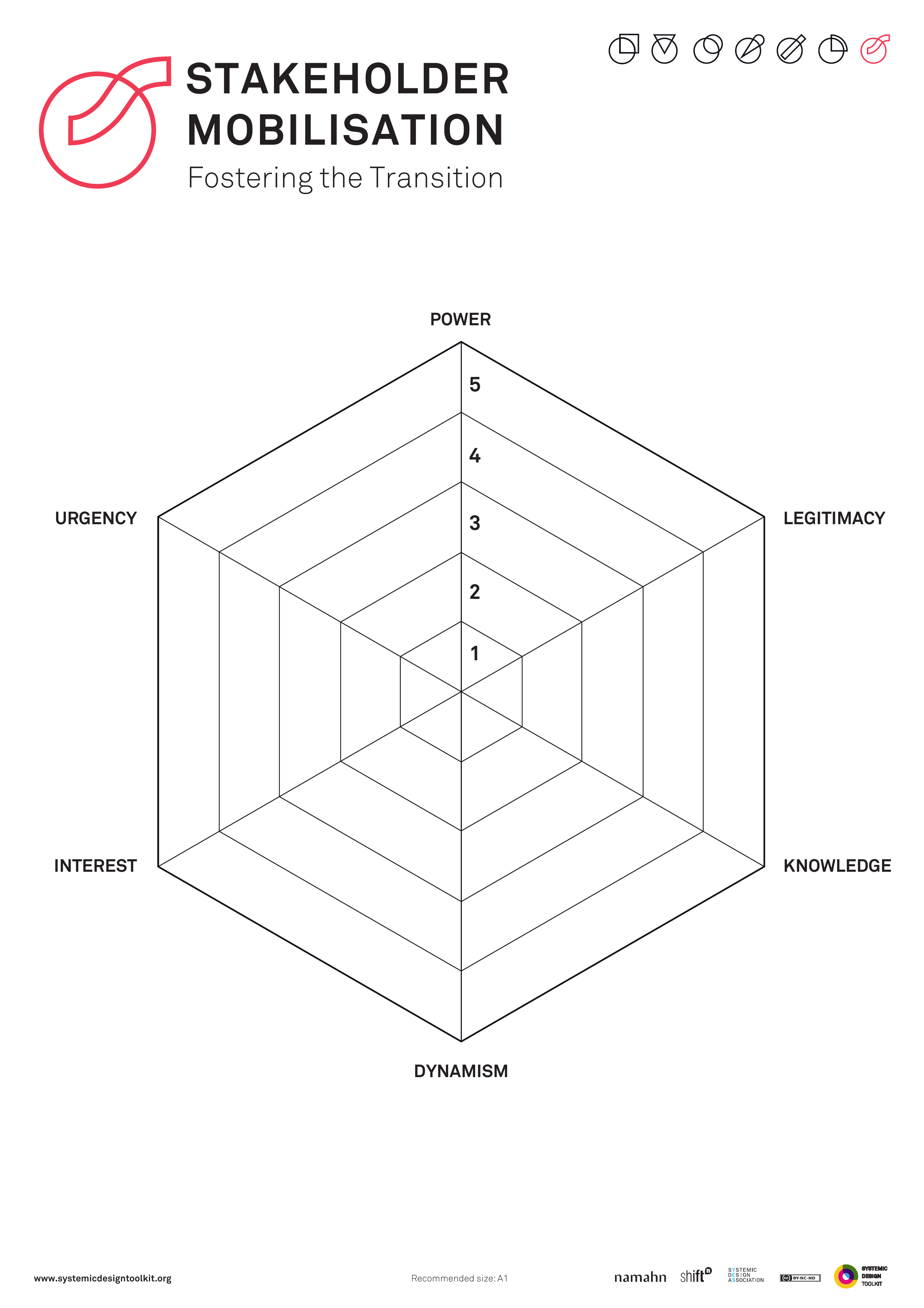
This picture is the published Systemic Design Toolkit poster for Stakeholder Mobilisation. It is the official Design Journeys page, not a redrawing. - What it covers
- POWER, URGENCY, LEGITIMACY and a MOBILISATION ASK: who asks whom, for what commitment, by when, so a contact list becomes a coalition.
- When to use it
- Plans exist but coalitions do not. A contact list alone is not mobilisation.
- How to use it
- Place each actor on power, urgency and legitimacy.
- Write a mobilisation ask: who asks them, for what commitment, by when.
- Write what they would commit to, in a sentence they could sign.
- Sequence the asks so people who need others to move first are later.
- Replace any contact-only entry with a commitment ask.
- Track who said yes, who said no, and who you have not asked.
- Who to involve
- Invite someone who knows the politics, someone who is not usually invited, the person who will make the ask, and a programme lead who can accept a no.
- Why it helps
- You can then build a coalition from asks and commitments, not from a contact list.
- Watch out for
- Make sure every important actor has an ask and a commitment sentence. Contacts without asks are not a coalition.
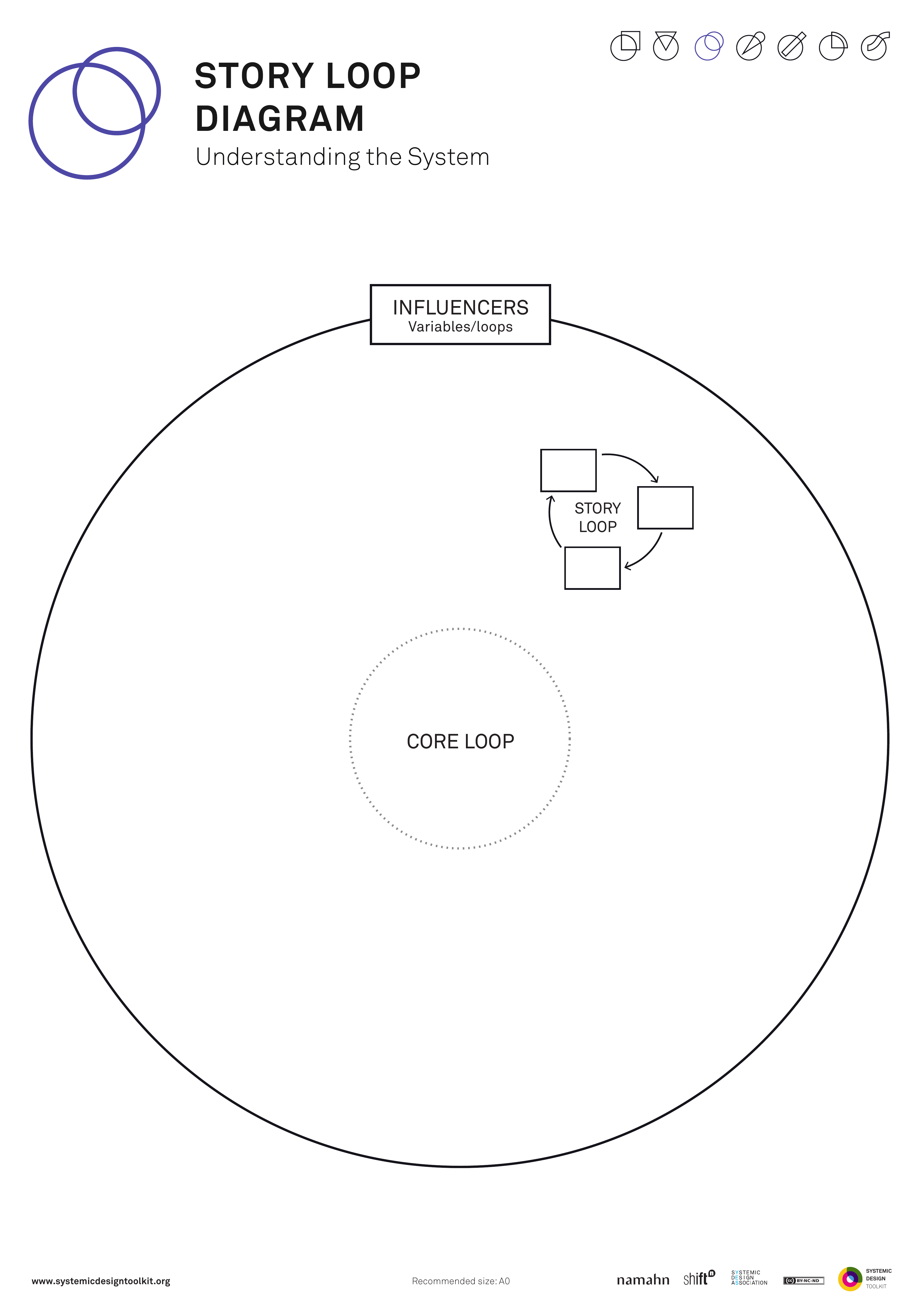
This picture is the published Systemic Design Toolkit poster for Story Loop Diagram. It is the official Design Journeys page, not a redrawing. - What it covers
- A CORE LOOP of behaviour, a STORY LOOP that keeps it going, and INFLUENCERS around both, so the system is explained as loops rather than a single villain.
- When to use it
- Causal maps need the stories people actually tell. Explaining the system as one villain will miss the narrative that keeps behaviour in place.
- How to use it
- Write the core loop: the behaviour that keeps repeating, as a loop, not a line.
- Write the story loop: the narrative people tell that keeps that behaviour sensible.
- Place influencers who feed the story or the core.
- Read the two loops together: where changing the story would change the behaviour, and where it would not.
- Keep the explanation as loops rather than collapsing into a villain.
- Pick one intervention on the story, one on the core, and say which you are not doing.
- Who to involve
- Invite people from policy, people who run the service, people who tell the story from inside the loop, and a facilitator who can keep the group off villain explanations.
- Why it helps
- Interventions can target story and behaviour loops you have named, instead of hunting a villain.
- Watch out for
- Make sure both the behaviour loop and the story loop are drawn. A villain story alone will not show what keeps the pattern going.
This picture is the nearest official Systemic Design Toolkit poster for Synthesis Map. The Design Journeys pack has no dedicated page for this canvas, so the closest published sheet is shown. - What it covers
- INSIGHT CLUSTERS, RELATIONS between them, a SHARED PICTURE and OPEN QUESTIONS, so research joins into a picture people can decide from.
- When to use it
- Research piles up without something people can join to. A display that cannot support a named decision is not yet synthesis.
- How to use it
- Cluster insights from the inquiry and name each cluster in a full sentence.
- Draw relations between clusters: causes, conflicts, dependencies.
- Build one shared picture the group can stand in front of.
- List open questions that would change the picture if answered.
- Write the decision this picture is for and reshape it until it can support that decision.
- Treat the open questions as the next work before adding more research.
- Who to involve
- Invite people from policy, people who ran the fieldwork, and people who must decide.
- Why it helps
- A named decision can be taken from a shared picture, with open questions queued as the next work.
- Watch out for
- Make sure the picture supports a named decision. A display nobody can act from is not synthesis.
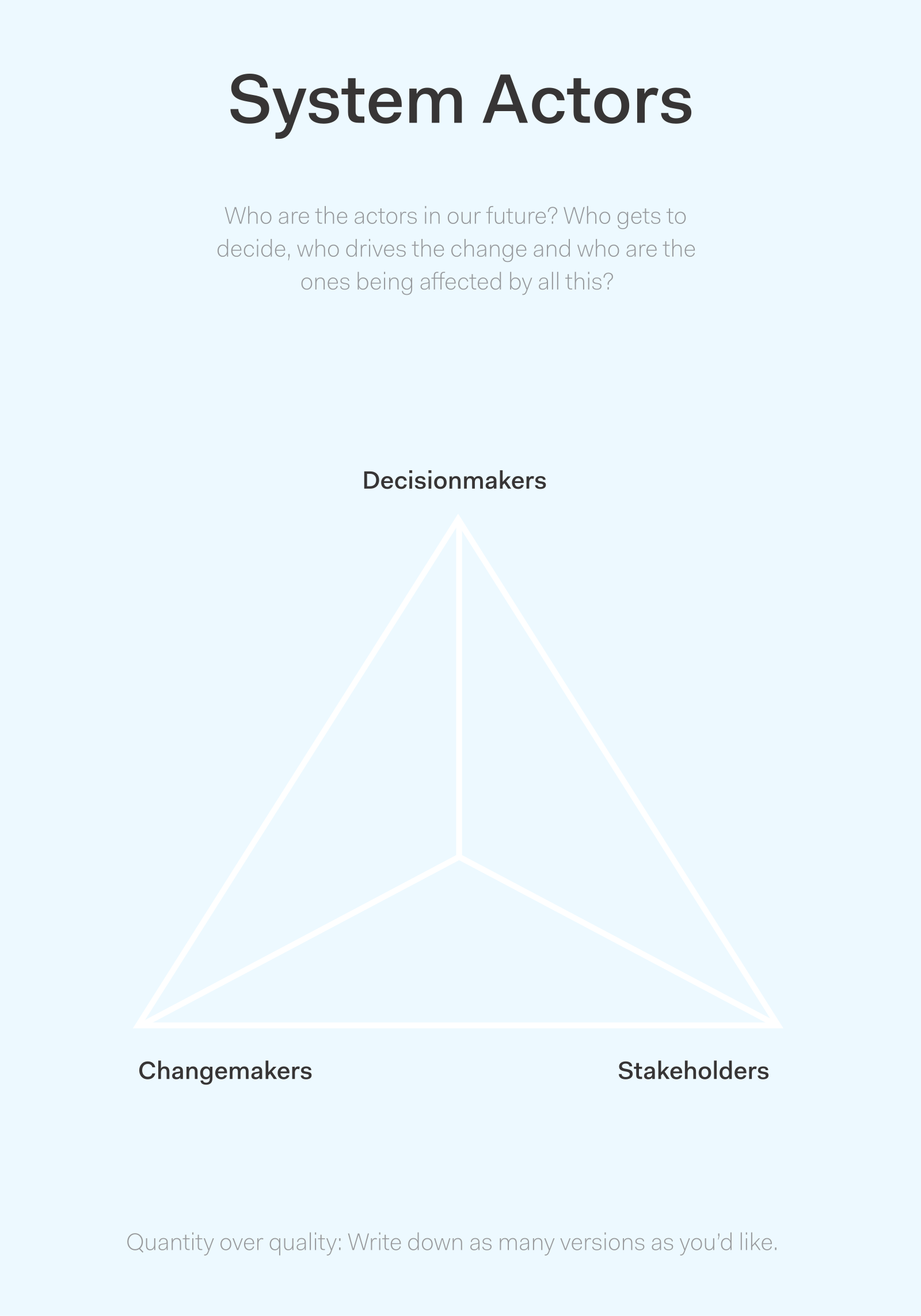
This picture is the published Actionable Futures Toolkit page for System actors. - What it covers
- Who decides, who drives change, and who is pushed out in this arena, with power to stop the work and money named beside each actor rather than logos alone.
- When to use it
- Actor power in the futures arena is still fuzzy. Name who can stop the work, and who holds money, so you know who to engage first.
- How to use it
- List actors in this arena: who decides, who drives change, who is displaced.
- Place them by power, interest or knowledge, as the layout asks.
- Name who can stop the work and who holds money.
- Mark who is missing, including people who will be displaced.
- Replace any logo-only entry with a named person or role and their power.
- Write who you will engage, in which order, before the next futures move.
- Who to involve
- Invite someone who knows the politics of the arena, someone who is not usually invited, and the programme lead.
- Why it helps
- This helps you decide who to engage first, with power to stop the work, and money named, rather than working from a logo cloud.
- Watch out for
- Make sure power to stop the work, and money are named for each important actor. Name power to stop the work, and money, beside each actor.
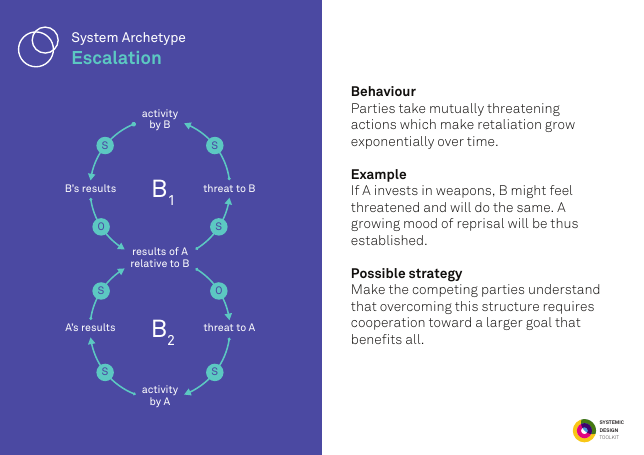
This picture is the published Systemic Design Toolkit poster for System Archetypes. It is the official Design Journeys page, not a redrawing. - What it covers
- A picker of named system archetypes such as escalation, limits to growth, shifting the burden, eroding goals, success to the successful, tragedy of the commons, fixes that fail, growth and underinvestment, accidental adversaries, and attractiveness principle.
- When to use it
- The pattern feels familiar but unnamed. Forcing every problem into Limits to Growth will mis-name the redesign.
- How to use it
- Tell the observed behaviour in evidence, without an archetype name.
- Lay out the archetype cards and match more than one if needed.
- For the match, copy the loop structure onto your case with your variables.
- Write the typical trap of that archetype, and whether you are already in it.
- Write the typical redesign, and whether you can actually do it here.
- Pick again from the evidence if every problem got the same card.
- Who to involve
- Invite people from policy, people who run the service, people affected by it, and someone who will resist a fashionable archetype.
- Why it helps
- This helps you redesign from a named pattern that fits the evidence, not from one default archetype.
- Watch out for
- Forcing Limits to Growth onto every case misnames both the trap and the redesign.
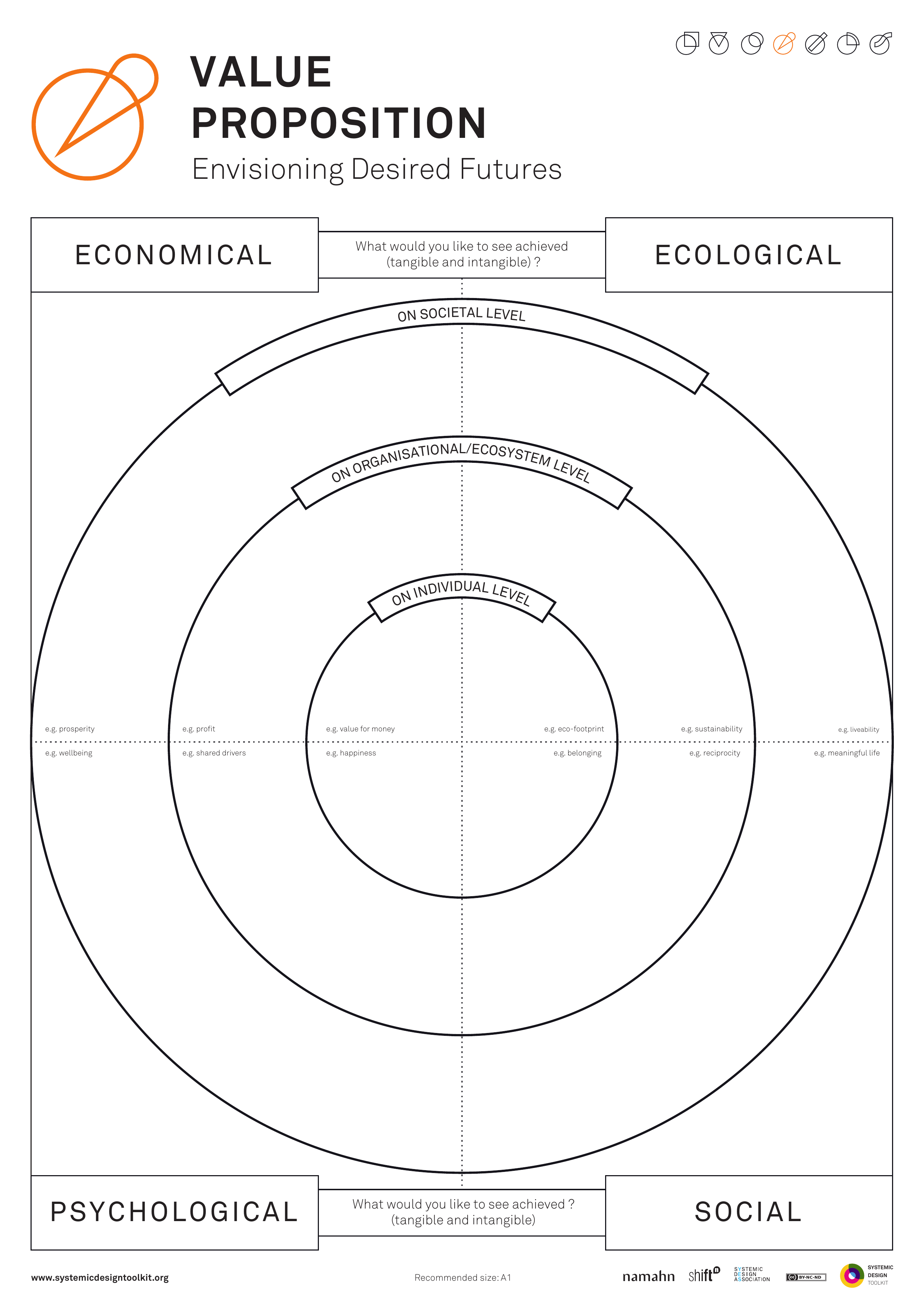
This picture is the published Systemic Design Toolkit poster for System Value Proposition. It is the official Design Journeys page, not a redrawing. - What it covers
- What the whole system should achieve at economical, ecological and societal levels, for whom across actors, so one organisation's offer cannot swallow multi-actor public value.
- When to use it
- A product value proposition canvas collapses public value that sits with many actors. One organisation's offer is about to be written as system value.
- How to use it
- Write what you would like to see achieved at economical, ecological and societal levels.
- For each, name for whom across actors, not for one organisation.
- Strike lines that are one organisation's offer in disguise.
- Write what the system would have to stop doing to keep that value.
- Draft from system outcomes, not by swapping nouns on a product canvas.
- Test interventions: whose value is created, whose is spent.
- Who to involve
- Invite people from policy, people who run the service, and people affected by it, across more than one organisation.
- Why it helps
- You can then test interventions against multi-actor public value at economical, ecological and societal levels.
- Watch out for
- Make sure value is held across actors, not by one organisation's offer. A product proposition alone will swallow public value.
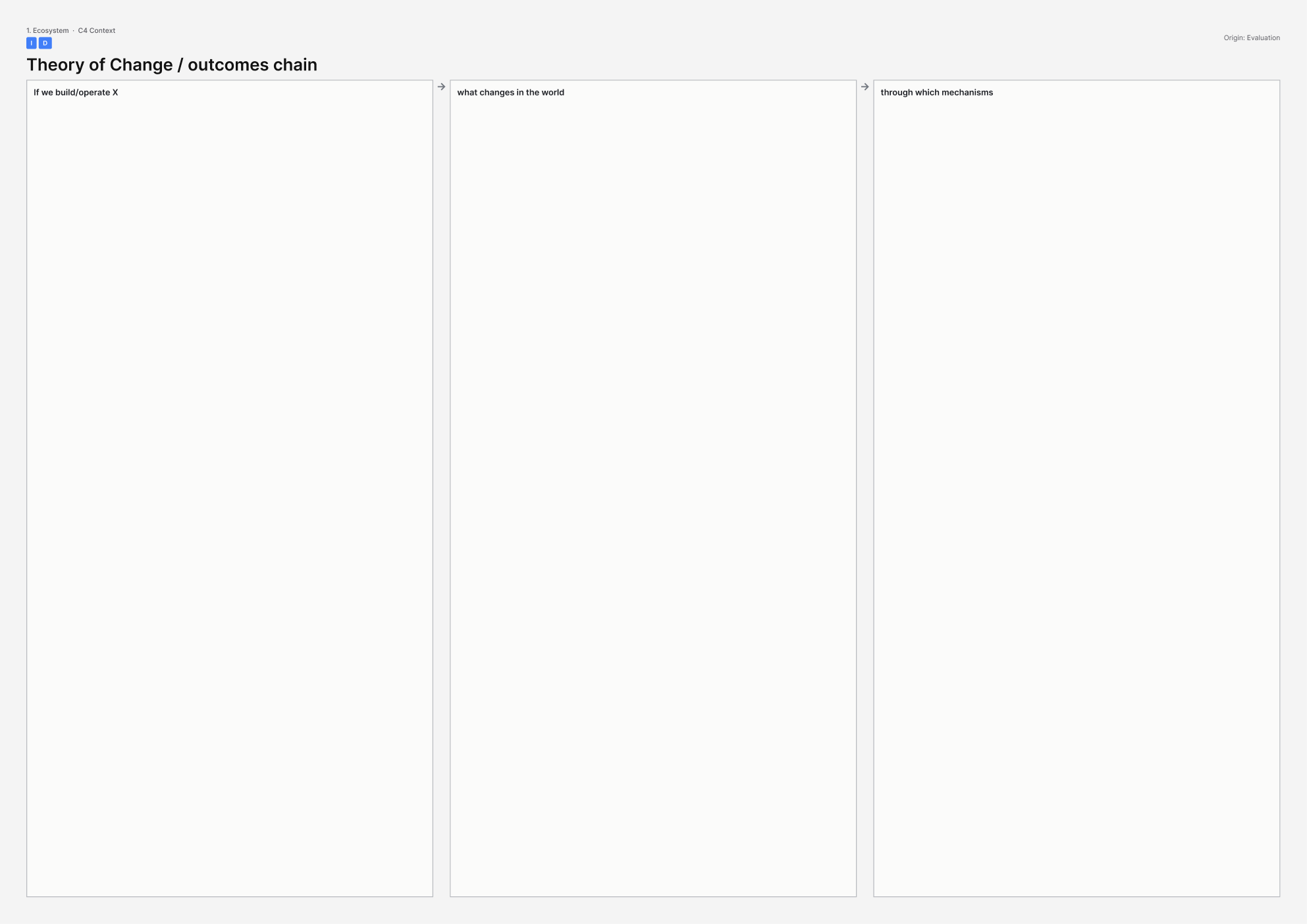
This picture is the printable A3 template for Theory of Change / outcomes chain. - What it covers
- A chain from activities through mechanisms to outcomes in the world. Every arrow is a claim that can be evidenced or cut.
- When to use it
- The building is being talked about as if it were the outcome, and you need to see what would actually have to change in people's lives.
- How to use it
- Write the outcome in the world first, on the right, as a change for people or place rather than a completed building.
- Work backwards: what would have to happen just before that outcome, then before that, until you reach activities you control.
- Under every arrow, write the mechanism: why that step would cause the next, and remove the arrow if you cannot say why.
- List assumptions and write how you would know each one was false.
- Mark which links a building could help, and which links it cannot carry.
- Read the chain aloud and fill any jump from a civic centre to cohesion with nothing in between.
- Who to involve
- Invite someone who owns the outcome in policy, someone who would run the activities, someone who lives with the current situation, and an evaluator who will challenge arrows.
- Why it helps
- You can then see which change claims you can evidence, and stop asking a building to do a job it cannot do.
- Watch out for
- Make sure every step has a mechanism. A jump from a new civic centre to cohesion with nothing in between cannot tell you what would have to be true.
This picture is the printable A3 template for Three Horizons. - What it covers
- Three bands: horizon 1 (managing the present, the dying system), horizon 3 (the emerging future you believe), and horizon 2 (the messy transition between them).
- When to use it
- The building or service will outlive the current operating model, and a wish-list labelled horizon 3 would skip the transition work.
- How to use it
- Draw three bands and, in horizon 1, describe the system that still runs today, including what is dying but funded.
- In horizon 3, describe the emerging system you actually believe, not a mood board.
- In horizon 2, write the messy experiments, conflicts and bridges between them.
- Force links: every horizon 3 hope must connect to a horizon 1 constraint it has to deal with.
- Mark what the building or programme would lock in for decades, and which horizon that lock belongs to.
- Add horizon 2 work before you treat horizon 3 hopes as a transition.
- Who to involve
- Invite people who run today's system, people working on the emerging one, and an operator who will live through the mess of horizon 2.
- Why it helps
- This helps you put transition work between the dying system and the emerging one, so the future is not a wish-list taped over today's constraints.
- Watch out for
- Make sure every emerging hope links to a constraint in the system that still runs today. Without that link, transition work has nowhere to live.
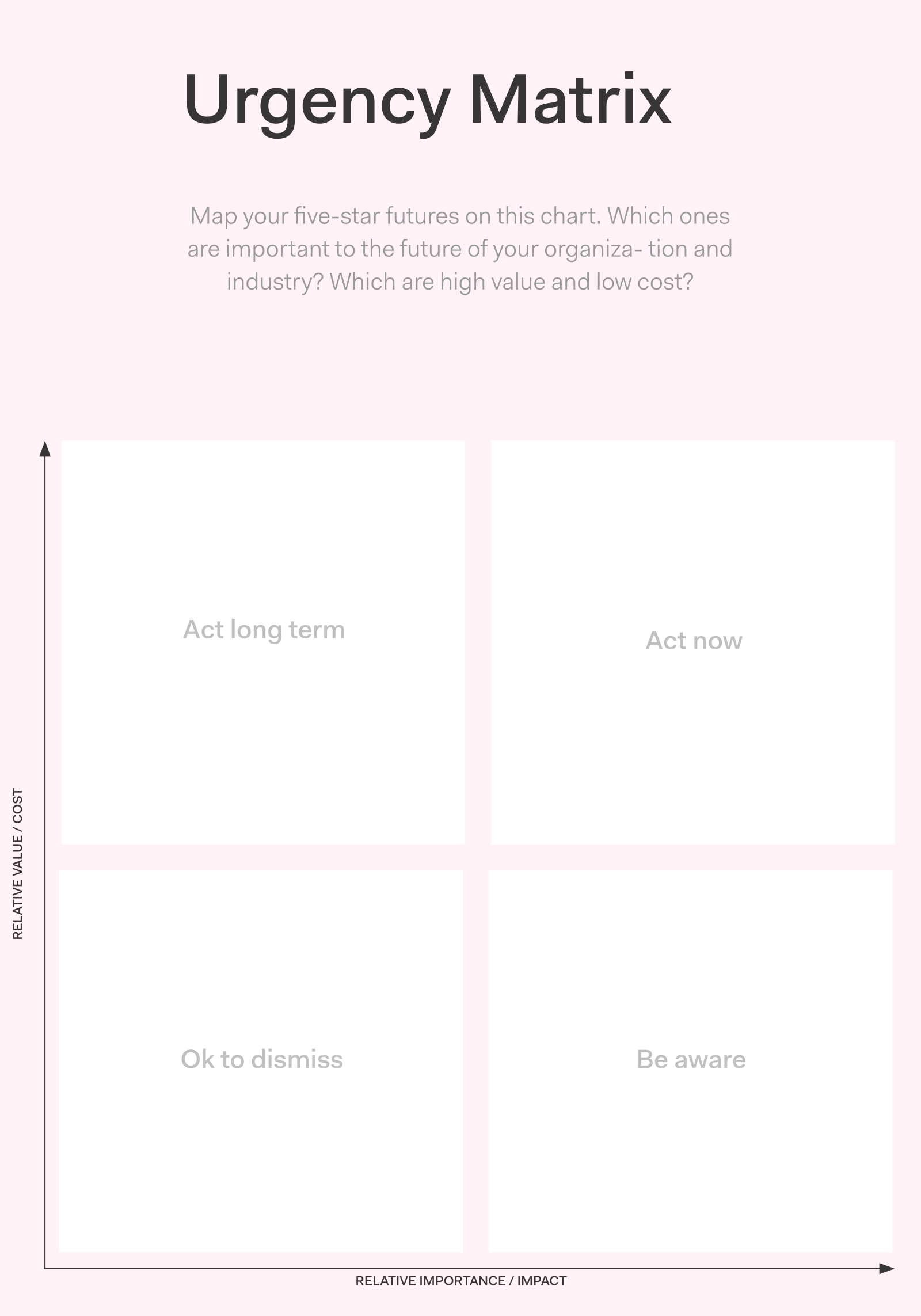
This picture is the published Actionable Futures Toolkit page for Urgency Matrix. - What it covers
- Futures plotted on importance against value and cost, or urgent against important, so you can choose which five-star futures to chase now, sequence or drop.
- When to use it
- You must prioritise which five-star futures to chase. If everything sits in one corner, the axes are not yet honest.
- How to use it
- List the five-star futures or options you might chase.
- Plot them on the two axes the layout uses.
- Force distribution until not everything sits in one corner.
- Circle what you will chase now, what you will sequence, and what you will not.
- Keep this as a prioritisation of futures, separate from mapping uncertainties.
- Leave with a short chase list the group can defend.
- Who to involve
- Invite people from policy, people who run the service, people affected by it, and someone who can refuse a future that is merely loud.
- Why it helps
- You can then publish a chase list that is not all urgent and important at once.
- Watch out for
- A plot crowded into one corner means nothing is allowed to wait.
This picture is the published Actionable Futures Toolkit page for Vision of the future. - What it covers
- Wild seed ideas for futures worth arriving in, written so they differ from one another before any five-star filtering.
- When to use it
- Concept seeds are too tame before filtering. One agreed corporate vision dressed in many costumes will waste the next step.
- How to use it
- Generate seeds that are actually different, including some that would embarrass the current plan.
- Write each as a future worth arriving in, with who thrives and who does not.
- Keep one copy where several seeds are the same vision, and invent others that differ.
- Hold off five-star filtering until the set is genuinely diverse.
- Carry a diverse set into five-star futures.
- Restart if all seeds still point at the already-agreed future.
- Who to involve
- Invite strategy and policy leads, analysts, at least one operator, and someone who will propose a seed the organisation does not already want.
- Why it helps
- You can then filter genuinely different seeds, instead of ranking one corporate vision in many costumes.
- Watch out for
- Tame copies of the already-agreed plan will not open new options at filtering.
This picture is the published GOV.UK Futures Toolkit page for Visioning. - What it covers
- A preferred future narrative (the picture of success the group chooses to aim for) plus near-term steps towards it, with consequences for policy and investment, not a slogan.
- When to use it
- A shared picture of success is missing before roadmapping, and the vision is at risk of becoming a slogan with no consequences.
- How to use it
- Write a preferred future as a narrative people can see: who is doing what, where, in which year.
- Keep it preferred, not predicted, and say so.
- Derive near-term steps that would have to start now.
- Write consequences for policy and investment: what you would fund, stop or refuse.
- Add the steps and the refusals if it is only a slogan so far.
- Use it as an input to backcasting or roadmapping, not as a poster on its own.
- Who to involve
- Invite strategy and policy leads, analysts, and at least one operator who would have to take the near-term steps.
- Why it helps
- This helps you constrain policy and investment from a preferred future, so roadmapping does not start from a slogan.
- Watch out for
- Make sure the vision has consequences for policy and investment. Near-term steps that never constrain today's choices leave you with a slogan.
This picture is the printable A3 template for Wardley Map (landscape altitude). - What it covers
- A Wardley Map: user need on the right, a chain of components that meet it, and an evolution axis from genesis (newly invented) through custom and product to commodity. Landscape altitude here means how far up or down that chain you are looking.
- When to use it
- The real decision is build, buy, platform or stop, and a value-chain sketch with no evolution axis cannot make it.
- How to use it
- Write the user need on the right and anchor everything to that need.
- Chain the components that meet it, from visible to invisible.
- Place each component on the evolution axis: genesis, custom built, product, commodity.
- Challenge anything marked novel that is actually a commodity, and anything marked commodity that is still a bet.
- Mark build, buy, platform or stop against the placement, not against taste.
- Add the evolution axis before you decide if you only have a value-chain sketch.
- Who to involve
- Invite someone who knows the user need, someone who knows the market maturity of the components, and a decision-maker who can choose build, buy or stop.
- Why it helps
- You can then decide build, buy, platform or stop from evolution on the axis, rather than from a value-chain sketch alone.
- Watch out for
- Make sure the map has an evolution axis from genesis to commodity. Without it, build, buy, platform or stop cannot be decided.
No canvases match this filter.
2. Organisations
Start with these
- Accountability / duty-holder map (who holds a legal duty)
- Mission Model / public-sector Business Model Canvas
- Culture Canvas
- Target operating model / POLISM (how the organisation runs)
- Partnership / collaboration canvas
- Government Soft Landings roles canvas
There is no published template for Accountability / duty-holder map yet. - What it covers
- Named people who are legally or formally accountable for each risk the organisation carries, with their posts, deputies and escalation routes. A duty holder is a named person, not a team box.
- When to use it
- Use this when risk to life, money or legitimacy sits with the organisation and an organisation chart of teams would leave nobody who can be held.
- How to use it
- Name the institution and the duty in law or policy in one sentence.
- List the risks that matter: life, money, legitimacy, or others this place carries.
- For each risk, name a duty holder: a person who is legally or formally accountable, with their post.
- Add who they escalate to, and who cannot be skipped.
- Mark deputies and cover for nights, weekends and when that person leaves.
- Confirm every risk has a named person before you make tools or slides.
- Who to involve
- Invite the senior person who would be held to account, budget holders, and delivery owners who can make decisions.
- Why it helps
- This helps you decide who is holdable for each risk before design or delivery work proceeds.
- Watch out for
- Team names alone leave nobody who can be held when something goes wrong. Every risk needs a person and a post.
There is no published template for Business capability map yet. - What it covers
- What the organisation must be able to do, written as capabilities independent of the organisation chart: verbs and objects, not team names.
- When to use it
- Services are being cut or combined across departments and following the organisation chart would hide what must still be done.
- How to use it
- List capabilities as verbs plus objects, such as assess housing need or maintain lifts.
- Group them so they survive a restructure.
- Map current teams onto capabilities, noting splits and overlaps.
- Mark which capabilities a cut or merge would delete, duplicate or orphan.
- Write the minimum set you must keep to remain lawful or a going concern.
- Rename any capability that is only a current team name until the map would still make sense after a restructure.
- Who to involve
- Invite people who know what work actually happens, a business architect or equivalent, and sponsors who are about to cut or combine services.
- Why it helps
- You can then cut or combine services against what must still be done, rather than against team names.
- Watch out for
- Cuts that follow the organisation chart can orphan essential work. Capabilities must describe work, not directorates.
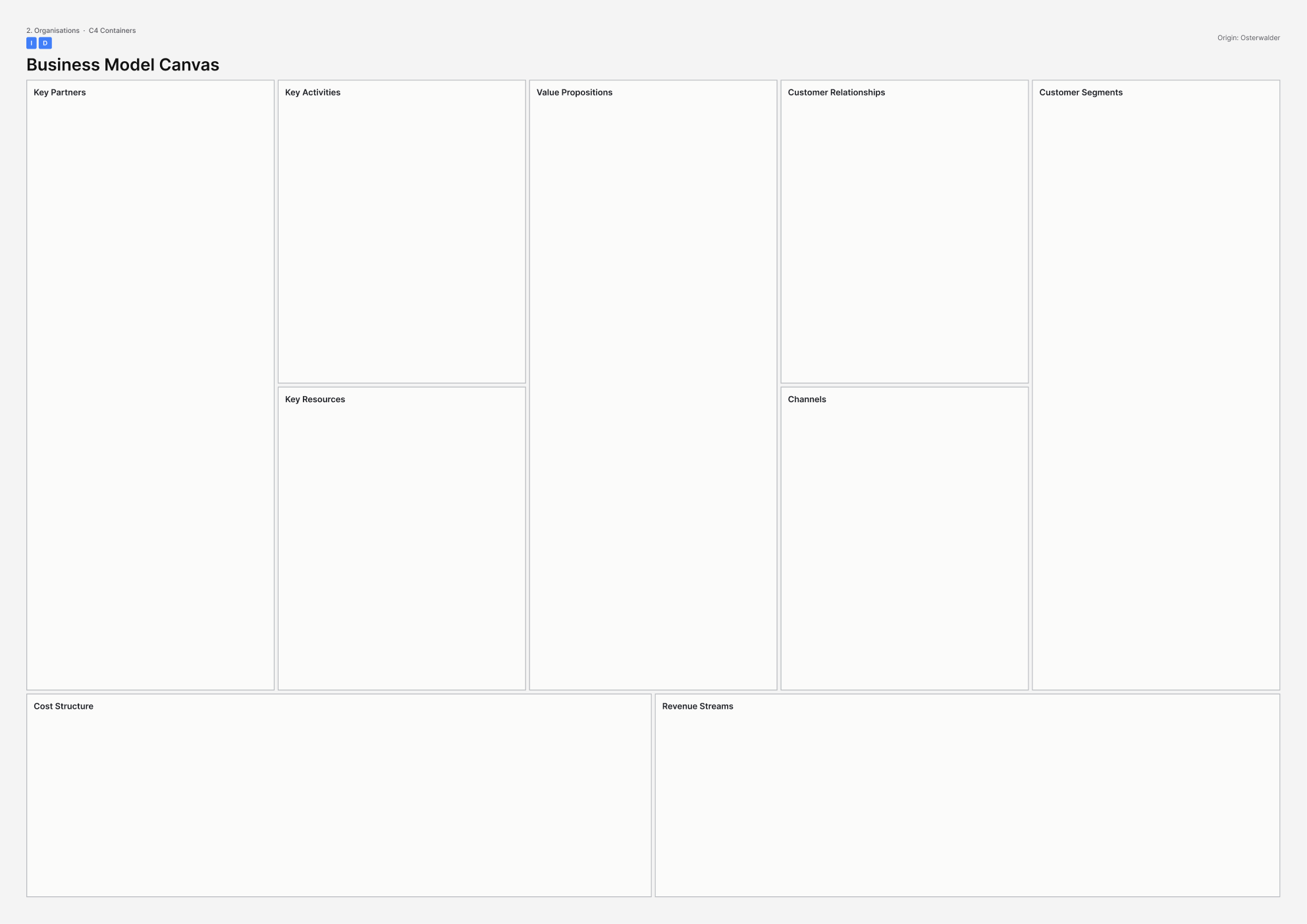
This picture is the printable A3 template for the Business Model Canvas, in the published nine-block form. - What it covers
- The nine blocks of the Business Model Canvas (BMC): partners, activities, resources, value propositions, relationships, channels, customer segments, costs and revenue.
- When to use it
- Use this when an operator must be a viable going concern and you need one enterprise model before partners, costs and channels harden. Prefer a mission model if the body has statutory duties rather than customers.
- How to use it
- Fill value propositions and customer segments first for one offering only.
- Add channels and relationships, then key activities, resources and partners.
- Fill cost structure and revenue streams with numbers or honest blanks.
- Test each block against one offering rather than the whole organisation.
- Switch to a mission or public-sector model if the body has duties, not customers.
- Walk the story: who pays, who is served, and what breaks if a partner leaves.
- Who to involve
- Invite the operator who must be viable, a finance lead, and a partner who would sit in the key-partners block.
- Why it helps
- You can then agree one explicit enterprise model for one offering before commercial choices harden.
- Watch out for
- Statutory duties need a mission model. Customer and revenue blocks will hide purpose if the body has duties, not customers.
This picture is the printable A3 template for Change / ADKAR canvas. - What it covers
- ADKAR means awareness, desire, knowledge, ability and reinforcement for staff and people who must inhabit a new model, not only a new shell.
- When to use it
- Staff and publics must inhabit a new model and a communications plan is about to be treated as the whole of change.
- How to use it
- Name the change in behaviour, not the building.
- Score awareness, desire, knowledge, ability and reinforcement for staff and for the public, with evidence.
- Find the first missing letter and design work there.
- Write reinforcement: what happens on day 30 if people revert.
- Separate communications (awareness) from ability (kit, time, permission).
- Add ability and reinforcement before you announce if the plan is only messages.
- Who to involve
- Invite leaders who own the culture, people who must change how they work, and people who must inhabit the new model.
- Why it helps
- This helps you decide where change work should start, so messages are not treated as the whole plan.
- Watch out for
- Awareness messages alone do not change how people work. Ability and reinforcement need design too.
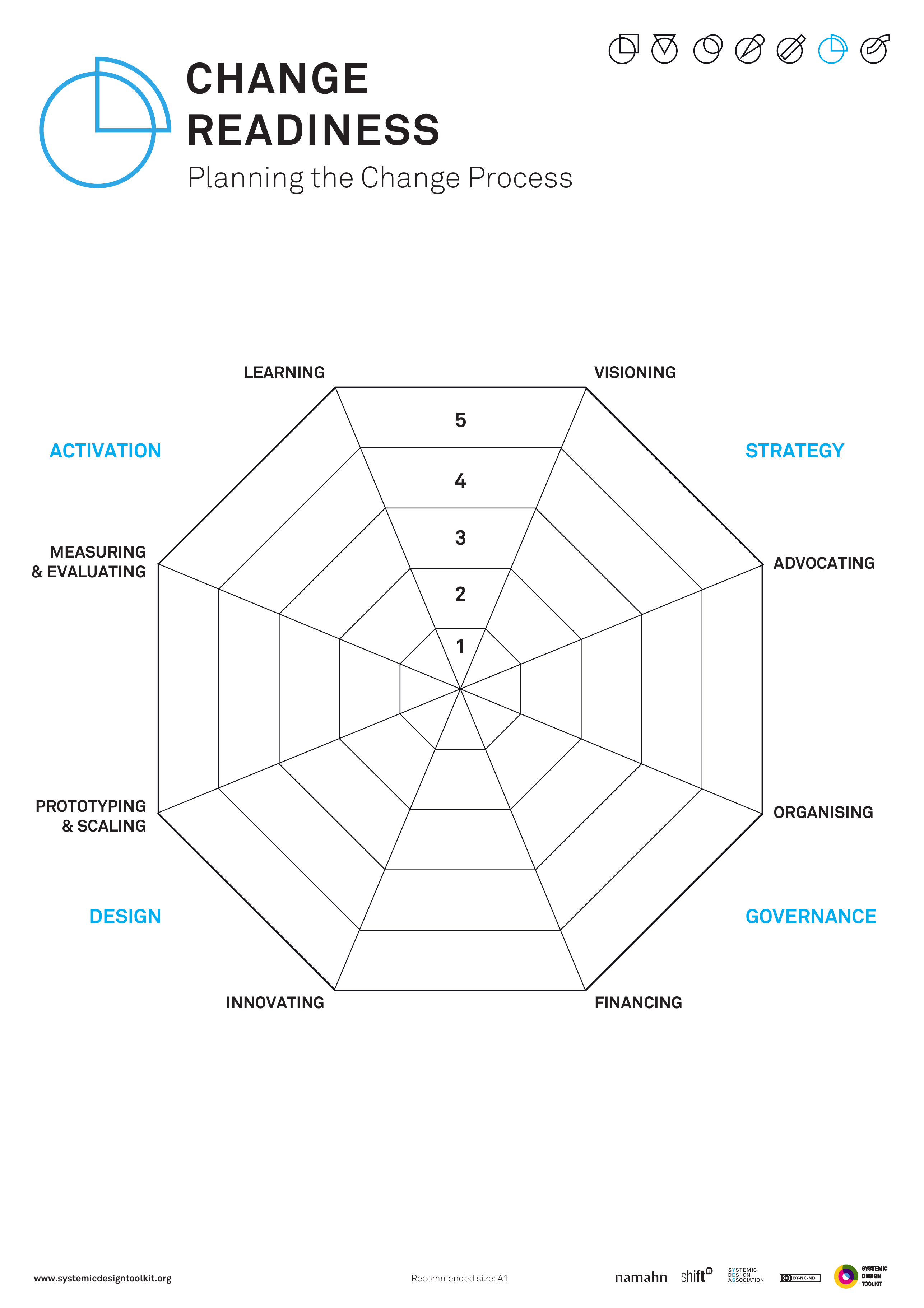
This picture is the published Systemic Design Toolkit poster for Change Readiness Assessment. It is the official Design Journeys page, not a redrawing. - What it covers
- Scores for learning, visioning, activation strategy, capacity and conditions, so launch risk in people and politics is visible before go-live.
- When to use it
- Launch risk sits in people and politics, not only design, and readiness risks becoming a green rating so launch can proceed.
- How to use it
- Score learning, visioning, activation strategy, capacity and conditions with evidence, including politics.
- Write who is not ready, and what that would do to launch.
- Keep scores separate rather than averaging into a green light.
- Put the lowest scores into the activation strategy as work.
- Lower any rating that nobody believes.
- Decide go, delay or redesign against the lowest honest score.
- Who to involve
- Invite leaders who own the culture, people who live it every day, and someone who can delay launch.
- Why it helps
- This helps you decide whether to go, delay or redesign against the weakest readiness score.
- Watch out for
- An averaged green light that nobody believes is not readiness. The lowest honest score should drive the decision.
There is no published template for Co-design canvas yet. - What it covers
- Purpose of the change, who has a stake, where decision power sits, what people will do together, and what impact those activities can honestly have.
- When to use it
- The organisation says it will design with people, and workshops risk becoming a show of involvement after decisions are already taken.
- How to use it
- Write the purpose of the change and what is still undecided.
- List stakeholders and whether they decide, advise or only observe.
- Design activities that match that power so the session can change the outcome.
- Write what people will see of their input, and when.
- State the impact you can honestly claim and the decisions that stay closed.
- Cancel or reopen the decision if participants cannot change the outcome.
- Who to involve
- Invite sponsors who still hold unmade decisions, the people who would co-design, and delivery leads.
- Why it helps
- This helps you decide whether a workshop can change a real open decision, or whether the decision must be reopened first.
- Watch out for
- A workshop after the fact cannot produce co-design. Something must still be undecided before you invite people.
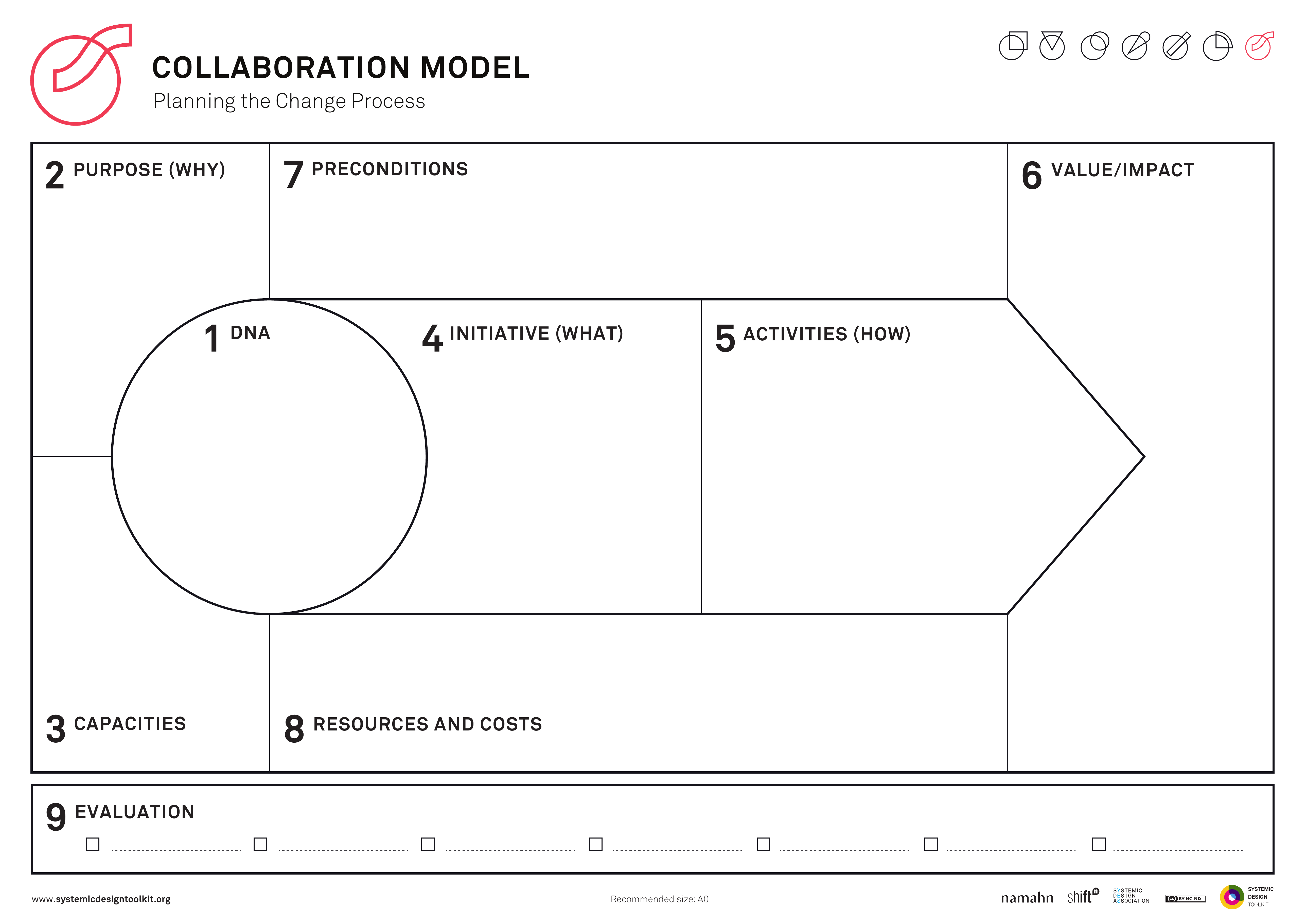
This picture is the published Systemic Design Toolkit poster for Collaboration Model. It is the official Design Journeys page, not a redrawing. - What it covers
- Nine blocks for partnership operating shape: DNA, purpose, capacities, initiative, activities, value and impact, preconditions, resources and costs, plus how you decide, exit and handle conflict.
- When to use it
- Partnership intent has no operating shape and memoranda of understanding lack money, decision rights or exit rules.
- How to use it
- Fill DNA and purpose: why these parties, why this collaboration.
- Fill capacities, initiative and activities: what you will do together and who can do it.
- Fill value, preconditions, resources and costs, including money.
- Fill how you decide, exit and handle conflict.
- Complete money, decision rights and exit before you call the model finished.
- Write the operating shape into the agreement.
- Who to involve
- Invite people who can commit money and decision rights for each party, plus people who will do the activities.
- Why it helps
- Parties can then agree how the partnership will run, decide and exit, not only what it intends.
- Watch out for
- Intent alone will not carry the partnership through difficulty. Money, decision rights and exit belong in the operating shape.
There is no published template for Commissioning / funding canvas yet. - What it covers
- Who pays, on what outcomes, over what term, and with what clawback, across mixed funding streams.
- When to use it
- Use this when funding mixes council, the National Health Service, grants, trading and volunteers, and capital is funded while revenue is still hoped for.
- How to use it
- List every funding stream: who pays, how much, for what, until when.
- Write the outcomes each stream is buying, in the funder's language and in lived language.
- Write term and clawback, and who absorbs the gap if outcomes are missed.
- Separate capital and revenue, and treat hoped-for revenue as a risk with an owner.
- Mark conflicts where two funders buy incompatible hours or eligibility.
- Put the mixed money on one page before you freeze the operating model.
- Who to involve
- Invite budget holders from each stream, commercial or commissioning leads, and delivery owners who would run the gap if a stream fails.
- Why it helps
- You can then plan the service against real payers, terms and clawback rather than hoped-for revenue.
- Watch out for
- Capital alone does not keep the service running. Revenue needs a funder or a named risk owner.
There is no published template for Communication yet. - What it covers
- How the future story is told, by whom, to whom, and when, while the story can still change the work.
- When to use it
- Use this when futures work risks dying in a slide deck nobody owns, and communications are about to polish the story after decisions are already fixed.
- How to use it
- Write the story of the future in language each audience can use.
- Name who tells it, to whom, through which channel, and who owns the telling.
- Put telling on the path while decisions can still change.
- Keep the story live rather than polishing a frozen deck after the fact.
- Give someone the job of keeping the story true as evidence arrives.
- Assign ownership of the telling before the work moves on.
- Who to involve
- Invite sponsors, delivery leads and the people who would tell the story to staff or publics.
- Why it helps
- You can then use the future story to change decisions while they are still open.
- Watch out for
- Polishing a deck after the fact cannot redirect the work. Someone must own the telling while decisions can still change.
This picture is the printable A3 template for Competing Values / cultural web. - What it covers
- Competing values quadrants (clan, adhocracy, market, hierarchy) plus a cultural web of stories, controls, rituals and power structures for each partner.
- When to use it
- Two partners must share one building with incompatible cultures, and a personality-style score would miss the stories and controls that keep each culture in place.
- How to use it
- Place each partner on the competing values quadrants using evidence of how they hire, decide, celebrate and punish.
- Draw each cultural web: stories, symbols, power structures, controls, rituals and routines.
- Mark where the webs clash in this building: reception, keys, data, after hours.
- Write what must change in controls and stories, not only in furniture.
- Agree which culture leads which zone, or admit they cannot share the building as designed.
- Brief architects only after the webs and clashes are written down.
- Who to involve
- Invite leaders from both partners and frontline staff who live the clash. Human resources can help name controls.
- Why it helps
- You can then design a shared site around named cultural clashes rather than hoping the partners will blend.
- Watch out for
- Make sure stories, controls and power structures are on the page. A quiz score alone will not show where partners will collide.
There is no published template for Cultural web / stories & rituals inventory yet. - What it covers
- An inventory of what is rewarded, what is unsayable, and what the building will silently teach: stories and rituals that shape behaviour.
- When to use it
- Use this when a new civic building will encode hierarchy or welcome, and treating culture as furniture would miss what staff and the public will learn from the place.
- How to use it
- Collect stories people tell about how this organisation really works.
- List rituals: meetings, keys, who gets a door, who waits.
- Write what is rewarded and what is unsayable.
- Walk the proposed building and write what it would silently teach.
- Mark what you will change in ritual and reward, not only in materials.
- Add stories before you specify interiors if the page is still only colours and furniture.
- Who to involve
- Invite leaders who own the culture and people who live it every day, including those who know the unsayable.
- Why it helps
- You can then shape the building around what people will learn from stories and rituals, not only from finishes.
- Watch out for
- Colours and furniture alone do not describe culture. Rewards, unsayable topics and silent teaching belong on the page.
This picture is the printable A3 template for Culture Canvas. - What it covers
- Purpose, values, behaviours, people practices, rituals and symbols, and environment as one cell of the Culture Canvas.
- When to use it
- Use this when the place will fail if the operating culture is hostile, siloed or for show, and values on the wall leave behaviours unfunded.
- How to use it
- Write purpose and values in words staff would use on a bad day.
- Add behaviours that would prove those values, including what you would stop rewarding.
- Fill people practices: hiring, promotion and who gets heard.
- Fill rituals and symbols, then environment as one cell for space, kit and hours.
- Mark what the building would silently teach if nothing else changed.
- Fund the behaviours you expect before you change the wall or the furniture.
- Who to involve
- Invite leaders who own the culture and people who live it every day. Human resources can support but should not be the only authors.
- Why it helps
- Leaders can then fund the behaviours, hiring practices and rituals the culture needs to hold.
- Watch out for
- Values on the wall and new furniture alone do not change how people work. Behaviours and people practices need funding.
There is no published template for Estate / portfolio canvas yet. - What it covers
- This building placed in a wider estate with choices to dispose, retain, share or intensify, so a new site is not designed as an isolated object.
- When to use it
- A new building is really an estate move and designing the site alone would duplicate dispose, retain, share or intensify decisions.
- How to use it
- Map the relevant public estate that serves the same jobs.
- For each asset, mark dispose, retain, share or intensify, with a reason.
- Place this proposal on that map and write what it replaces, frees or duplicates.
- Check timing so you do not dispose of A before B is open.
- Write the estate-level decision this building is actually making.
- Agree the portfolio move before you deepen the site ask.
- Who to involve
- Invite the estate or asset lead, sponsors of this site, delivery leads of buildings that would be disposed or shared, and partners who share the estate.
- Why it helps
- This helps you decide what this building replaces or shares across the estate before detailed design locks in a duplicate.
- Watch out for
- Designing one site alone can force dispose, retain, share and intensify decisions twice. Keep them on one estate map.
There is no published template for Governance canvas yet. - What it covers
- Cadences, forums, escalations, risk appetite and audit lines: how decisions that keep a place open are made and checked.
- When to use it
- Use this when quarterly packs will decide whether the place stays open and a calendar of meetings would miss decisions, appetite and audit.
- How to use it
- List the decisions that keep the place open: money, safety, hours, complaints, closure.
- For each decision, write the forum, the cadence, who sits and what pack they see.
- Draw escalations: what goes up, how fast, and who cannot be bypassed.
- Write risk appetite for the colliding risks in this place.
- Write audit lines: who checks, how often, and what happens on a fail.
- Add decisions and audit before you call a meeting list governance.
- Who to involve
- Invite board or committee members who decide, the officer who writes the pack, and audit or assurance.
- Why it helps
- The board can then see which forum owns which decision and how fast escalation and audit must work.
- Watch out for
- A list of meetings is not enough on its own. Each decision needs a forum, appetite and audit line.
There is no published template for Government Soft Landings roles canvas yet. - What it covers
- Named roles for Government Soft Landings (GSL): the golden thread from purpose to operation, aftercare, and post occupancy evaluation (POE).
- When to use it
- Use this when a public building must work on day one and in year ten, and Soft Landings risks being ticked in the model then forgotten.
- How to use it
- Write the purpose the building must still serve in year ten.
- Name Soft Landings roles across client, design, construction and operations.
- Plan aftercare: who is on site, with what budget, for how long after handover.
- Plan POE: what you will measure, when, and what you may change as a result.
- Put those names and dates in the project programme.
- Confirm aftercare and POE each have a named person before handover.
- Who to involve
- Invite the client duty holder (a named person who is legally or formally accountable), the operator who will receive the building, and commercial leads who can fund aftercare.
- Why it helps
- Day one and year ten become somebody's job in the programme, with funded aftercare and evaluation.
- Watch out for
- A Soft Landings tick in the model is not enough. Aftercare and post occupancy evaluation need named people and dates.
There is no published template for Integration / interface canvas yet. - What it covers
- Application programming interfaces (APIs), memoranda of understanding (MoUs), service level agreements (SLAs), data classifications and identity: how partners share casework, bookings or building data.
- When to use it
- Use this when partners must share casework, bookings or building data and integration is about to be parked as a later information technology workstream.
- How to use it
- List what must be shared: cases, bookings, access, sensors, identity.
- For each, write the interface: API, file, MoU, phone, or none.
- Write data classification and who may see it.
- Write how a person is recognised across partners.
- Write SLAs for what good looks like when the interface fails.
- Pull shared interfaces forward, or reduce the shared service until they exist.
- Who to involve
- Invite information owners from each partner, a security or data protection lead, and delivery leads who need the share to run the service.
- Why it helps
- You can then decide which data must be shared at go-live and who owns each interface.
- Watch out for
- A later IT workstream leaves casework and bookings stuck. Interfaces for anything partners must share need to exist before go-live.
This picture is the printable A3 template for the Lean Canvas, in the published nine-block form. - What it covers
- Ash Maurya's Lean Canvas: problem, existing alternatives, solution, unique value, unfair advantage, customer segments, channels, metrics, cost and revenue.
- When to use it
- A new operator or service line is still a bet you might stop, not a statutory duty you must run.
- How to use it
- Write the problem and the existing alternatives people already use.
- Write the solution after the problem so it does not swallow what you have been asked to do.
- Fill unfair advantage and metrics you can learn from.
- Keep one customer segment per canvas.
- Stop if this is a statutory duty you cannot kill.
- Write the kill criteria: what evidence would stop the line.
- Who to involve
- Invite the person who can kill or continue the bet, someone who knows the alternatives, and a delivery owner.
- Why it helps
- You can then test a service line as a bet with clear metrics and stop criteria before you commit.
- Watch out for
- A statutory duty should not be framed as a start-up bet. Only use this where the line can actually be stopped.
This picture is the printable A3 template for McKinsey 7S. - What it covers
- The seven S of McKinsey 7S: strategy, structure, systems, skills, staff, style and shared values, used to test whether a restructure is actually a new service.
- When to use it
- A restructure is being sold as a new service and you need to see what would actually move.
- How to use it
- Write the claimed new service in one sentence.
- Fill today's seven S honestly, with evidence.
- Fill the proposed seven S and note what would move: posts, systems, skills.
- Mark which S stay unchanged.
- Write the risks of selling a restructure as a service to the public and to staff.
- Agree what must move before you communicate a new service.
- Who to involve
- Invite sponsors who own the restructure, delivery leads who would live the new S, and partners who share the duty.
- Why it helps
- You can then decide whether enough of the seven S will move to justify calling the change a new service.
- Watch out for
- Aligned boxes on paper do not mean the service has changed. Structure, systems and skills must actually move.
This picture is the printable A3 template for Mission Model / public-sector BMC. - What it covers
- The public-sector cousin of the Business Model Canvas (BMC): mission and beneficiaries, buy-in and support, deployment, mission budget and cost, in place of customer revenue.
- When to use it
- Use this when success is not revenue and treating citizens as customers would hide a public duty.
- How to use it
- Write the mission and who the beneficiaries are.
- Fill buy-in and support: who must authorise, fund and defend this.
- Fill deployment: how the mission reaches people, including partners.
- Fill mission budget and cost, including running cost beyond capital.
- Replace commercial revenue blocks with buy-in, deployment and mission cost.
- Test who would notice success, and who would pay next year.
- Who to involve
- Invite the mission owner, a finance or commissioning lead, someone who represents beneficiaries, and delivery partners who would deploy.
- Why it helps
- The project can model how a public duty is funded, authorised and delivered without forcing commercial logic onto it.
- Watch out for
- Make sure buy-in, deployment and mission cost replace revenue thinking. Swapping the word customers for citizens is not enough.
There is no published template for Partnership / collaboration canvas yet. - What it covers
- Shared intent, what each party contributes, ownership of intellectual property and data, exit terms, and how conflict is handled when more than one landlord or operator shares a place.
- When to use it
- Use this when a civic building has more than one landlord or operator and the memorandum of understanding still lacks money, data and exit clauses.
- How to use it
- Write shared intent in one sentence each party would sign.
- List contributions: money, staff, data, space, brand and risk, with numbers and dates where you can.
- Record who owns intellectual property, data and residual fit-out.
- Write the exit: notice, money, staff, and what happens for the public.
- Write how conflict is raised, who decides, and what happens while it is unresolved.
- Fill any blank on money, data or exit before you treat the partnership as agreed.
- Who to involve
- Invite people who can commit money and legal text for each landlord or operator, and someone who has lived a partnership dispute.
- Why it helps
- A multi-party place can then run on written money, data, exit and conflict rules rather than goodwill alone.
- Watch out for
- Goodwill alone does not hold when the first disagreement arrives. Money, data and exit need to be written down.
This picture is the published GOV.UK Futures Toolkit page for Policy stress-testing. - What it covers
- A grid of policy options against scenarios. Each cell is survive, adapt or fail, with notes, so options are tested across several plausible worlds.
- When to use it
- Policies or programmes must survive several plausible worlds, and testing only the preferred scenario would protect the plan from the test.
- How to use it
- List options down the side and scenarios across the top.
- Score each cell as survive, adapt or fail, with a reason.
- Prefer options that bend in several worlds, not only those that shine in one.
- Write what you would change in the option so it would adapt.
- Include worlds that threaten the plan.
- Rank options from the whole grid, not from one favourite scenario.
- Who to involve
- Invite sponsors, delivery leads, partners who share the duty, and people who built the unloved scenarios.
- Why it helps
- This helps you choose a programme for how it bends across worlds, not only how it shines in one scenario.
- Watch out for
- Testing only the preferred scenario protects the plan from the evidence. Score every plausible world.
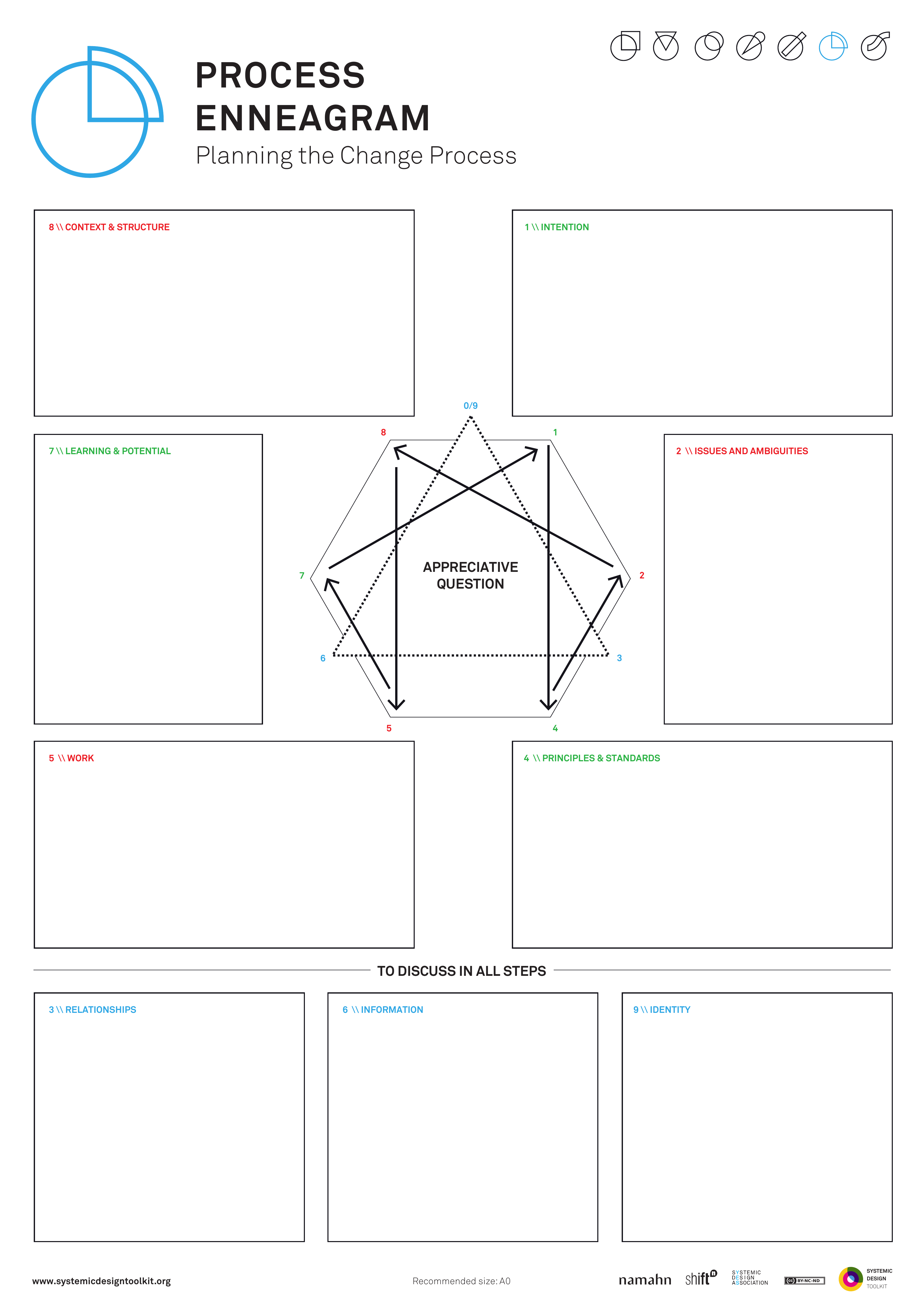
This picture is the published Systemic Design Toolkit poster for Process Enneagram. It is the official Design Journeys page, not a redrawing. - What it covers
- Nine points around a star: intention, issues and ambiguities, relationships, principles and standards, work, information, learning and potential, context and structure, and identity, plus an appreciative question held in every step.
- When to use it
- Use this when linear stage-gates miss how change actually unfolds and a project plan risks being redrawn as nine labels.
- How to use it
- Walk the nine points in order with the appreciative question held throughout.
- Allow relationships and identity to loop you back rather than treating the points as a Gantt chart.
- Write issues and ambiguities in the open before you jump to work.
- Fill principles, work, information, learning, context and identity with what is true.
- Use the star and its loops if the drawing has become nine stage-gate labels.
- Agree what you will discuss at every step, not only at kick-off.
- Who to involve
- Invite leaders who own the culture and people who live the change, including those who hold identity and relationships.
- Why it helps
- Facilitators can then hold change across looping points instead of forcing it through a straight stage-gate.
- Watch out for
- Nine labels on a linear plan still miss how change unfolds. Relationships and identity must be allowed to loop.
There is no published template for Procurement / contract canvas yet. - What it covers
- What is bought, the incentives, data rights, social value and exit for contracts that shape lived culture, such as facilities, security, catering or a prime contractor.
- When to use it
- Facilities management, security, catering or a prime contractor will shape how the place feels, and lowest price risks undoing what you have been asked to do.
- How to use it
- Write what is being bought as outcomes and behaviours, not only tasks.
- Write incentives: what the contractor is paid more for, and what they are paid regardless.
- Write data rights for what the building and staff generate.
- Write social value that will be managed after award.
- Write exit: how you leave, and what you take with you.
- Change incentives before tender if lowest price would undo what you have been asked to do.
- Who to involve
- Invite commercial leads, the client who will manage the contract, and staff and people who live the culture the contractor will shape.
- Why it helps
- This helps you decide contract terms that protect what you have been asked to do rather than reward the cheapest bid alone.
- Watch out for
- Lowest price without incentives, data rights and exit can undo what you have been asked to do after award.
This picture is the printable A3 template for RASCI / RAPID. - What it covers
- A matrix of activities against roles. RASCI means Responsible, Accountable, Supportive, Consulted and Informed. RAPID means Recommend, Agree, Perform, Input and Decide.
- When to use it
- Use this when work crosses seams between organisations and people are consulted while nobody is clearly accountable or able to decide.
- How to use it
- List the activities that fail at seams: opening, incidents, data, money, complaints, closures.
- List the organisations and posts across those seams, using post titles rather than brand names.
- For RASCI, put one Accountable person per activity.
- Fill Responsible, Supportive, Consulted and Informed without copying everyone as Consulted.
- For RAPID, mark who Recommends, Agrees, Performs, Inputs and Decides, with one Decide cell.
- Read each seam aloud and fill any activity that still has no Accountable or Decide person.
- Who to involve
- Invite people who hold the posts across the seam, including operators and facilities, plus budget holders for Decide or Accountable cells.
- Why it helps
- Each activity then has one clear Accountable or Decide person instead of endless consultation.
- Watch out for
- Make sure every activity has one Accountable or Decide person. A long Consulted list does not replace a decision.
There is no published template for Risk appetite / Orange Book canvas yet. - What it covers
- Risk appetite for each kind of risk: how much the organisation will seek, accept or avoid, with controls and assurance, using HM Treasury Orange Book language.
- When to use it
- Safety, security, inclusion and openness pull in different directions and one organisation-wide appetite would hide the trade-off.
- How to use it
- List the different kinds of risk: harm, intrusion, exclusion, disorder, reputational loss.
- For each, write whether you seek, accept or avoid it in Orange Book terms.
- Write the control and the assurance: who checks, how often.
- Where choices clash, write the trade-off and who holds it.
- Avoid applying one appetite to every kind of risk.
- Put the trade-off into what you have been asked to do for design, security and welcome.
- Who to involve
- Invite a board-level risk owner, security, people responsible for inclusion and welcome, and frontline staff who greet the public.
- Why it helps
- The organisation can then set how much of each kind of risk to take, and who holds the trade-off when aims clash.
- Watch out for
- Make sure each kind of risk has its own appetite and a named trade-off. One organisation-wide line will hide clashes between safety and openness.
This picture is the published GOV.UK Futures Toolkit page for SWOT. - What it covers
- Strengths, weaknesses, opportunities and threats. Strengths and weaknesses are internal. Opportunities and threats are external. SWOT means those four words.
- When to use it
- Use this when an organisation must face futures forces against its own capacity, and strengths risk being hopes with no owner.
- How to use it
- Fill internal strengths and weaknesses with evidence and an owner for each strength.
- Fill external opportunities and threats from the scan or scenarios.
- Give every threat a near-term signal you would notice.
- Remove hoped-for strengths that nobody holds today.
- Link each quadrant to a decision: protect, fix, take or watch.
- Assign owners to threats before you leave.
- Who to involve
- Invite sponsors, delivery leads and partner organisations that share the duty.
- Why it helps
- The organisation can then protect real strengths and watch real threats against capacity it actually has.
- Watch out for
- Hopes without owners do not help you face futures forces. Every strength and threat needs an owner.
This picture is the printable A3 template for Target operating model / POLISM. - What it covers
- POLISM means processes, organisation, locations, information, suppliers and the management system: the operating model for how the institution will run the place.
- When to use it
- Use this when you are designing how the institution will run the building and boxes and lines alone would leave hours, locations and suppliers blank.
- How to use it
- Name the services the building must run, then fill processes for those services.
- Fill organisation: teams and duty, not a vague cloud.
- Fill locations and hours, including what sits outside this building.
- Fill information: systems, records and who sees what.
- Fill suppliers and the management system for cadence, money and performance.
- Complete locations, hours and suppliers before you draw more organisation boxes.
- Who to involve
- Invite operations leads who know hours and suppliers, information owners, and sponsors who can fund the management system.
- Why it helps
- The team can then describe how the building will run day to day, not only how the chart looks.
- Watch out for
- Make sure locations, hours and suppliers are filled. Boxes and lines alone cannot describe day-to-day operation.
This picture is the printable A3 template for Team Topologies. - What it covers
- Teams that own a flow of work, platform teams, enabling teams and teams that own a complicated subsystem, plus the interaction modes each pair of teams may use.
- When to use it
- The organisation that will run the service is a set of teams, and renaming the current chart would not change how work actually moves.
- How to use it
- Name the flows of work the service must run, not the current directorate names.
- Place stream-aligned teams on those flows, each owning a clear service.
- Add platform, enabling and complicated-subsystem teams only where the work needs them.
- For each pair of teams, choose collaboration, X as a service, or facilitating.
- Remove labels that only rename the old organisation chart.
- Write what changes on Monday: who stops interrupting whom, and which backlog is the source of truth.
- Who to involve
- Invite the people who lead those teams, a sponsor who can change reporting lines, and partners who share the duty.
- Why it helps
- This helps you decide which team owns which flow and how teams should interact when the service goes live.
- Watch out for
- New labels on the old chart leave the service running the same way. Interaction modes and backlogs must change in practice.
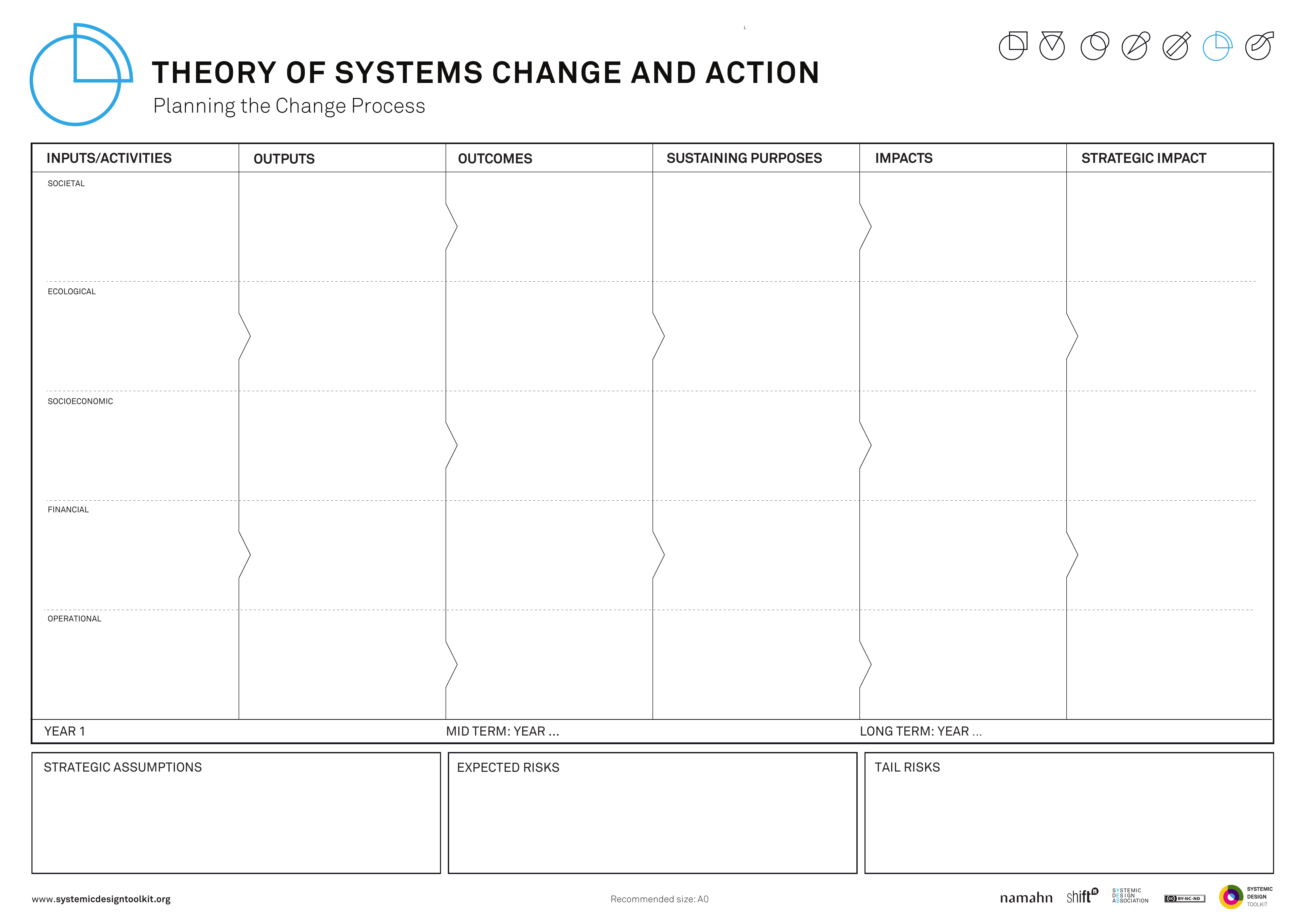
This picture is the published Systemic Design Toolkit poster for Theory of Systems Change. It is the official Design Journeys page, not a redrawing. - What it covers
- Inputs and activities, outputs, outcomes, sustaining purposes and impacts, read at societal, ecological, socioeconomic and financial levels, plus how and why the system would transform.
- When to use it
- A linear outcomes chain is too thin for systemic change and a logic model risks being renamed as systems change.
- How to use it
- Write sustaining purposes: what must keep being true for the new system to hold.
- Fill inputs, activities, outputs, outcomes and impacts.
- Read them at societal, ecological, socioeconomic and financial levels.
- Write how and why the system would transform, including what would have to end.
- Add sustaining purposes if you only have a linear chain.
- Agree the transformation story before you treat the page as finished.
- Who to involve
- Invite leaders who own the culture, people who live it every day, and people who would lose if the old system ended.
- Why it helps
- This helps you decide what must keep being true, and what must end, for the system to transform.
- Watch out for
- A renamed logic model is still a linear chain. Sustaining purposes and multi-level impacts need to be present.
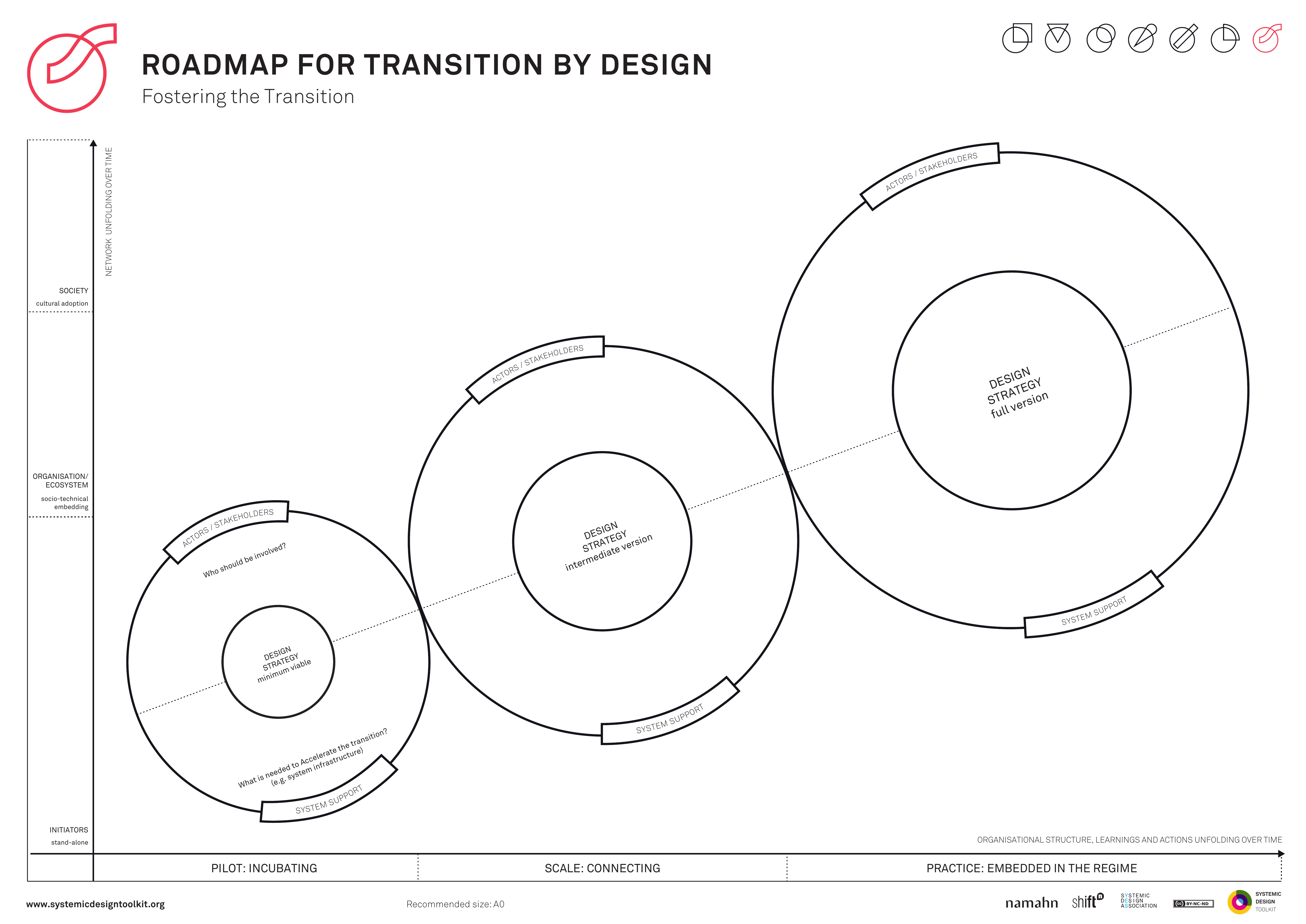
This picture is the published Systemic Design Toolkit poster for Transition by Design. It is the official Design Journeys page, not a redrawing. - What it covers
- Current system, transition path, future system and stakeholders: a designed path from how things work now to how they will work later.
- When to use it
- Adoption is left to chance after the intervention model, and a launch date is about to stand in for transition design.
- How to use it
- Describe the current system and the future system as operating states, not as dates.
- Design the transition path: who does what, in what order, and what is switched off.
- Place stakeholders on the path: who must move, who must be compensated, who will resist.
- Write adoption work: training, rules, money and permission to stop the old way.
- Replace a bare launch date with a path if adoption has no design.
- Put the path in the programme beside the intervention model.
- Who to involve
- Invite leaders who own the culture, people who live the current system, and stakeholders who must move.
- Why it helps
- You can then treat adoption as programme work with a path, rather than hope after launch.
- Watch out for
- A launch date alone does not design the transition. The path must cover who moves and what stops.
This picture is the printable A3 template for the Value Proposition Canvas, with the customer profile beside the value map. - What it covers
- Customer jobs, pains and gains set against products and services, pain relievers and gain creators on the Value Proposition Canvas.
- When to use it
- Use this when an organisation's offer is fuzzy and the customer is still a person with jobs. Switch to Public Value when the customer is the state.
- How to use it
- Pick one customer segment and fill jobs, pains and gains from evidence.
- Opposite, list products and services, then pain relievers and gain creators.
- Draw the fits and strike features that relieve no pain and create no gain.
- Switch to Public Value if the customer is the state.
- Write what you would cut from the offer this week.
- Keep one canvas per segment for the public, the commissioner and staff.
- Who to involve
- Invite people from the segment, a researcher with evidence, and someone who can cut the offer.
- Why it helps
- This helps you decide which parts of the offer fit real jobs and pains for one segment, and what to cut.
- Watch out for
- Legitimacy and duty for the state need Public Value. Gains and pains fit a person with jobs, not the state as customer.
No canvases match this filter.
3. Services
Start with these
- Problem-framing / How Might We canvas
- Service blueprint (Nielsen Norman Group, five rows)
- Service catalogue / capability-to-service map (named services and what delivers them)
- Spatial programme canvas (rooms and spaces)
- Channel strategy matrix
- Failure Mode and Effects Analysis (FMEA) / unhappy-path canvas
This picture is the printable A3 template for Channel strategy matrix. - What it covers
- Jobs people need to get done placed against channels: building, phone, web, outreach. Reach, cost and a reason for each placement sit on the same matrix.
- When to use it
- Use this when the building is not the whole service, and digital by default is about to abandon place, phone or outreach without a reason.
- How to use it
- List the jobs people need to get done.
- Place each job on channels: building, phone, web, outreach.
- Note reach and cost honestly for each placement.
- Write why this job belongs on this channel, including who cannot use the others.
- Mark what digital by default would abandon in the building or on the phone.
- Agree the mix before you cut a counter or mandate an app.
- Who to involve
- Invite the service owner, frontline staff who work each channel, people who cannot use digital or cannot travel, and estates or systems people who must hear the mix.
- Why it helps
- You can then place jobs on channels for a stated reason, so digital by default does not silently drop place or phone.
- Watch out for
- Make sure every forced online move has a reason and names who loses out. Digital by default without that is abandonment of place.
There is no published template for Circular / maintainability canvas yet. - What it covers
- Cleaning, facilities management, adaptation, spare parts and the night economy of the building: how the service will run for decades, not only on opening day.
- When to use it
- Use this when the service includes decades of operations, and the design is being done for opening day only.
- How to use it
- Walk cleaning, facilities management, adaptation, spare parts and what happens at night.
- For each, write who does it, with what access, storage and budget.
- Mark what the design makes impossible, such as no spare parts or uncleanable voids.
- Put maintainability into what you have been asked to do and the contract.
- Include who is in the building when the public is not.
- Add year 10 and year 40 constraints before you freeze details.
- Who to involve
- Invite the operator, cleaning and facilities leads, the service owner, and designers who must hear night and spare-parts constraints.
- Why it helps
- This helps you put decades of operations into what you have been asked to do, so the service is not left to luck after opening day.
- Watch out for
- Make sure cleaning, adaptation and night routes are designed in. Opening-day-only design leaves forty years of operations to chance.
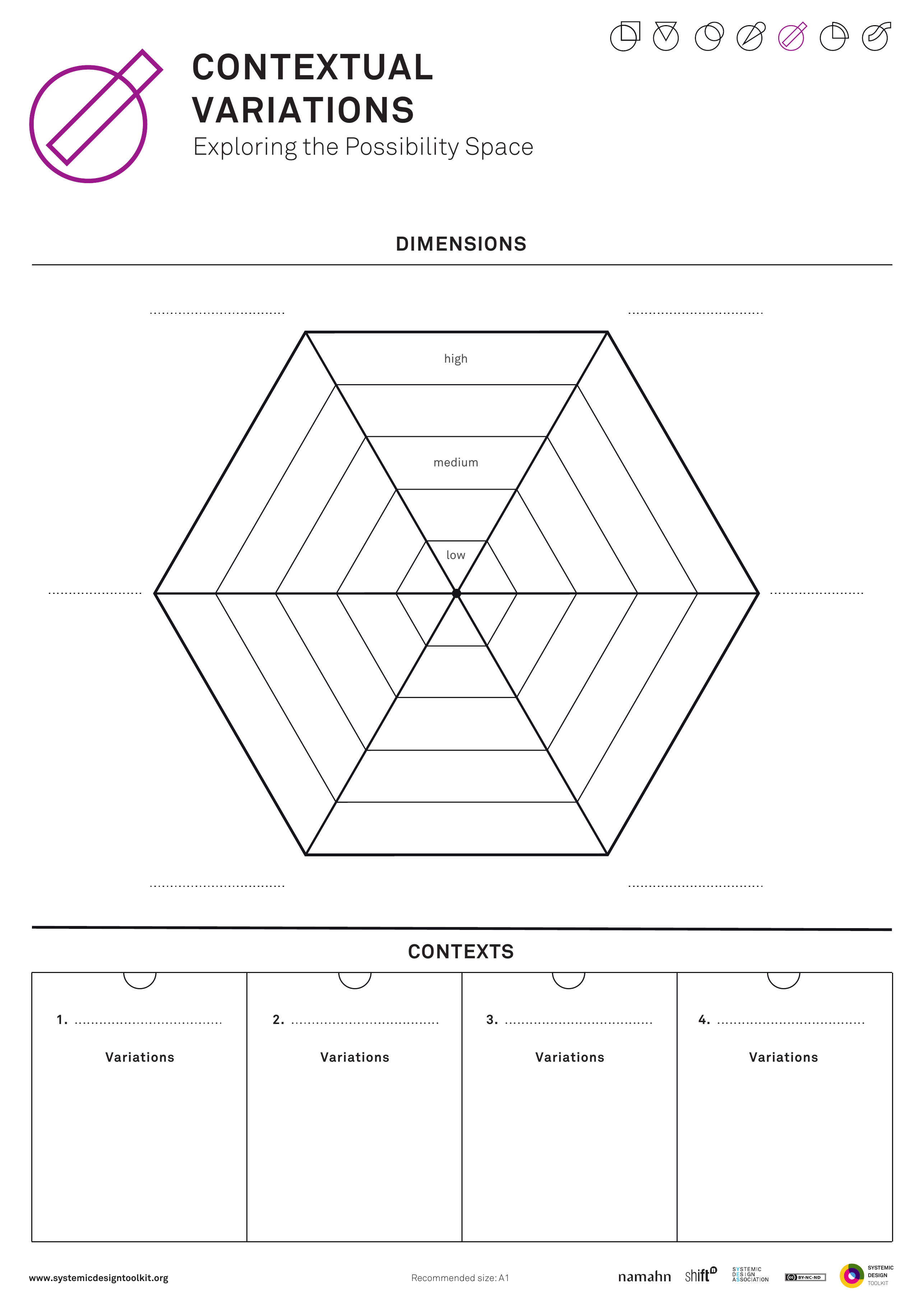
This picture is the published Systemic Design Toolkit poster for Contextual Variations. It is the official Design Journeys page, not a redrawing. - What it covers
- Dimensions that force change scored high, medium or low against contexts (places, segments, sites), with real adaptations written for high cells.
- When to use it
- Use this when one model will not travel unchanged across places, and localisation is at risk of being only a logo or colour.
- How to use it
- List dimensions that would force the intervention to change, such as density, trust, language, infrastructure or mandate.
- List the contexts: places, segments or sites.
- Score each cell high, medium or low for how much that dimension bites.
- Write the actual adaptation for high cells, not a colour or logo.
- Keep a core that stays the same, and say so honestly.
- Adapt the intervention or admit it will not travel if localisation is only cosmetic.
- Who to involve
- Invite the service owner, people from more than one context, and designers or analysts.
- Why it helps
- This helps you change the intervention where dimensions bite, so travel across places is more than branding.
- Watch out for
- Make sure high cells get real adaptations. A logo and a colour leave the model unchanged.
There is no published template for Data / ethics / DPIA canvas yet. - What it covers
- What is collected in the building or service, why, the lawful basis, who sees it, how long it is kept, and who is surveilled in practice. Includes a data protection impact assessment (DPIA) under UK General Data Protection Regulation (GDPR).
- When to use it
- Use this when access control, cameras, case systems or Wi-Fi analytics are in play, and privacy is about to become a legal appendix after those are specified.
- How to use it
- List every collection: cameras, badges, Wi-Fi, case notes, biometrics.
- For each, write why, the lawful basis, who sees it, and how long it is kept.
- Write who is surveilled and who is not, in practice.
- Run the data protection impact assessment questions while design is still open.
- Give an ethics or data protection specialist stop power.
- Pull collection decisions back into design if privacy is still only an appendix.
- Who to involve
- Invite the product or service owner, a data protection lead, user researchers, an ethics specialist, and someone who would be on camera or in the log.
- Why it helps
- This helps you decide collection and surveillance as part of design, so a data protection impact assessment is not bolted on after cameras are specified.
- Watch out for
- Make sure who is surveilled is a design question while the design can still change. A late legal appendix cannot undo specified cameras and analytics.
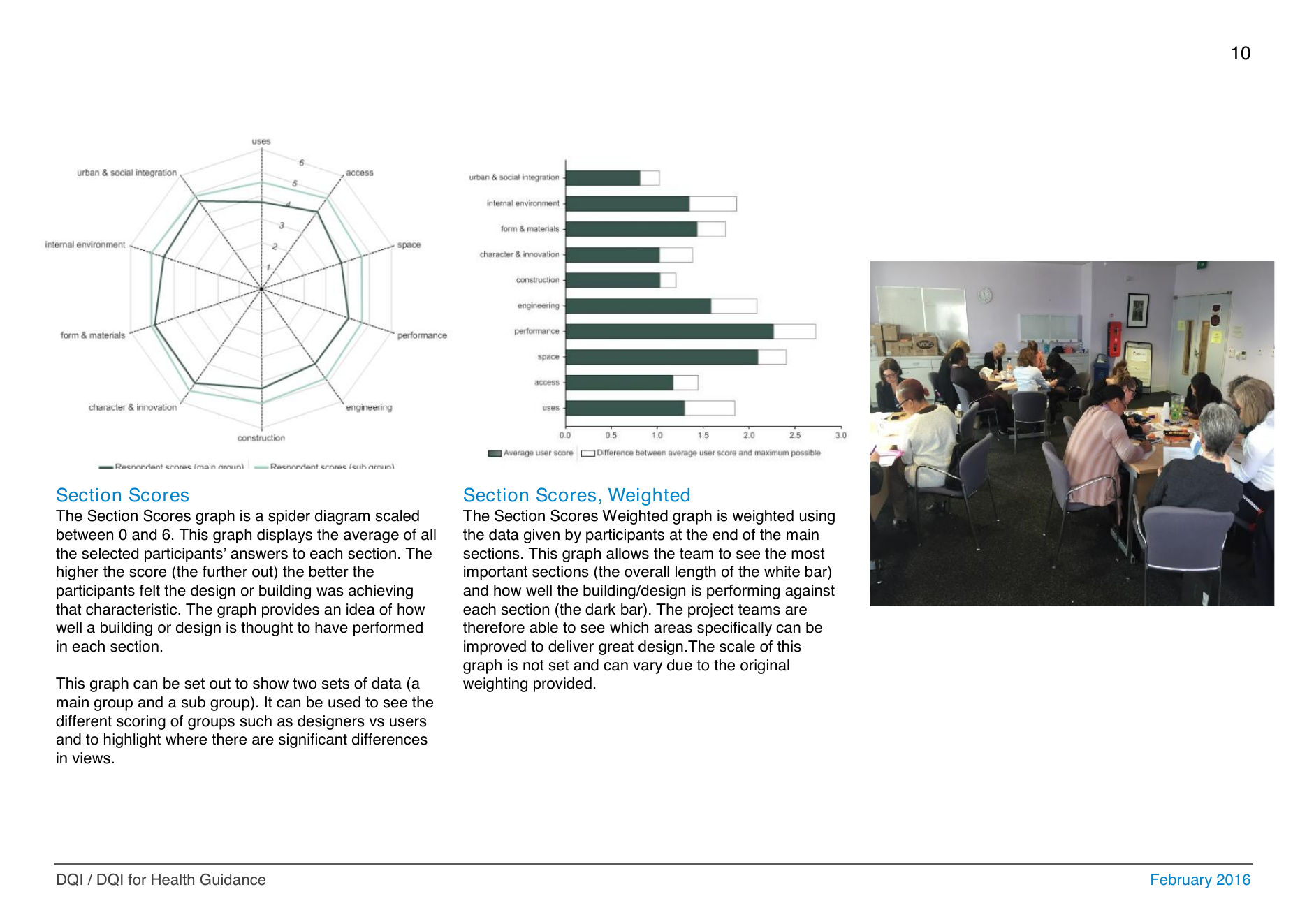
This picture is a Construction Industry Council Design Quality Indicator results page. The spider diagram compares scores for functionality, build quality and impact with what people asked for at briefing. - What it covers
- Scores and gaps against the Design Quality Indicator (DQI) from the Construction Industry Council: functionality, build quality and impact, with stakeholder aspiration set against the current design.
- When to use it
- Use this when you need a recognised public-building quality conversation, and the Design Quality Indicator is at risk of running after concept freeze.
- How to use it
- Run the Design Quality Indicator while the design can still change.
- Score functionality, build quality and impact with people who will use and run the building.
- Set aspiration against the current design and write the gaps.
- Translate gaps into briefing instructions the design team must answer.
- Treat a late workshop as limited if concept is already frozen.
- Say in the open what the indicator can no longer change if freeze has happened.
- Who to involve
- Invite the client, users, facilities, the design team, and a Design Quality Indicator facilitator who will hold scores against the drawings.
- Why it helps
- You can then close aspiration-versus-design gaps in time to change the building, in a recognised quality language.
- Watch out for
- Make sure the Design Quality Indicator runs before concept freeze. A late workshop cannot reopen a frozen design.
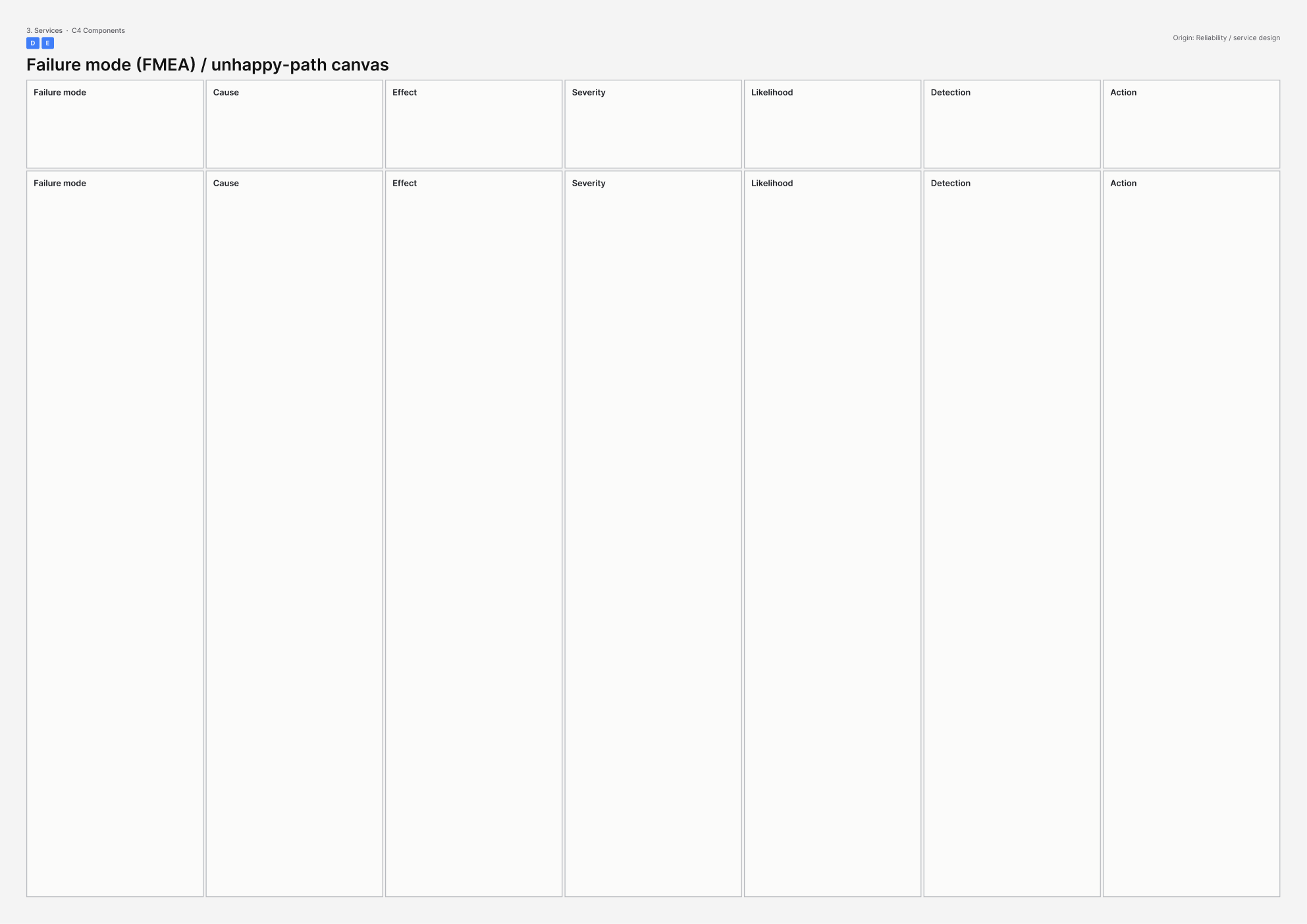
This picture is the printable A3 template for Failure mode (FMEA) / unhappy-path canvas. - What it covers
- How the whole service fails in public and what happens next: failure mode and effects analysis (FMEA) covering mode, cause, effect, severity, likelihood, detection, recovery and action. Includes dignity failures, not only information technology outages.
- When to use it
- Use this when public services fail in public, and failure modes are about to be listed as information technology incidents only.
- How to use it
- List how this service fails in public: identity, queue, language, dignity, safety, system down.
- For each, write cause, effect on the person, severity, likelihood, and how anyone would notice.
- Write recovery: what staff may do, what the person is told, what is logged.
- Score what to fix first: high severity, likely, and poorly detected.
- Include dignity failures alongside system outages.
- Put actions into operations with owners, not into an unread risk log.
- Who to involve
- Invite the service owner, frontline staff who have worked the failures, systems or estates people who run backstage, and someone who has been the person failing in public if you can do that ethically.
- Why it helps
- This helps you design detection and recovery for public failures, including dignity, so operations know what to do when something goes wrong.
- Watch out for
- Make sure dignity failures and recovery steps are on the page. An information technology-only list will not protect people in the queue.
There is no published template for GDS service assessment canvas yet. - What it covers
- Evidence against the Government Digital Service (GDS) Service Standard: understand users, make it simple, iterate, meet accessibility, work in the open, measure performance. Applies to the whole service, digital or not.
- When to use it
- Use this when a public service needs a professional bar, and assessment is at risk of becoming a rehearsal after the service is already built.
- How to use it
- Walk the Service Standard points that apply and write evidence for each, not hopes.
- Score understand users, iteration, accessibility, working in the open, and performance measures.
- Mark what would fail an assessment today.
- Put fixes into the programme before build, not into a rehearsal after.
- Include non-digital parts of the service in the same pass.
- Move assessment earlier if freeze has already happened, or record what it can no longer change.
- Who to involve
- Invite the product or service owner, user researchers, an accessibility specialist, and someone who has sat an assessment.
- Why it helps
- You can then close live gaps against the Service Standard while design can still change.
- Watch out for
- Make sure assessment runs while the design can still change. A late rehearsal cannot fix understand users, accessibility or iteration.
There is no published template for Inclusive / extreme-user set yet. - What it covers
- A set of people who fail first if the service is poorly designed: impairments, language, digital access, status, hours, stigma, poverty. Not one accessibility persona.
- When to use it
- Use this when a public service must design beyond the average, and one accessibility persona is about to stand in for everyone who will fail first.
- How to use it
- List who fails first for this service across impairment, language, access, status, hours, stigma and poverty.
- For each, write the failing moment in this service, not a generic biography.
- Keep a set of people, not a single hero user.
- Design from the edges: what would make the service work for the first to fail.
- Give an accessibility or ethics specialist power to stop work that would cause harm.
- Add any missing people to the set before you write the specification.
- Who to involve
- Invite the product or service owner, user researchers, people from the set or field notes if they cannot attend, and an accessibility or ethics specialist.
- Why it helps
- This helps you specify the service for the people who fail first, so legal and ethical duty goes beyond the average user.
- Watch out for
- Make sure the set stays a set. One accessibility persona cannot carry public duty on its own.
There is no published template for Inclusive service / accessibility canvas yet. - What it covers
- Who is excluded by hours, language, sensory load, cost, status or physical access from a public building that claims to be for everyone. Sits with British Standard 8300 (BS 8300) and the Service Standard; a ramp is not the whole story.
- When to use it
- Use this when a public building that claims to be for everyone currently is not, and a ramp is about to be treated as the whole inclusion story.
- How to use it
- List exclusion by hours, language, sensory load, cost, status and physical access.
- For each, write who is shut out of this service, with evidence.
- Write the change that would open it, with an owner.
- Keep physical access on the list without letting it stand for the rest.
- Check against British Standard 8300 and the Service Standard where they apply.
- Add hours, language, sensory load, cost and status if the page is only a ramp.
- Who to involve
- Invite people who are currently excluded, the service owner, an accessibility specialist, and researchers with evidence across the set.
- Why it helps
- This helps you name and own exclusions beyond the ramp, so for everyone covers more than physical access.
- Watch out for
- Make sure hours, language, sensory load, cost and status are owned as well as ramps. Physical access alone will still shut people out.
There is no published template for Interior Project Canvas yet. - What it covers
- Experiential ambition as behaviours the service needs, users including staff, existing fabric, direction and scope for a fit-out that will make or break how the service works.
- When to use it
- Use this when fit-out will make or break service behaviours, and aesthetics are about to lead while duty and operations follow.
- How to use it
- Write experiential ambition as behaviours, such as a calm queue or private disclosure, not as a mood.
- Name users, including staff.
- Record existing fabric you cannot pretend is a blank box.
- Set direction and scope: what the fit-out may change, and what duty forbids.
- Test each aesthetic move against operations and duty.
- Invert the order if aesthetics are leading, before you specify finishes.
- Who to involve
- Invite the service owner, interior or workplace lead, people who will work the space, and someone who owns duty for security, care or inclusion.
- Why it helps
- This helps you scope fit-out to behaviours, fabric and duty, so interiors do not break the service for a look.
- Watch out for
- Make sure behaviours and duty lead what you have been asked to do. Aesthetics first will break the queue, privacy or operations the service needs.
This picture is the nearest official Systemic Design Toolkit poster for Intervention Model. The Design Journeys pack has no dedicated page for this canvas, so the closest published sheet is shown. - What it covers
- Measures, artefacts, actors and sequence: an operable set of interventions with owners, not a drawer of tools.
- When to use it
- Use this when strategy must become something someone can run, and the model is at risk of becoming a toolkit dump with no sequencing or owners.
- How to use it
- List measures (what you will do), artefacts (what you will make or change), and actors (who does it).
- Put them in a sequence with dates or conditions.
- Give each line an owner.
- Strike items that have no actor or no place in the sequence.
- Check the set can be operated as one intervention.
- Cut until the sequence can be run if it is still a dump.
- Who to involve
- Invite the service owner, designers or analysts, and the actors who would run the measures. People who deliver or receive the service should see the sequence.
- Why it helps
- You can then run measures, artefacts and actors as one sequenced intervention with clear owners.
- Watch out for
- Make sure every line has an owner and a place in the sequence. A toolkit dump cannot be operated as a set.
There is no published template for Jobs-to-be-done (service grain) yet. - What it covers
- The job a person hires this service to do (jobs to be done, or JTBD), plus neighbouring jobs it must hand off or leave alone. Kept at the scale of this service, not the whole of life.
- When to use it
- Use this when you are deciding what is in or out of the offering, and features are being treated as if they were the job itself.
- How to use it
- Write the job in the person's words: when I..., I want to..., so I can...
- Keep the scale to this service, not a life-domain landscape.
- List neighbouring jobs this service must not swallow, and jobs it must hand off.
- Test each proposed feature against the job; drop features that do not serve it.
- Write what is in and out of the offering as a result.
- Agree the in and out list with people who hire and deliver the service.
- Who to involve
- Invite people who hire the service, the service owner, and someone who delivers it.
- Why it helps
- You can then set scope against the job people are trying to get done, rather than against a feature list.
- Watch out for
- Make sure every line on the page is a job with evidence. Features dressed as jobs will freeze the wrong scope.
There is no published template for Lean UX / product canvas yet. - What it covers
- Assumptions, hypotheses, experiments and metrics for learning in slices. User experience (UX) here means testing what people need before the capital scheme is frozen.
- When to use it
- Use this when the service can be learned in slices before the building is finished, and experiments that cannot change the capital scheme would be wasted effort.
- How to use it
- List risky assumptions about users, value and operations.
- Turn each into a hypothesis: if we... we will see... measured by...
- Design the smallest experiment that could change a decision, including a capital decision.
- Drop experiments that cannot change the scheme; call those communication instead.
- Write metrics and a date to review them.
- Kill or keep each hypothesis in writing after the review.
- Who to involve
- Invite the service owner, designers or analysts, people who deliver or receive the service, and someone who can change the capital programme.
- Why it helps
- This helps you run experiments that can still change a decision, including the building programme.
- Watch out for
- Make sure each experiment can change a real decision. Learning beside a frozen scheme does not count as Lean UX.
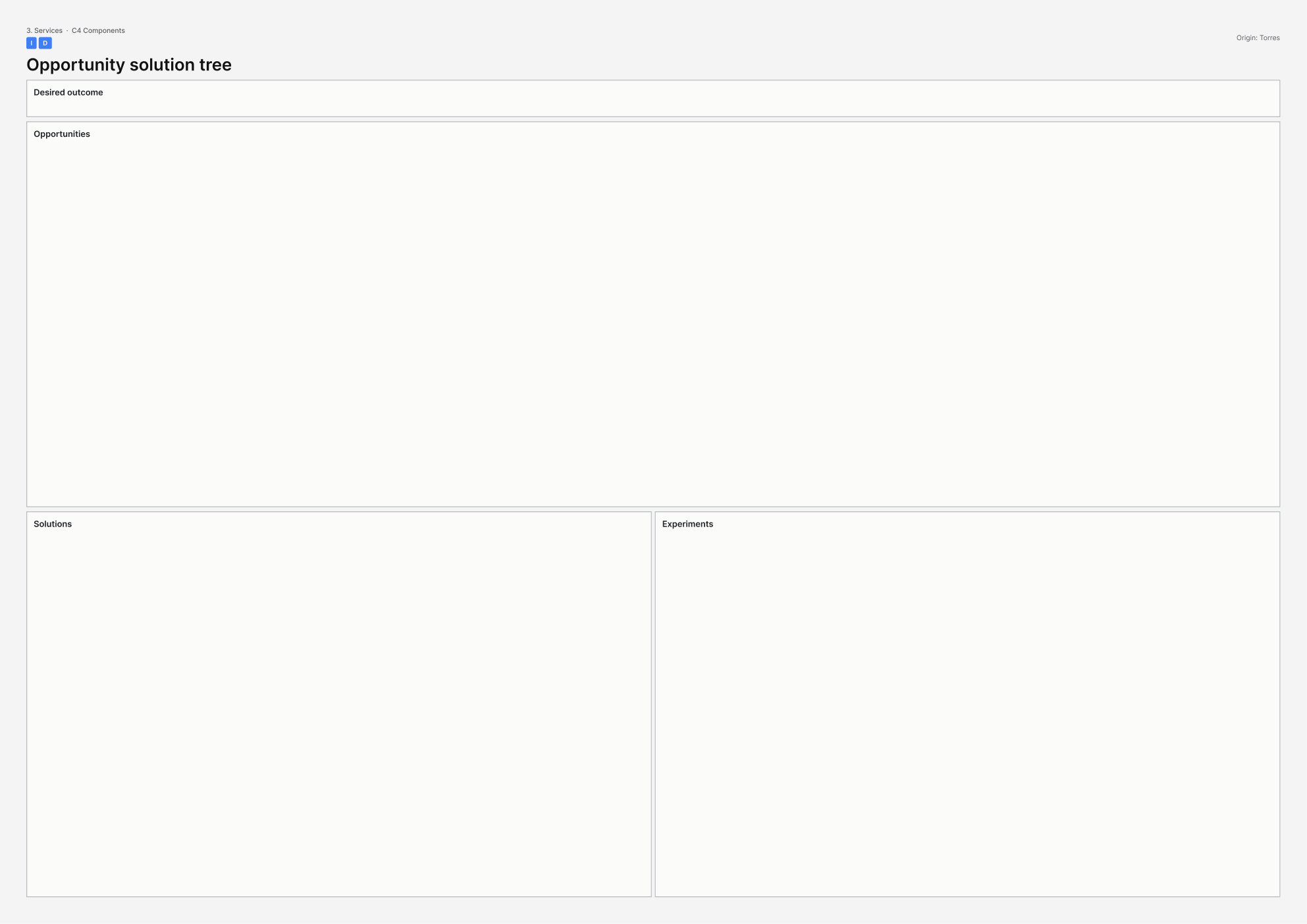
This picture is the printable A3 template for Opportunity solution tree. - What it covers
- One desired outcome at the top, then opportunities (unmet needs), then solutions, then experiments. Used so many competing uses do not collapse into open the building.
- When to use it
- Use this when many possible uses compete for one building programme, and the tree is at risk of having many solutions under a single outcome of opening the building.
- How to use it
- Write one outcome that is a change for people, not open the building.
- Under it, list opportunities from evidence.
- Hang solutions from opportunities, not from taste.
- Hang experiments from solutions.
- Prune uses with no opportunity and no outcome you could say no against.
- Rewrite the top of the tree if it still says open the building, before you fund solutions.
- Who to involve
- Invite the service owner, researchers with evidence of opportunities, and people who deliver or receive the service. Sponsors who only want uses in the building should not own the top of the tree.
- Why it helps
- You can then hang competing uses from an outcome you could refuse, rather than from opening day alone.
- Watch out for
- Make sure the top outcome is a change for people. Many solutions under open the building leave you with no way to say no.
This picture is the nearest official Systemic Design Toolkit poster for Outcome Map. The Design Journeys pack has no dedicated page for this canvas, so the closest published sheet is shown. - What it covers
- Inputs, outputs, outcomes and impacts: pathways the intervention is meant to shift in the world, not counts of delivery activity.
- When to use it
- Use this when activity lists are standing in for change logic, and outcomes are at risk of measuring only delivery volume.
- How to use it
- Write impacts and outcomes first, as changes in the world.
- Work back to outputs and inputs.
- Write why this input would move that outcome.
- Remove arrows you cannot evidence.
- Strike outcomes that are only activity counts.
- Invert from impact before you fund if the map is still a list of activities.
- Who to involve
- Invite the service owner, designers or analysts, people who deliver or receive the service, and an evaluator who will challenge volume metrics dressed as outcomes.
- Why it helps
- You can then fund pathways to outcomes and impacts, rather than activity counts dressed as change.
- Watch out for
- Make sure outcomes are changes in the world with evidenced pathways. Delivery volume alone is not an outcome map.
There is no published template for Problem-framing / HMW canvas yet. - What it covers
- Whose problem it is, at what solvable scale, what better would look like in evidence, and a How might we (HMW) question that does not smuggle in a solution.
- When to use it
- Use this when what you have been asked to do is a solution in disguise, for example we need a hub, and the How might we question is about to become how we might build that hub.
- How to use it
- Write the problem as whose life is harmed, not as a missing building or product.
- Set a solvable scale: too narrow or too wide will both fail.
- Write what would count as better, in evidence you could collect.
- Turn it into a How might we question that does not name the solution.
- Rewrite until buildings, hubs or apps are gone from the question.
- Agree which question the next work is allowed to answer.
- Who to involve
- Invite the service owner, people who have the problem, and designers or analysts who can hold the scale. Sponsors who already want the hub should not write the question alone.
- Why it helps
- This helps you reframe what you have been asked to do around whose problem it is and what better looks like, before you fund a solution.
- Watch out for
- Make sure the How might we question does not contain the hub or other preferred answer. A solution in disguise will not reframe the problem.
There is no published template for Prototyping yet. - What it covers
- Experiences and artefacts that make a future tangible, each tied to a learning question people can answer by trying them.
- When to use it
- Use this when talk of futures has outrun anything people can try, and mockups are at risk of being made with no learning question.
- How to use it
- Write the learning question first: what must this prototype tell you?
- Choose the thinnest artefact or experience that could answer it.
- Make it tangible enough to try, even if it is rough.
- Run it with the people who would live that future.
- Write what you learned and what you will change.
- Stop and rewrite the question before making a mockup that has none.
- Who to involve
- Invite the service owner, makers who can produce the artefact, and people who will try it.
- Why it helps
- This helps you test a future with a tried artefact and an answered question, rather than a slide-only mockup.
- Watch out for
- Make sure every prototype has a learning question before it is made. Pretty mockups with no question do not teach the project anything.
There is no published template for Resonance testing yet. - What it covers
- Which future concepts land with audiences and why, separated from whether those concepts belong in the service or policy.
- When to use it
- Use this when north stars or concepts need a reality check with people, and applause is at risk of being treated as strategic fit.
- How to use it
- Pick concepts or north stars to test and show them as something people can react to.
- Ask which land, with whom, and why, in their words.
- Separate resonance (it lands) from fit (it belongs in the service or policy).
- Write what you will change, and what you will not change despite applause.
- Keep a focus group from acting as a strategy board.
- Carry forward only the concepts that both land and fit.
- Who to involve
- Invite the service owner, designers or analysts, the audiences you are testing with, and people who deliver the service.
- Why it helps
- You can then keep concepts that land and belong, without letting applause stand in for strategic fit.
- Watch out for
- Make sure landing with an audience is separated from belonging in the service. Applause alone is not a decision to proceed.
This picture is the printable A3 template for an NN/g service blueprint. Five lanes run from what people see down to the support that keeps the service going. - What it covers
- An end-to-end drawing of one journey across five lanes from the Nielsen Norman Group (NN/g): physical evidence, customer actions, frontstage (what the person sees), backstage (what staff do out of sight), and support processes. Lines of interaction and visibility are marked; time runs left to right.
- When to use it
- Use this when you need the service as something you can operate and fix, including what happens when something goes wrong, and a journey poster would hide backstage and support.
- How to use it
- Pick one journey; if no source describes it, leave the blueprint undrawn and say why.
- Draw five lanes: physical evidence, customer actions, frontstage, backstage, support.
- Walk time left to right: customer first, then frontstage, then backstage and support.
- Mark the line of interaction and the line of visibility.
- Mark every handoff, wait and failure path.
- Add any missing lanes before you call a journey map a blueprint.
- Who to involve
- Invite the service owner, frontline staff who work frontstage, and the systems or estates people who run backstage and support.
- Why it helps
- This helps you see frontstage and backstage failures on one operating drawing, so you can run and fix the service rather than present a poster.
- Watch out for
- Make sure all five lanes and both lines appear. A relabelled journey map cannot show what goes wrong out of sight.
There is no published template for Service catalogue / capability-to-service map yet. - What it covers
- A catalogue of what is offered, to whom, under what conditions, and owned by whom, for a building or portfolio that hosts more than one service.
- When to use it
- Use this when a building will host a portfolio of services, and a list of rooms is about to be treated as the catalogue.
- How to use it
- List each service as an offering, not as a room.
- For each, write who it is for, eligibility, hours, price, and who owns it.
- Map capabilities or teams to those services so ownership is clear.
- Mark duplicates and gaps in the portfolio.
- Write each entry so a member of the public can tell if it is for them.
- Rewrite any line that is still a room name until it is a service.
- Who to involve
- Invite service owners across the portfolio, people who receive the services, and someone who manages the building as a host.
- Why it helps
- This helps you run a portfolio of offerings with clear owners and conditions, rather than a list of rooms.
- Watch out for
- Make sure each line names an offering, conditions and an owner. A room schedule is not a service catalogue.
There is no published template for Service lifecycle / roadmap canvas yet. - What it covers
- Now, next and later for the service, with learning questions dated before occupation, when capital works and service design run on different clocks.
- When to use it
- Use this when the capital programme and service design run on different clocks, and the roadmap is at risk of becoming a sequence of interiors with no learning date.
- How to use it
- Draw now, next and later for the service, not only for interiors.
- Against each stage, write what must be learned before occupation.
- Put those learning questions on dates that can still change the capital scheme.
- Mark where the two clocks diverge, and who holds the conflict.
- Keep a sequence of interiors from standing in for service learning.
- Agree what you will stop building if learning fails.
- Who to involve
- Invite the service owner, the capital programme manager, designers or analysts who own the learning questions, and people who will occupy the building.
- Why it helps
- You can then meet the capital clock and the service clock in time to change the scheme.
- Watch out for
- Make sure learning before occupation has dates. A sequence of interiors alone will not tell you when to stop or change the build.
There is no published template for Service proposition canvas yet. - What it covers
- The promise, the proof people would see if it were kept, who benefits, who it is not for on purpose, and what people use instead.
- When to use it
- Use this when you need to name what this service is and is not, and marketing copy is standing in for a clear proposition.
- How to use it
- Write the promise in one sentence a staff member could say at the door.
- Write the proof: what people would see if the promise were kept.
- Name beneficiaries and who this is not for, on purpose.
- Name substitutes people already use.
- Strike adjectives that cannot be proven.
- Agree the sentence for the catalogue, assessment and building ask.
- Who to involve
- Invite the service owner, people who deliver or receive the service, and someone who uses a substitute today.
- Why it helps
- You can then say what the service is and is not, with proof and substitutes on the record.
- Watch out for
- Make sure promise, proof, non-consumers and substitutes are all named. Adjective-heavy copy is not a proposition.
There is no published template for Service stakeholder / beneficiary map yet. - What it covers
- Who the service is for, who delivers it day to day, and who is put at risk if it succeeds. Drawn for one named service, not a generic stakeholder cloud.
- When to use it
- Use this when several groups benefit from the same public service in incompatible ways, or when mapping only the main user would hide deliverers and people harmed by success.
- How to use it
- Name the service in one sentence: what is offered, to whom, under what conditions.
- List who it is for, including people who benefit without walking through the door.
- List who delivers it: staff, partners, unpaid carers, systems.
- List who is harmed if it works, such as displaced provision or excluded groups.
- Mark pairs who cannot be served by the same rule at once.
- Agree which incompatibilities the offering must face before you freeze scope.
- Who to involve
- Invite the service owner, people who deliver it, people who receive it, and someone who can speak for groups harmed if it succeeds.
- Why it helps
- This helps you decide the offering around all three groups, so scope is not built around a single primary user.
- Watch out for
- Make sure deliverers and people harmed by success appear on the page. A map of only the main user will hide the real trade-offs.
There is no published template for SLA / SLO / cost-to-serve canvas yet. - What it covers
- The promise in lived terms, the service level agreement (SLA) partners will hold you to, the service level objective (SLO) you aim for internally, how it is measured, and what that promise costs including expensive exceptions.
- When to use it
- Use this when partners will argue about what good looks like, and agreements are at risk of measuring activity volume rather than whether the promise was kept.
- How to use it
- Write the promise in lived terms, such as seen within 10 minutes or case decided in 15 days.
- Write the service level objective: the internal target that would keep the promise.
- Write how it is measured, from whose clock, and who can game it.
- Write cost-to-serve for that promise, including expensive exceptions.
- Agree what happens when the promise is missed.
- Rewrite any measure that only counts volume of work until it tests the promise.
- Who to involve
- Invite the service owner, partners who will argue about good, finance or operations who know cost-to-serve, and frontline staff who know how measures get gamed.
- Why it helps
- You can then argue with partners about whether the promise was kept, and at what cost, rather than about activity counts.
- Watch out for
- Make sure measures test the lived promise and say what happens when it is missed. Volume of tickets closed is not good enough on its own.
There is no published template for Spatial programme canvas yet. - What it covers
- Activities, then rooms, then adjacencies, then hours, then servicing: the body of a public building for a service that has already been described.
- When to use it
- Use this when the service needs a public building, and a room schedule is about to be drawn before activities and hours are clear.
- How to use it
- List activities from the service, not rooms from a precedent building.
- Only then name rooms those activities need.
- Draw adjacencies: what must be next to what, and what must not.
- Add hours, including nights and peaks.
- Add servicing: deliveries, waste, cleaning, secure routes.
- Set aside any early room schedule until activities and hours exist.
- Who to involve
- Invite the service owner, people who deliver and receive the activities, the architect or space planner, and estates for servicing before concept freeze.
- Why it helps
- You can then derive rooms from activities, hours and servicing, so the building fits a described service.
- Watch out for
- Make sure activities and hours come before the room schedule. Premature rooms lock adjacencies for a service that is not yet described.
There is no published template for Value-stream map yet. - What it covers
- Flow, wait, waste, first-time quality and takt time (the pace demand requires) for one path such as bookings, clinics, maintenance or casework, including queues and rework.
- When to use it
- Use this when throughput is the constraint, and mapping only the happy path would hide wait, waste and work that comes back.
- How to use it
- Pick one value stream: a booking, clinic slot, repair or case.
- Walk the flow as it is and time each wait and each touch.
- Mark waste and first-time quality: how often work comes back.
- Write takt with the actual demand number.
- Include queues, rework and failure demand, not only the happy path.
- Choose the two or three waits you will cut, with owners.
- Who to involve
- Invite the service owner, frontline staff who live the waits, systems or estates people who run backstage, and bring demand data if you have it.
- Why it helps
- You can then target waits and rework on a timed stream, instead of improving a happy-path poster.
- Watch out for
- Make sure queues, rework and failure demand are on the map. A happy path alone will not improve throughput.
No canvases match this filter.
4. Interaction
Start with these
- Empathy map
- Task / interaction flow
- Touchpoint inventory / evidence specification (every place a person meets the service)
- Physical / sensory environment canvas
- Error / recovery / exception canvas
- Protocol / script / playbook
There is no published template for Accessibility moment canvas yet. - What it covers
- One task, for one impairment, in this room or on this screen. Web Content Accessibility Guidelines (WCAG) and British Standard 8300 (BS 8300) as a baseline, then the lived moment.
- When to use it
- Use this when the building meets the rules on paper but this task still fails at the counter, and accessibility is about to wait until after construction.
- How to use it
- Name the task, the impairment, and the space or screen. Use one row per combination if you need several.
- Walk it and write where it fails in this moment.
- Treat WCAG or BS 8300 as a floor, then design the moment itself.
- Write the fix in script, space or system, with an owner.
- Schedule the fix before construction or launch freezes the counter.
- Keep the canvas at the counter if the certificate passes and the task still fails.
- Who to involve
- Invite people who do this task with this impairment, the person who owns the touchpoint, someone who works it, and an accessibility specialist with stop power.
- Why it helps
- This helps you decide the fix for this task and impairment in this space, so a passing certificate cannot hide a failing counter.
- Watch out for
- Make sure the work stays on this task at this counter. A post-construction checklist will miss failures that certificates do not catch.
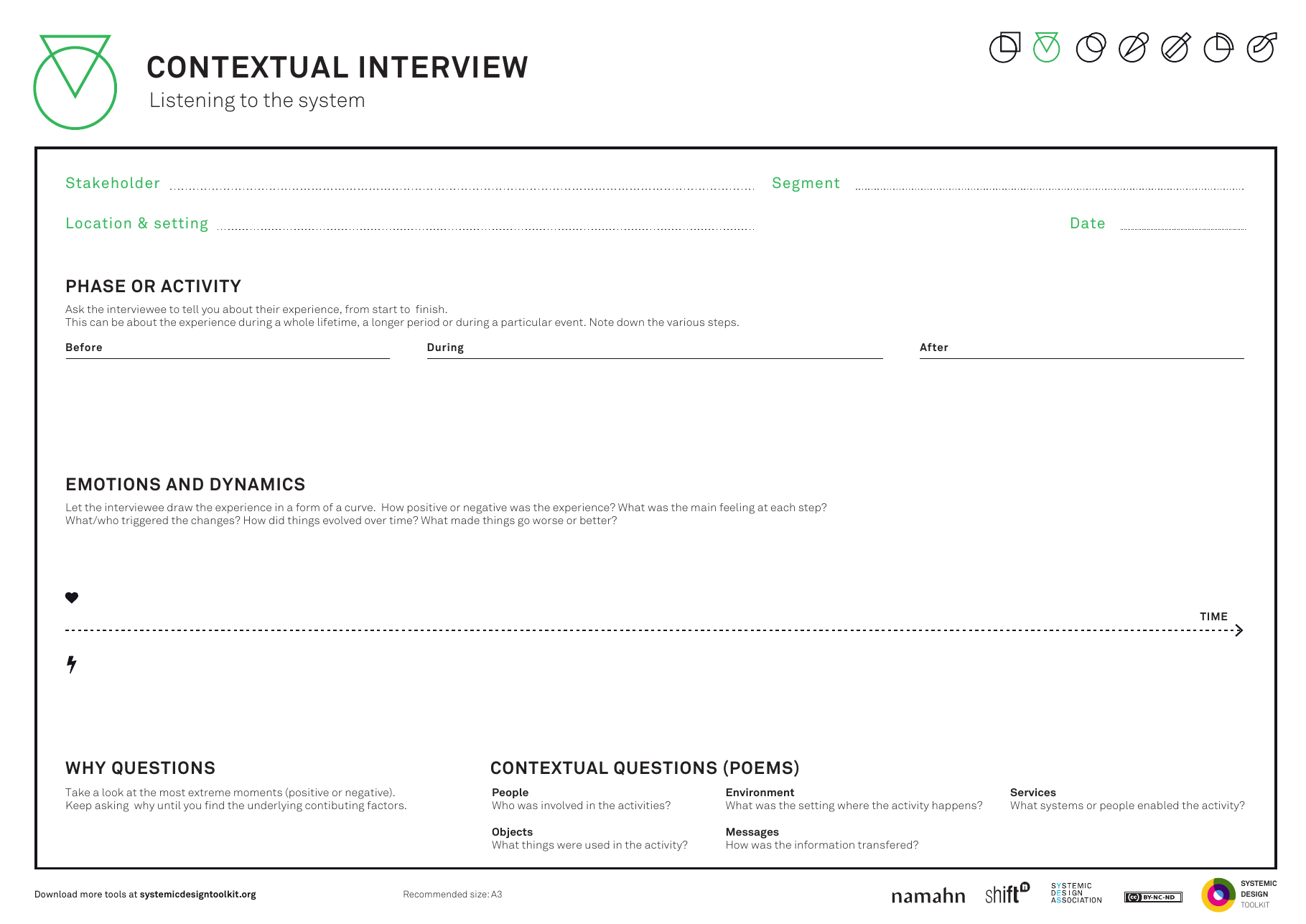
This picture is the published Systemic Design Toolkit poster for Contextual Interview. It is the official Design Journeys page, not a redrawing. - What it covers
- An interview guide used where people actually work or use the service: stakeholder segment, location and setting, date, then before, during and after a phase or activity.
- When to use it
- Use this when what people live through must shape how you model the system, and interviews are about to happen in the office about a place nobody visits.
- How to use it
- Name the stakeholder segment, go to their location, and write the date and setting.
- Walk a phase or activity: what happens before, during and after in that place.
- Ask and observe; keep notes on what happens in context.
- Capture tools, workarounds, other people and the room.
- Synthesise into the system model only after the visit.
- Book a visit to the setting if the interview was booked for your office.
- Who to involve
- Invite a researcher, a frontline colleague who can host the visit ethically, and later someone who can change the moment.
- Why it helps
- You can then shape the system model from before-during-after notes taken in place, not from opinions collected in a meeting room.
- Watch out for
- Make sure the interview happens in the setting people use. Office interviews about a place nobody visits will collect opinions, not lived context.
There is no published template for Conversation / content-purpose canvas yet. - What it covers
- One spoken line, sign, form field or screen: who it is for, what job the words must do, and the next action the person should be able to take.
- When to use it
- Use this when the service is mostly words (a sign, form, script or screen) and tone of voice guidance is about to stand in for purpose.
- How to use it
- Pick one utterance: one sign, one form field, one script line or one screen.
- Write who it is for in this moment.
- Write the job the words must do.
- Write the next action the person should be able to take.
- Remove tone notes that do not serve that purpose.
- Rewrite the words so purpose and next action are clear, or cut the utterance.
- Who to involve
- Invite a content designer, the person who owns the touchpoint, someone who works it, and evidence from people who misread the sign or form.
- Why it helps
- You can then keep or cut each line of content because you know what it is for and what people should do next.
- Watch out for
- Make sure purpose and next action come before tone. Voice guidelines alone will not tell you whether the words earn their place.
There is no published template for Diary / contextual inquiry synthesis yet. - What it covers
- What actually happened for one person, in time and in place, synthesised from diaries or contextual inquiry, set beside the journey the team stated.
- When to use it
- Use this when the stated journey and the lived journey diverge, and quotes are about to decorate a flow drawn before fieldwork.
- How to use it
- Gather diaries or inquiry notes tagged with time and place.
- Synthesise what actually happened, in order, with sources.
- Place the stated journey beside it and mark divergences.
- Keep quotes attached to lived steps, not to a pre-drawn flow.
- Write what must change in script, space or system where lived and stated diverge.
- Redraw the flow from the notes if it existed before the fieldwork.
- Who to involve
- Invite researchers with field notes, a frontline colleague, someone who can change this moment, and people who kept diaries so they can recognise themselves on the page.
- Why it helps
- This helps you decide where the stated journey must change because fieldwork shows a different lived path.
- Watch out for
- Make sure the page shows lived and stated journeys side by side. Quotes stuck on a pre-drawn flow will hide the divergence.
There is no published template for Emotional journey (micro) yet. - What it covers
- How one person's feelings change through one visit or task, with a cause and evidence at each change. Seconds to hours, not a whole life.
- When to use it
- Use this when dignity, fear, pride or boredom shapes how people behave in the building, and a smile-to-frown line with no cause would hide that.
- How to use it
- Pick one person and one slice of time for this visit or task.
- Put steps in order. Under each, write the feeling and the evidence for it.
- Mark the cause: a door, a wait, a tone of voice or a result.
- Keep the line tied to those causes rather than a freehand mood curve.
- Write the design response at steps where dignity, fear or boredom bites.
- Take the marked steps to whoever can change that touchpoint.
- Who to involve
- Invite the person who owns the touchpoint, someone who works it, and researchers with notes from people who pass through it.
- Why it helps
- This helps you decide where dignity, fear or boredom need a design response, with causes you can act on.
- Watch out for
- Make sure every feeling change has a cause and evidence. A smile-to-frown graph alone will not tell you what to fix.
This picture is the printable A3 template for an empathy map. A person sits in the centre with what they see, think, hear, say, do and feel around them. - What it covers
- What one person says, thinks, does and feels in a single loaded moment, plus what they see and hear, and what hurts or helps them. Filled from field notes.
- When to use it
- Use this when a moment such as reception, security or waiting is emotionally charged, and the team is about to invent how people feel.
- How to use it
- Name one person (or a tightly evidenced composite) and one moment: reception, security or waiting.
- Fill says, thinks, does and feels from observation notes, not from hope.
- Add what they see and hear, and what hurts or helps, in that same moment.
- Put a source against each cell. Leave a cell empty rather than invent.
- Write what this moment needs from the script, the space or the system.
- Share the map with someone who can change that moment before you redesign it.
- Who to involve
- Invite researchers with field notes, a frontline colleague who works that moment, and someone who can change the script, space or system.
- Why it helps
- This helps you decide what the moment demands from design, using evidence about one person rather than a committee guess.
- Watch out for
- Make sure every cell has a source and a named moment. Generic feelings with no evidence will not guide a redesign.
There is no published template for Error / recovery / exception canvas yet. - What it covers
- What happens when identity fails, the lift is out or the interpreter is late: the exception, the recovery staff may use, and whether the person is left failing in public.
- When to use it
- Use this when public interactions fail often and in front of others, and the only designed recovery is about to be try again.
- How to use it
- List the exceptions that actually happen: identity, lift, interpreter, system or missing document.
- For each, write what the person experiences in public.
- Write the recovery staff are allowed to use, including a dignified pause.
- Replace try again where it is the only option.
- Specify space and script so failure is not a spectacle.
- Rehearse one exception with staff before you freeze the successful path.
- Who to involve
- Invite the person who owns the touchpoint, someone who works it, evidence from people who have failed here, and whoever owns identity, lifts or interpreting.
- Why it helps
- This helps you decide how exceptions recover with dignity, so people are not left failing in public.
- Watch out for
- Make sure each common exception has a recovery beyond try again. Otherwise people are left exposed when identity, lifts or interpreting fail.
There is no published template for Event / telemetry model yet. - What it covers
- What computer systems record at this desk moment, who can see that record, for how long and why, and what must not be logged.
- When to use it
- Use this when what happens at the desk must start work behind the scenes, and analytics are about to go on without naming who sees the log.
- How to use it
- List each action at the desk that should start work elsewhere.
- For each, write the event the system should log, in plain language.
- Write who can see it, for how long, and why.
- Mark what must not be logged.
- Name an audience for any analytics, or switch them off.
- End with the change to script, space or system so logging is a deliberate design choice.
- Who to involve
- Invite the person who owns the touchpoint, someone who works it, a software or information owner, and someone who can speak for the person being logged.
- Why it helps
- You can then let desk actions start the right work without turning logging into accidental surveillance.
- Watch out for
- Make sure every log has a named audience, retention and reason. Analytics without that become surveillance by accident.
There is no published template for Moment of truth / peak-end canvas yet. - What it covers
- The few seconds people remember from one visit (the peak and the end), what happened then, and which of those seconds you will change when you cannot perfect every step.
- When to use it
- Use this when you cannot perfect every step and must choose where limited effort goes, especially if the memorable moment risks decoration while the outcome stays the same.
- How to use it
- Pick one visit or task and plot the steps in time.
- From evidence, mark the peak (most intense) and the end (how it finished).
- Write what happened in those seconds: words, wait, dignity and result.
- Choose the real change you will make in those seconds.
- Note steps you will leave imperfect on purpose, so the trade-off is clear.
- Agree the changes with the person who owns the touchpoint.
- Who to involve
- Invite the person who owns the touchpoint, someone who works it, and people who have recently passed through it with evidence to share.
- Why it helps
- You can then put limited effort into the remembered peak and end, instead of polishing every step equally.
- Watch out for
- Make sure the peak and end change in substance. Styling those seconds without changing the outcome will not shift how people remember the visit.
This picture is the printable A3 template for Persona (moment-specific). - What it covers
- One person at this counter, door or screen: name and role, goals, behaviours, needs, frustrations, one evidenced quote, and what they cannot do here.
- When to use it
- Use this when staff training, wayfinding or language must fit this counter, door or screen, and a brand cast of characters would not actually be here.
- How to use it
- Stay with seconds to hours at this counter, door or screen.
- Fill name, role, goals, behaviours, needs and frustrations from observation of this moment.
- Write what they cannot do here: language, mobility, documents or time.
- Add one quote from evidence, not a slogan.
- End with what must change in the script, the space or the system.
- Drop any brand persona who would never stand at this counter.
- Who to involve
- Invite researchers with field notes, a frontline colleague who works this moment, and someone who can change training, wayfinding or language.
- Why it helps
- You can then write training, wayfinding and language for someone who is actually at this counter, door or screen.
- Watch out for
- Make sure the person on the page would really be here. A brand cast reused at every touchpoint will miss this moment.
There is no published template for Physical / sensory environment canvas yet. - What it covers
- Light, noise, queues, doorways, seating, sightlines and whether people feel safe in this room at the times they use it. The room treated as an interface.
- When to use it
- Use this when people use the room itself, not only a screen or form, and a rendered atmosphere is about to stand in for measured light, noise, queue and sightlines.
- How to use it
- Measure or observe light, noise, queue, threshold, seating, sightlines and safety at the times people use this room.
- Write who the room fails: hearing, vision, anxiety, mobility or children.
- Specify changes in the room itself, not in a picture of the room.
- Prefer measurements over a visualisation alone.
- End with what must change in this space for this moment.
- Agree owners for the physical changes before you sign off the layout.
- Who to involve
- Invite the person who owns the touchpoint, someone who works it, people who use the room (including those who find it unsafe or overwhelming), and an acoustician or lighting person if they will measure.
- Why it helps
- You can then change light, noise, queue and sightlines as design decisions, not as decoration in a render.
- Watch out for
- Make sure the page holds measured conditions. Atmosphere pictures alone will not tell you who the room fails.
There is no published template for Protocol / script / playbook yet. - What it covers
- The words and moves staff are allowed to use in this moment, including where judgement is required and permitted.
- When to use it
- Use this when how staff speak and act is the experience people get, and scripts are about to forbid the judgement the situation needs.
- How to use it
- Write the moment and the outcome staff must protect: dignity, safety or accuracy.
- Write the words and moves they may use, as full sentences.
- Write where judgement is required, and that it is allowed.
- Remove lines that force empty compliance.
- Test the script with staff on a difficult day, not only on launch day.
- Rewrite before training if the script blocks judgement the situation needs.
- Who to involve
- Invite the person who owns the touchpoint, staff who work it, evidence from people who pass through it, and policy authors who need to hear where the script breaks.
- Why it helps
- This helps you decide what staff may say and do, including judgement, so the desk experience matches the situation.
- Watch out for
- Make sure judgement the situation needs is written in as allowed. A script that forbids it will push staff into empty compliance.
This picture is the printable A3 template for Staff / backstage persona. - What it covers
- One member of staff at one desk or backstage post: their day, tools, pressures, workarounds, a quote, and what they can see, decide, override or must put up with.
- When to use it
- Use this when the outcome depends on staff at the desk, not only on the member of the public, and staff are about to appear only as process steps.
- How to use it
- Pick one role at one desk or backstage post.
- Fill the day, tools, pressures and workarounds from observation or a diary, not from the job description.
- Write what they can see, decide and override, and what they must put up with.
- Add a quote that would not fit on a process map.
- End with what must change so this person can do the job the public needs.
- Agree the changes with someone who owns tools, script or policy.
- Who to involve
- Invite the member of staff or a peer, a researcher with notes from their shift, and someone who can change tools, script or policy.
- Why it helps
- This helps you decide what staff need to see, decide and endure so the public outcome works at the desk as well as for the visitor.
- Watch out for
- Make sure staff are drawn as people with judgement and limits, not as anonymous steps on a user journey.
This picture is the printable A3 template for Task / interaction flow. - What it covers
- Steps, decisions, errors and system events for one person at one desk, kiosk, door or form. Human-computer interaction (HCI) work at this scale.
- When to use it
- Use this when you are specifying a desk, kiosk, door or form as a sequence of actions, and only the successful path is about to be drawn.
- How to use it
- Pick one person and one slice of time at this desk, kiosk, door or form.
- For each step, name who acts, write what happens as a full sentence, and cite evidence.
- Draw decisions and errors as well as the successful path.
- Add what the system or building does at the same moment.
- Mark gaps instead of filling them with invention.
- End with what must change in script, space or system.
- Who to involve
- Invite the person who owns the touchpoint, someone who works it, evidence from people who use it, and whoever owns the system events.
- Why it helps
- This helps you decide how the desk, kiosk, door or form should behave when things go wrong as well as when they go right.
- Watch out for
- Make sure decisions, errors and system events appear on the page. A successful path alone will not prepare staff or systems for real use.
There is no published template for Touchpoint inventory / evidence spec yet. - What it covers
- Every object, sign, smell, uniform, receipt and sound a person meets in this moment, including unofficial signals the brand did not design, and what each teaches about the service.
- When to use it
- Use this when the building is full of unofficial signals, and only brand touchpoints are about to go on the list.
- How to use it
- Walk the moment and list every object, sign, smell, uniform, receipt and sound.
- Include unofficial signals such as the queue, the tone at the desk and the smell of the bin.
- For each, write what it teaches about the service.
- Mark which you will keep, change or remove.
- Specify what will replace anything you remove, not only brand items.
- Walk the moment again if the list only covers brand touchpoints.
- Who to involve
- Invite the person who owns the touchpoint, someone who works it, and people who pass through it. A brand lead may attend but should not strike unofficial signals.
- Why it helps
- This helps you decide which signals to keep, change or remove so smell, queue, receipt and tone do not quietly teach a different service.
- Watch out for
- Make sure unofficial signals stay on the list. Brand items alone will miss what people actually learn in the moment.
There is no published template for Trust / friction canvas yet. - What it covers
- Checks at a civic threshold that keep people safe versus checks that humiliate them, and what welcome would look like without dropping necessary security.
- When to use it
- Use this when a civic building must be both open and safe, and security alone is about to author the threshold.
- How to use it
- List every check at the threshold: bags, identity, questions, cameras and queues.
- For each, write whether it is necessary friction or humiliation, with evidence from people who pass through.
- Write what welcome would look like without dropping the necessary checks.
- Give welcome an author as well as security.
- Specify the threshold as a designed moment, not a leftover.
- Change any check that has tipped from necessary friction into humiliation before you freeze the foyer.
- Who to involve
- Invite security, someone responsible for welcome, researchers with field notes, a frontline colleague, and people who pass the threshold.
- Why it helps
- You can then keep necessary friction and design out humiliation, so the building can be open and safe at the same door.
- Watch out for
- Make sure welcome has an author beside security. Otherwise necessary checks harden into humiliation and the foyer loses openness.
This picture is the printable A3 template for User story map (slice). - What it covers
- Jeff Patton's story map for one slice of work: user activities across the top, steps beneath, then a walking skeleton, next release and later. Digital and physical tasks stay on one map.
- When to use it
- Use this when digital and physical tasks must go out as one sequence for a person, and the wall is at risk of becoming a backlog dump.
- How to use it
- Write user activities left to right as the backbone of this slice, at seconds to hours.
- Under each activity, add steps from observed evidence.
- Draw a walking skeleton: the thinnest complete sequence across digital and physical.
- Place next release and later beneath that skeleton.
- Keep every item on the map under a backbone activity.
- Agree what ships together so a person can finish the sequence.
- Who to involve
- Invite the person who owns the touchpoint, someone who works it, a product person who can slice a release, and evidence from people who pass through it.
- Why it helps
- You can then ship digital and physical work as one sequence a person can finish, instead of two separate lists.
- Watch out for
- Make sure the wall has a backbone and a walking skeleton. A backlog dump will not tell you what must ship together.
There is no published template for Wireflow / wayfinding sequence yet. - What it covers
- One person moving through place and interface together: arriving, security, waiting, and finding the desk or page, drawn at eye height and in time.
- When to use it
- Use this when people must arrive, pass security, wait and find the right room or screen, and plans are being drawn without eye height or time.
- How to use it
- Pick one person and one slice of time through arrival, security, wait and finding the desk or page.
- Put each step in order, including signs, doors, queues and screens.
- Draw what they see at eye height, not the floor plan from above.
- Name who acts, what happens, and what evidence you have.
- Stay with this visit rather than expanding to a whole life.
- Fix the sequence where people get lost, including the join between building and screen.
- Who to involve
- Invite the person who owns the touchpoint, someone who works it, a wayfinding or user experience (UX) person, evidence from people who get lost, and security if they own a step.
- Why it helps
- You can then design arrival, security and finding the room as one path at eye height, not as a floor plan people never see that way.
- Watch out for
- Make sure the sequence includes eye height and time. Plans drawn only from above will miss where people get lost.
No canvases match this filter.